
Product SEO (Printing E-store)
This tutorial explains how to configure SEO settings for your product.
Video Tutorial
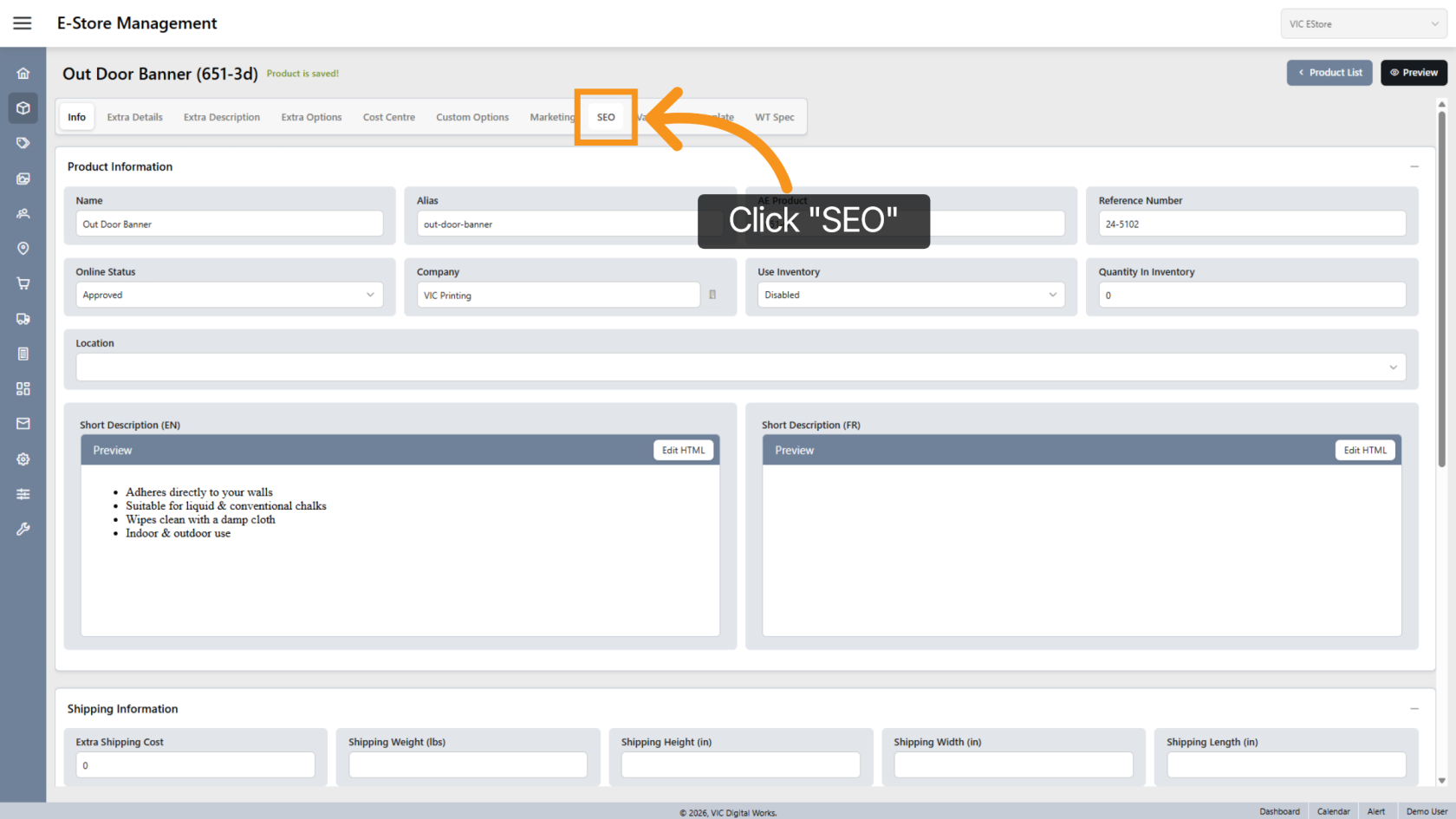
1. Navigate to SEO
Click "SEO" to access the search engine optimization settings.
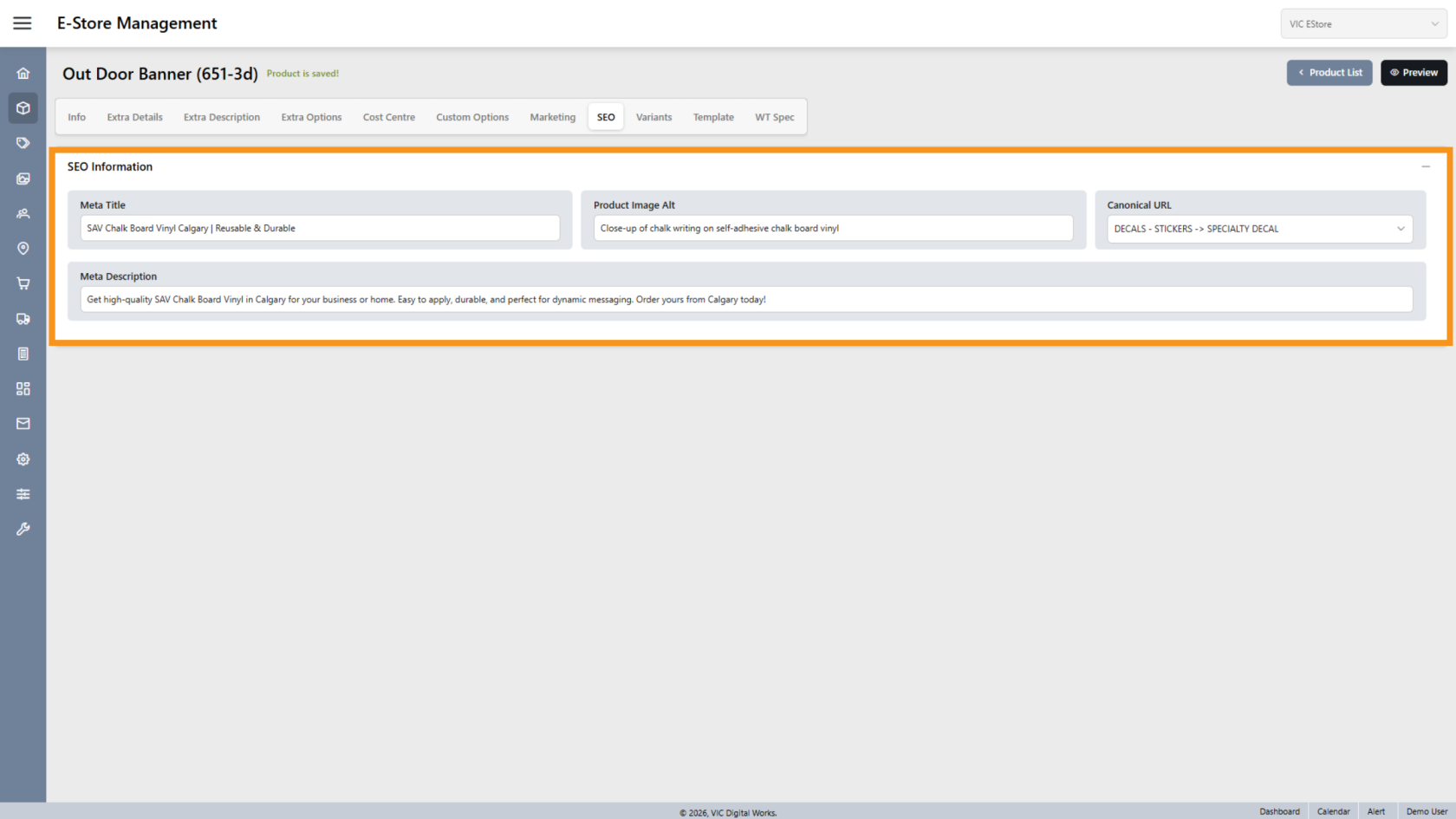
2. Enter SEO Information
Fill in the required SEO details related to your product.
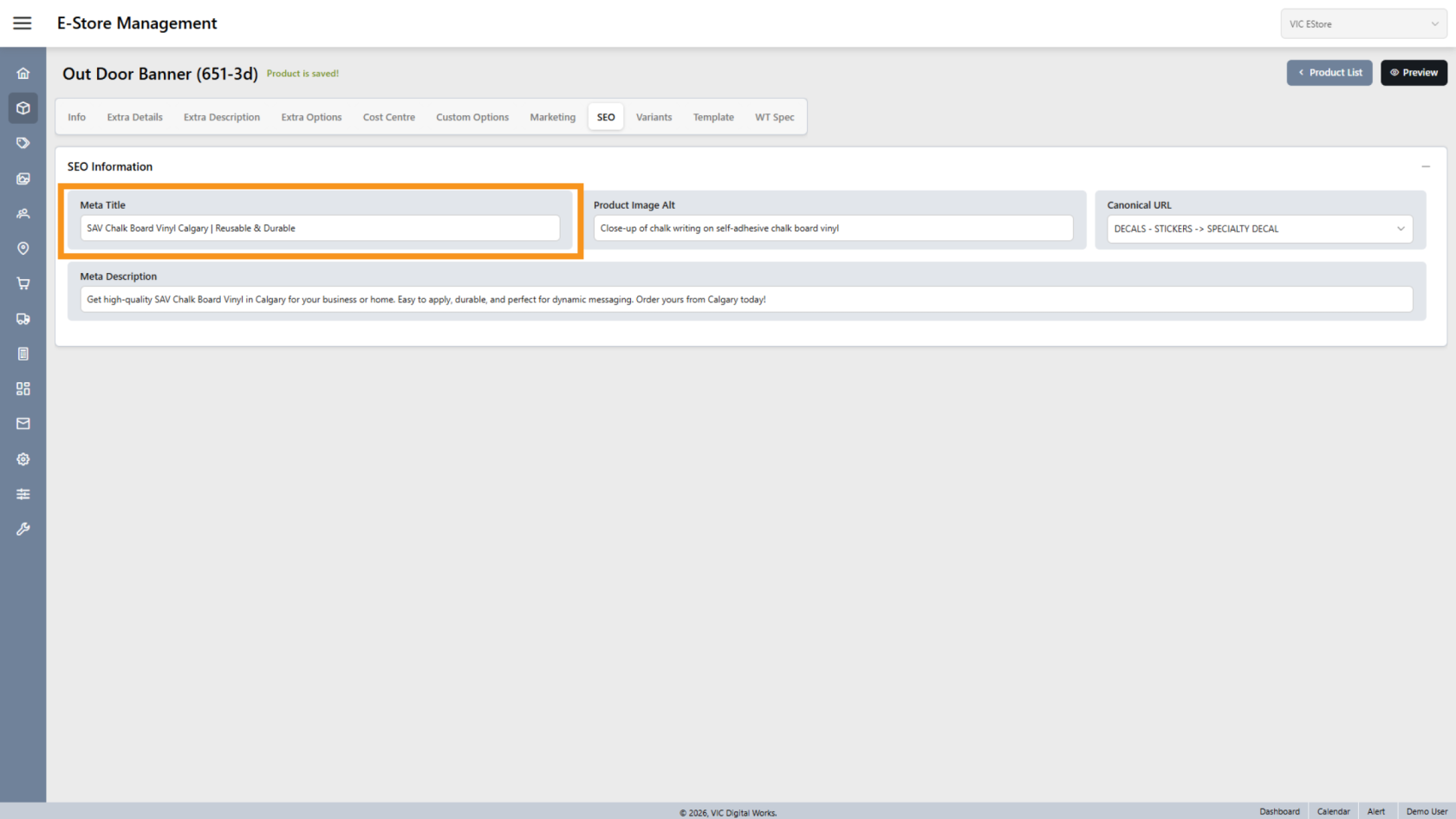
3. Meta Title
Enter the product title that will appear in search engine results.
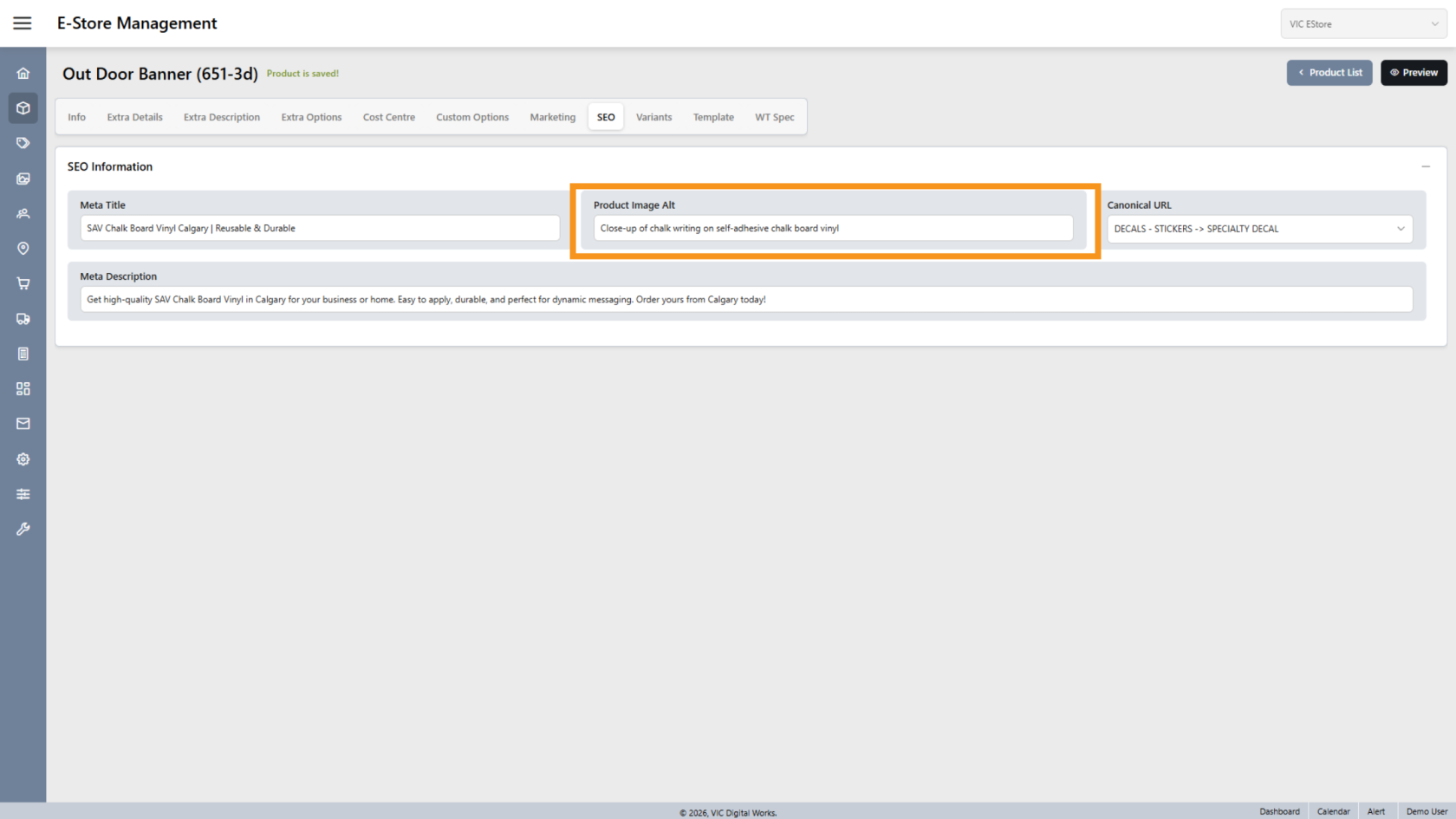
4. Product Image Alt Text
Enter a clear description of the product image.
This helps improve accessibility and search engine ranking.
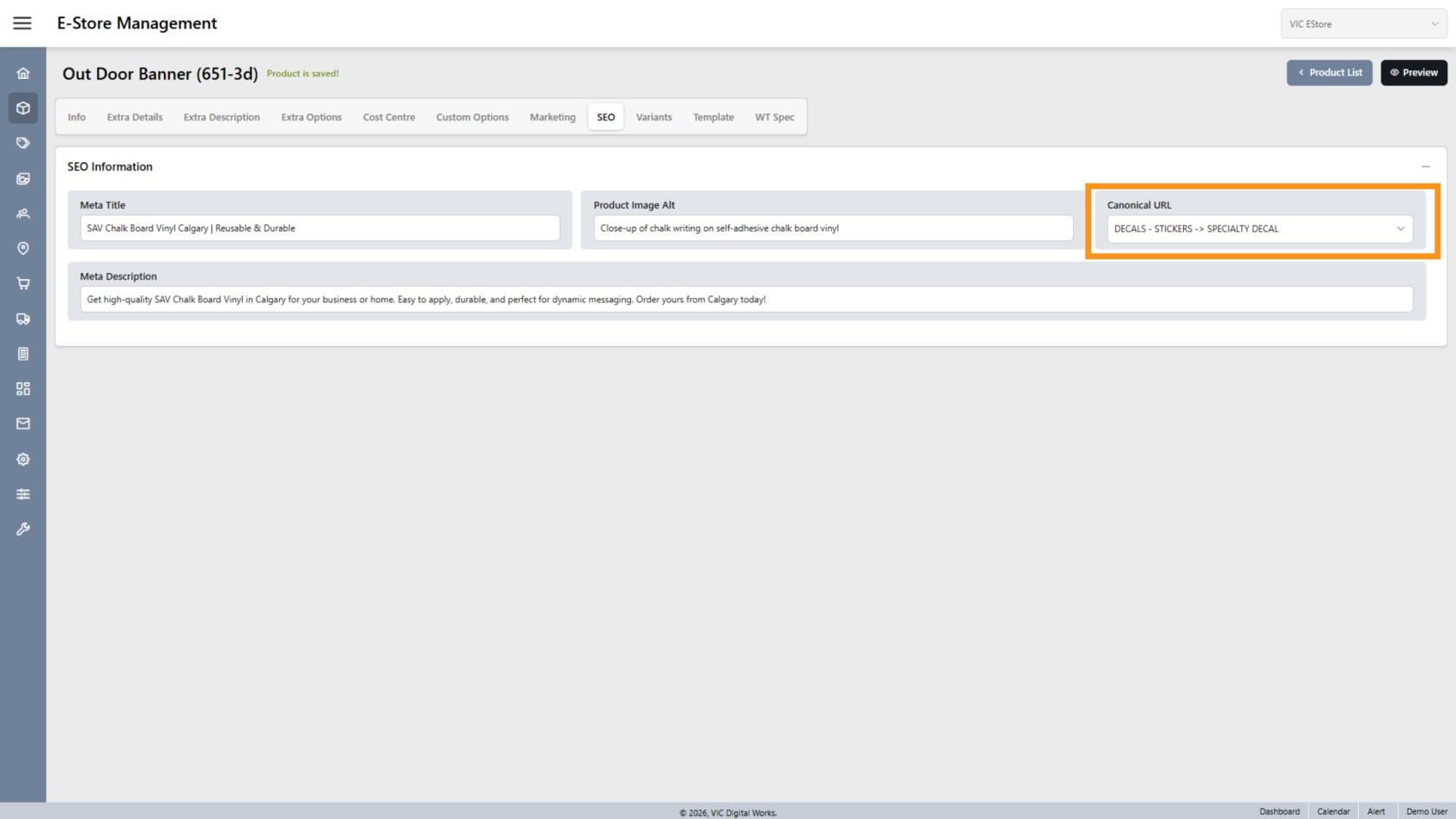
5. Canonical URL
Select how you want the product category to appear as the canonical URL.
This helps prevent duplicate content issues.
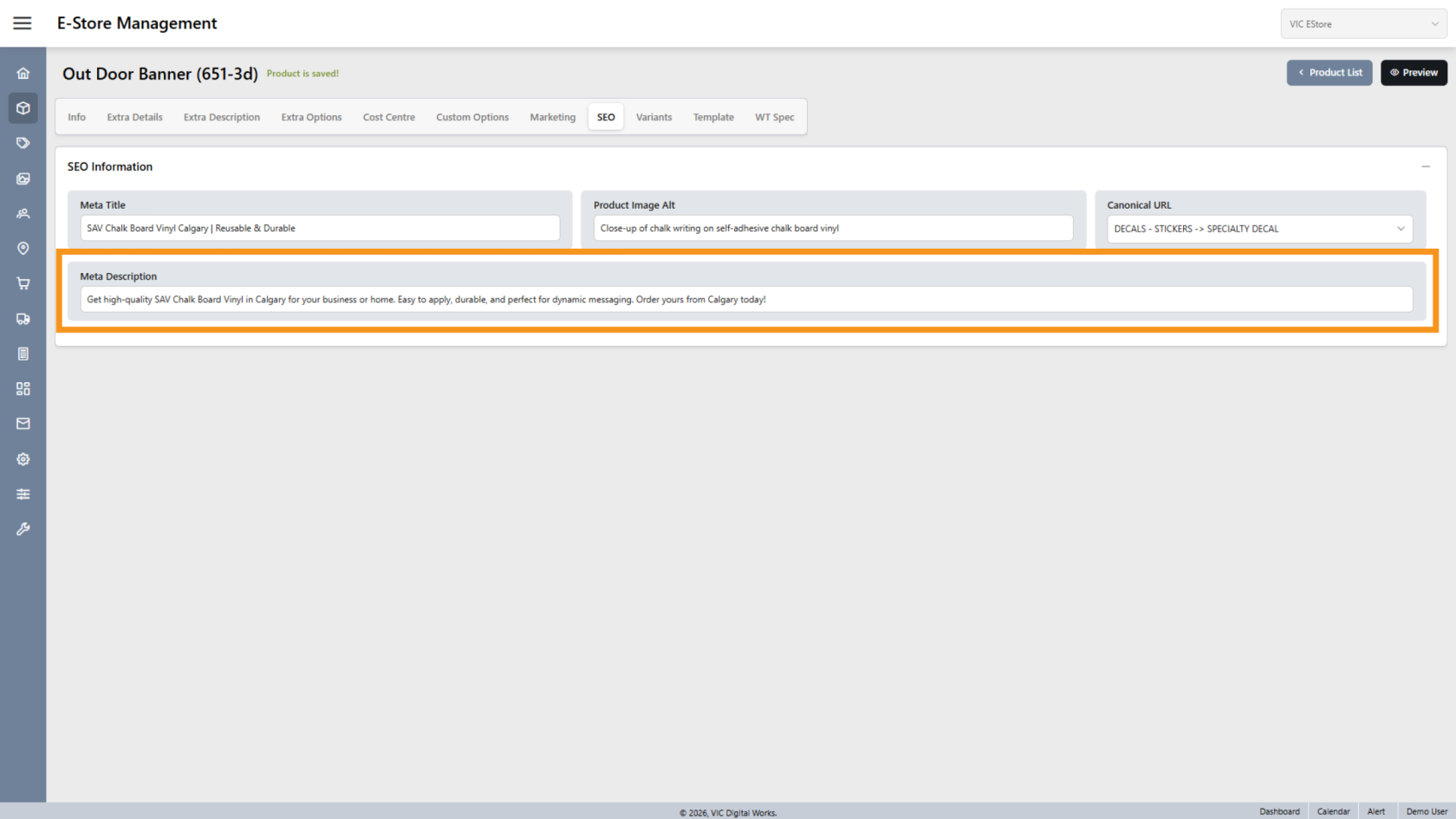
6. Meta Description
Enter a short SEO description for the product.
This description may appear in search engine results below the title.
You have successfully configured the product SEO settings. Optimizing these fields helps improve search visibility and your online presence.