
Export Monthly Report
This tutorial guides you through exporting a monthly billing report. All Sales Orders within the selected job will be included in the report.
Video Tutorial
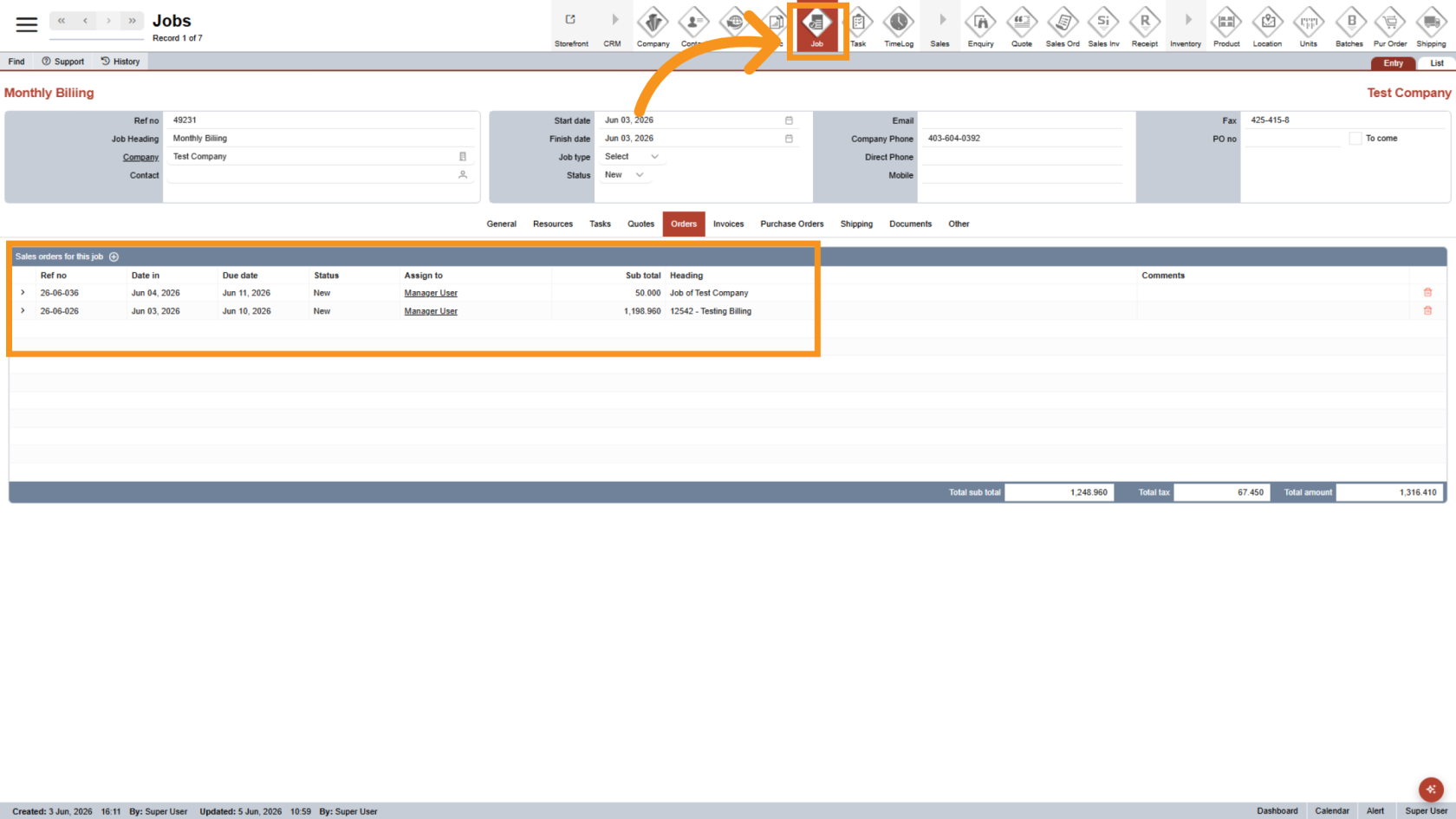
1. Open a Job
Open the job you want to export.
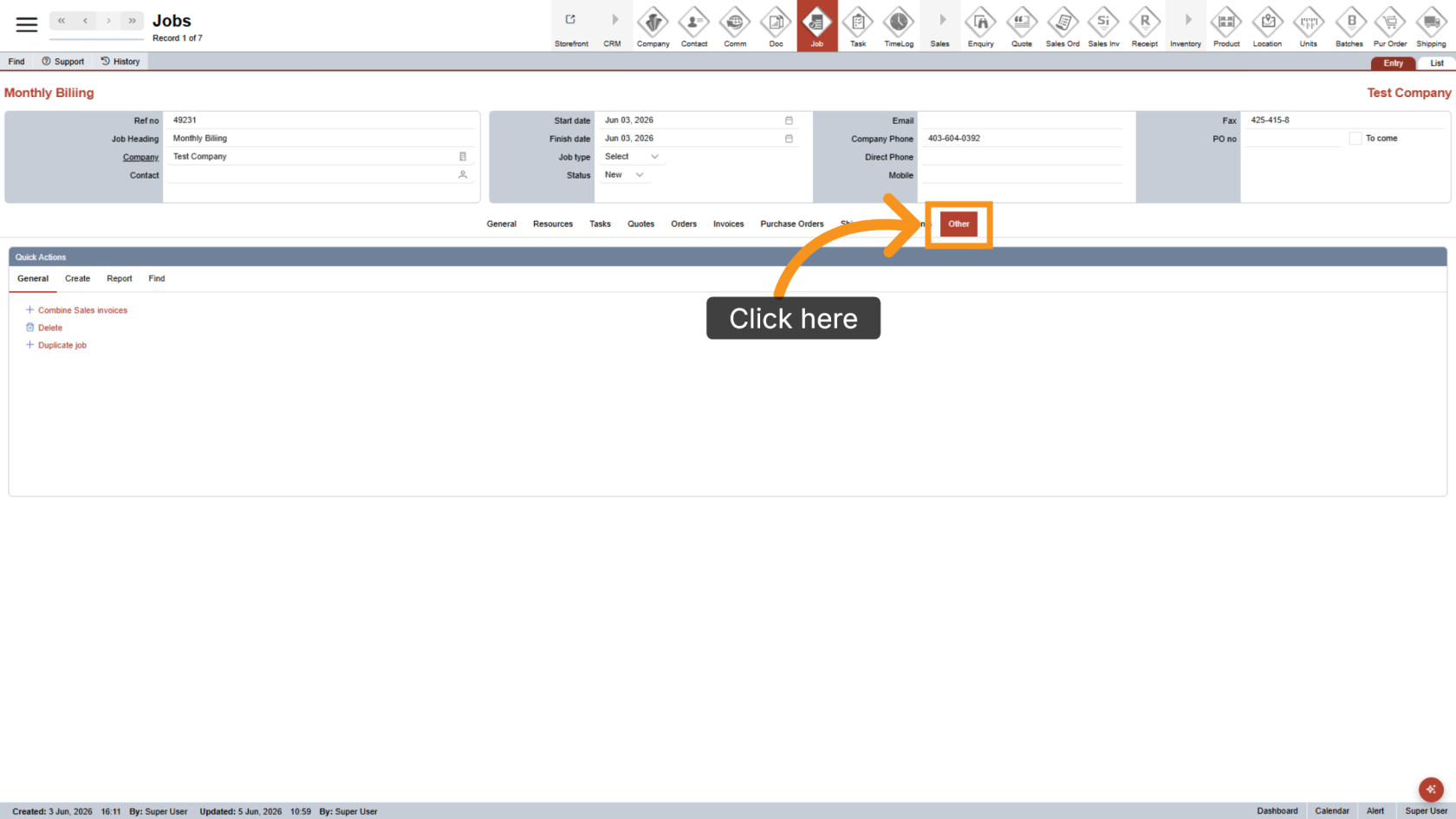
2. Open the Other Menu
Click Other to open the additional options menu.
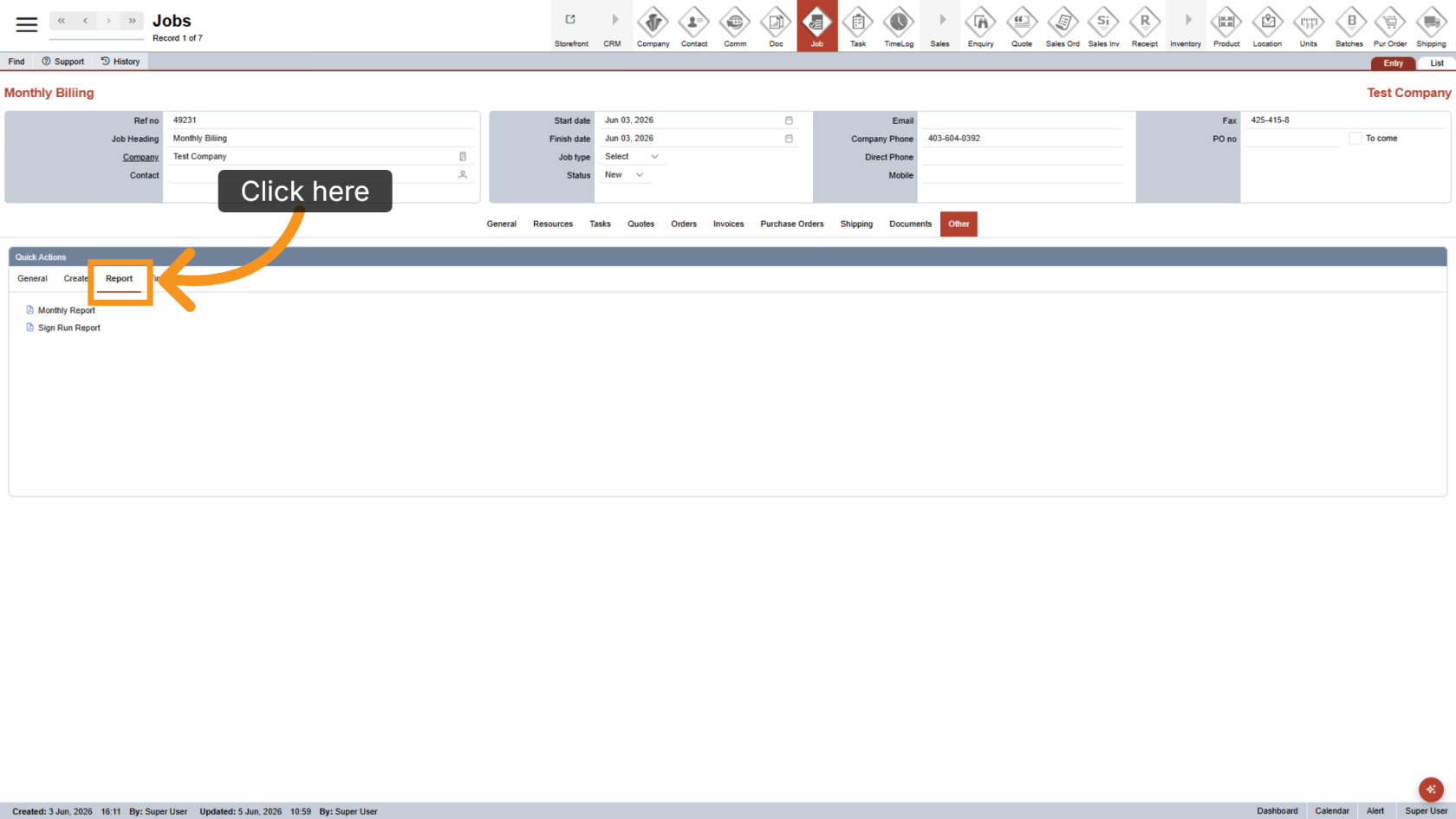
3. Open Report
Click Report to access the report options.
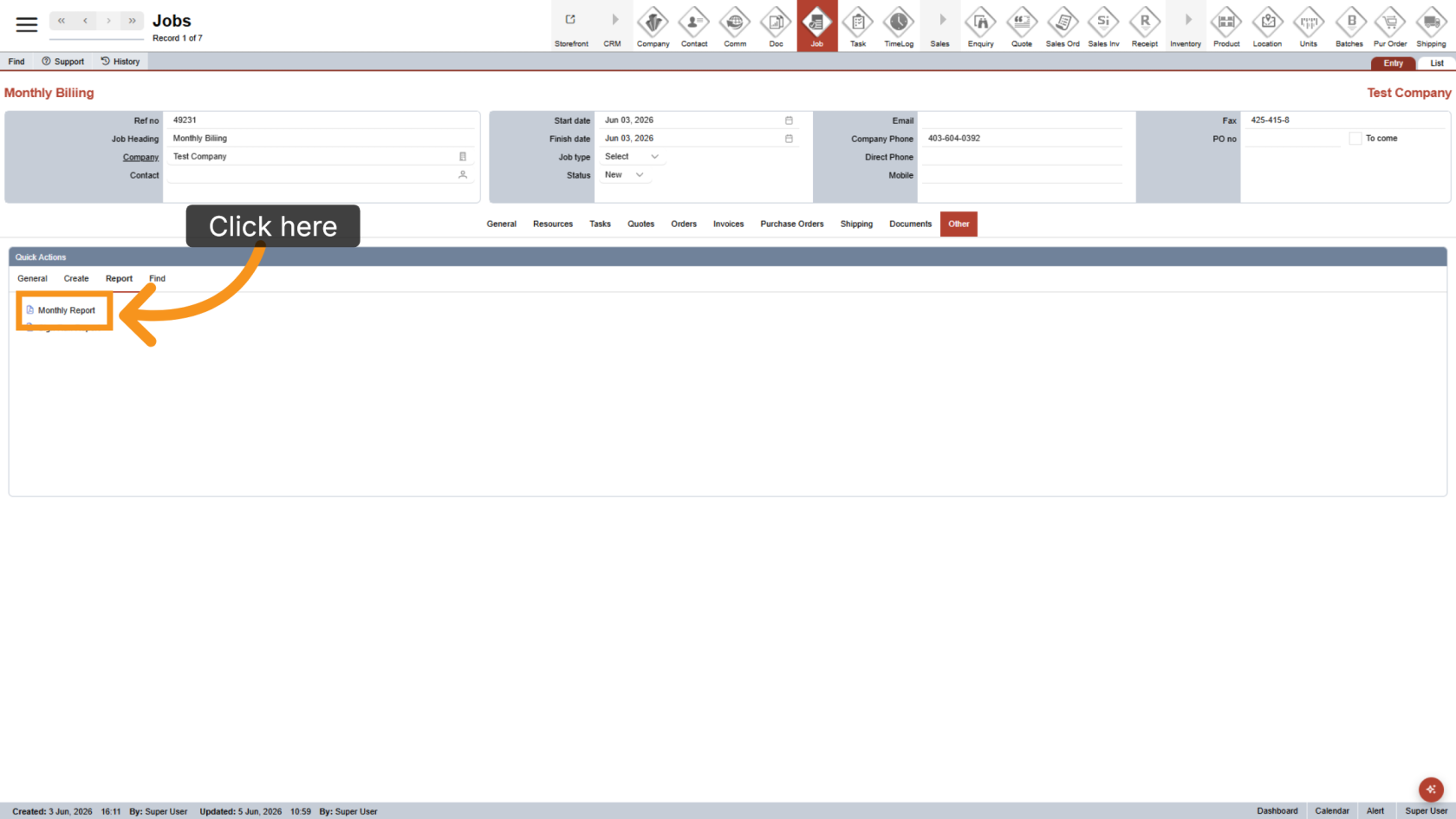
4. Export the Monthly Report
Select Monthly Report to generate and export the billing report.
5. Review the Excel File
Open the exported Excel file and review the billing information.
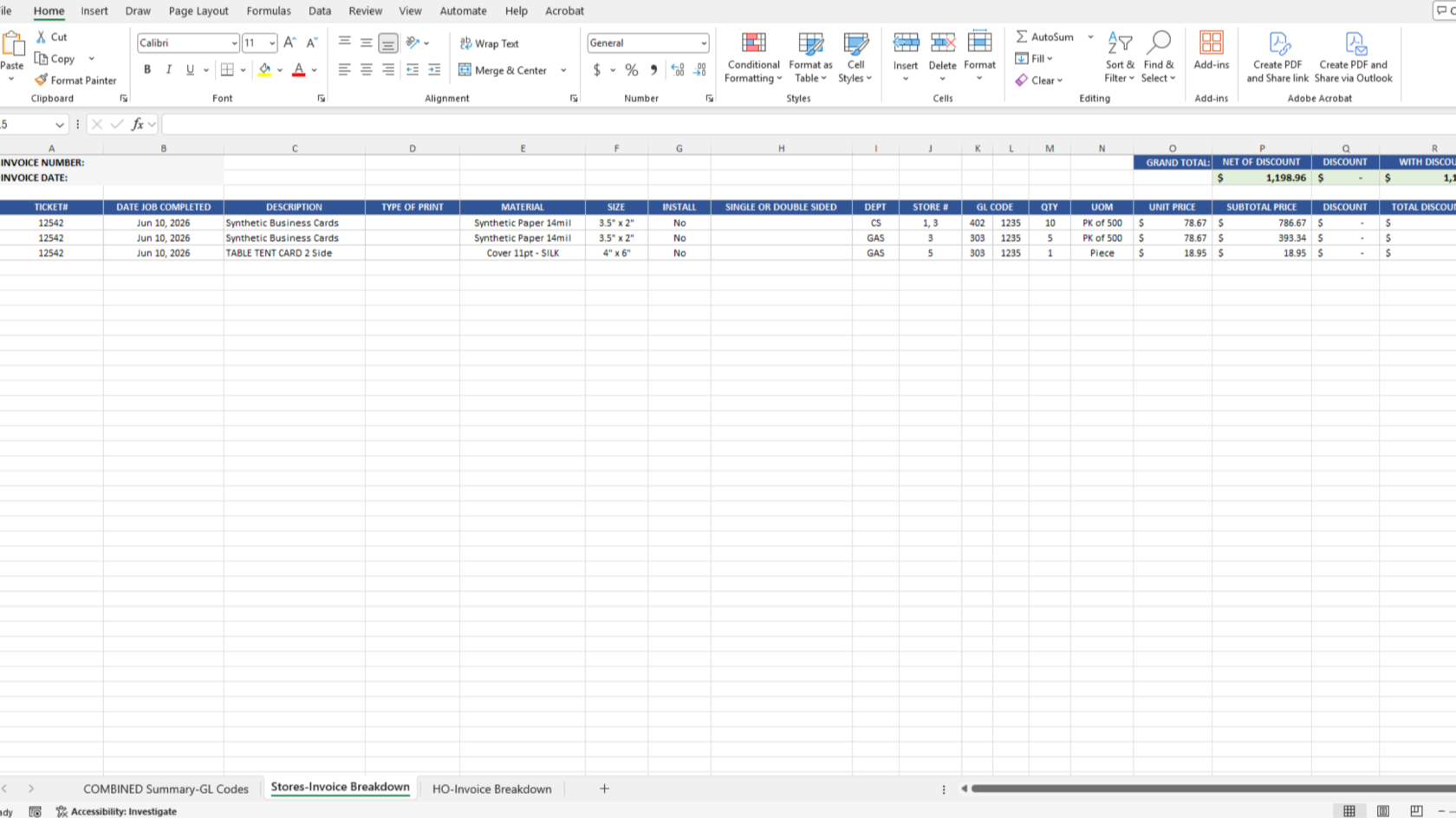
You have successfully exported a monthly billing report. Review the report to ensure all Sales Orders and billing details are accurate.