
Create Share Dashboard (Super Admin Only)
This tutorial shows you how to create a shared dashboard that other users can reuse. Only users with the Super Admin role can create and manage shared dashboards.
Video Tutorial
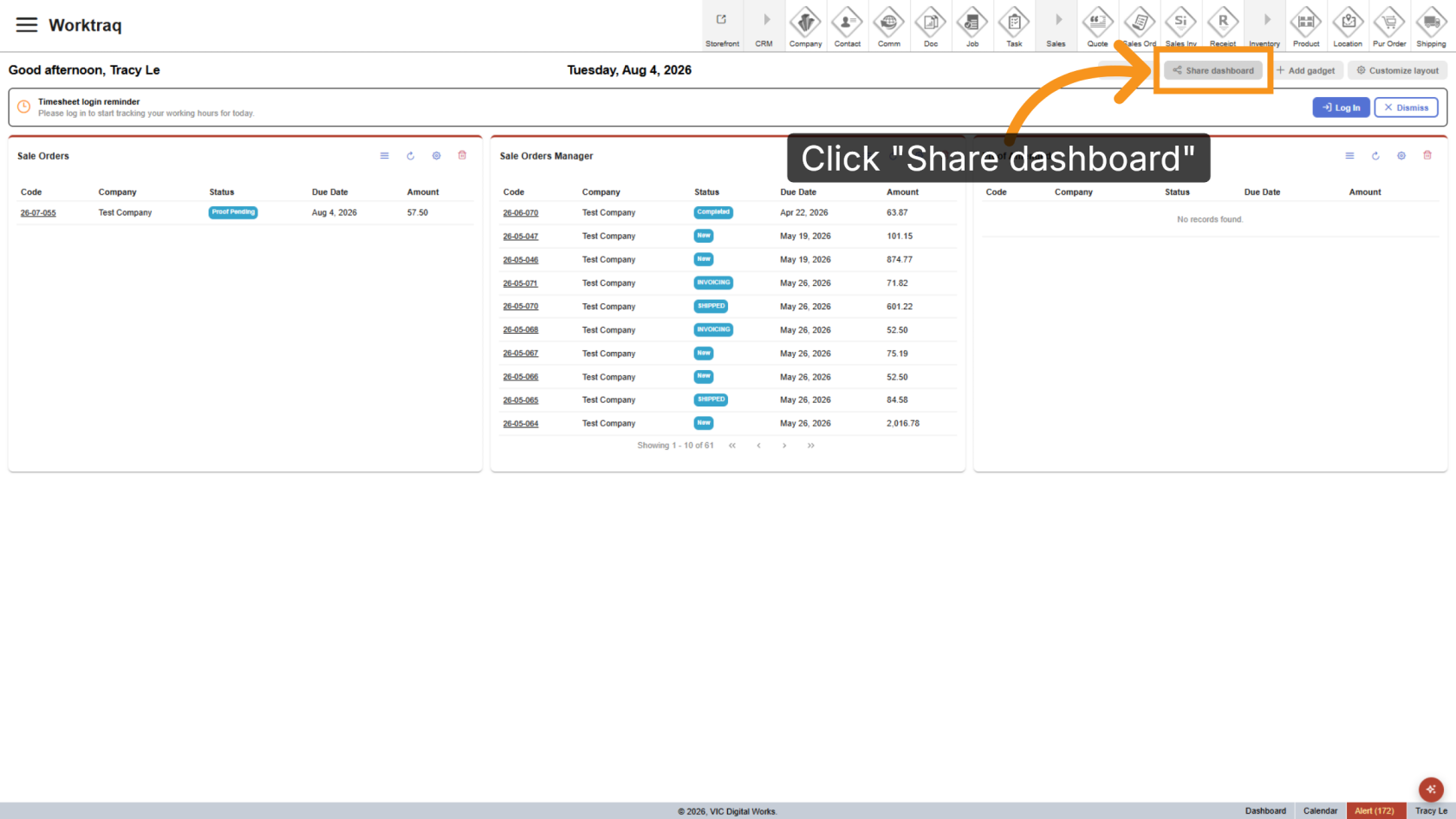
1. Open Share Dashboard
After customizing the layout and gadgets, click Share Dashboard. Your current configuration will be saved as a shared dashboard.
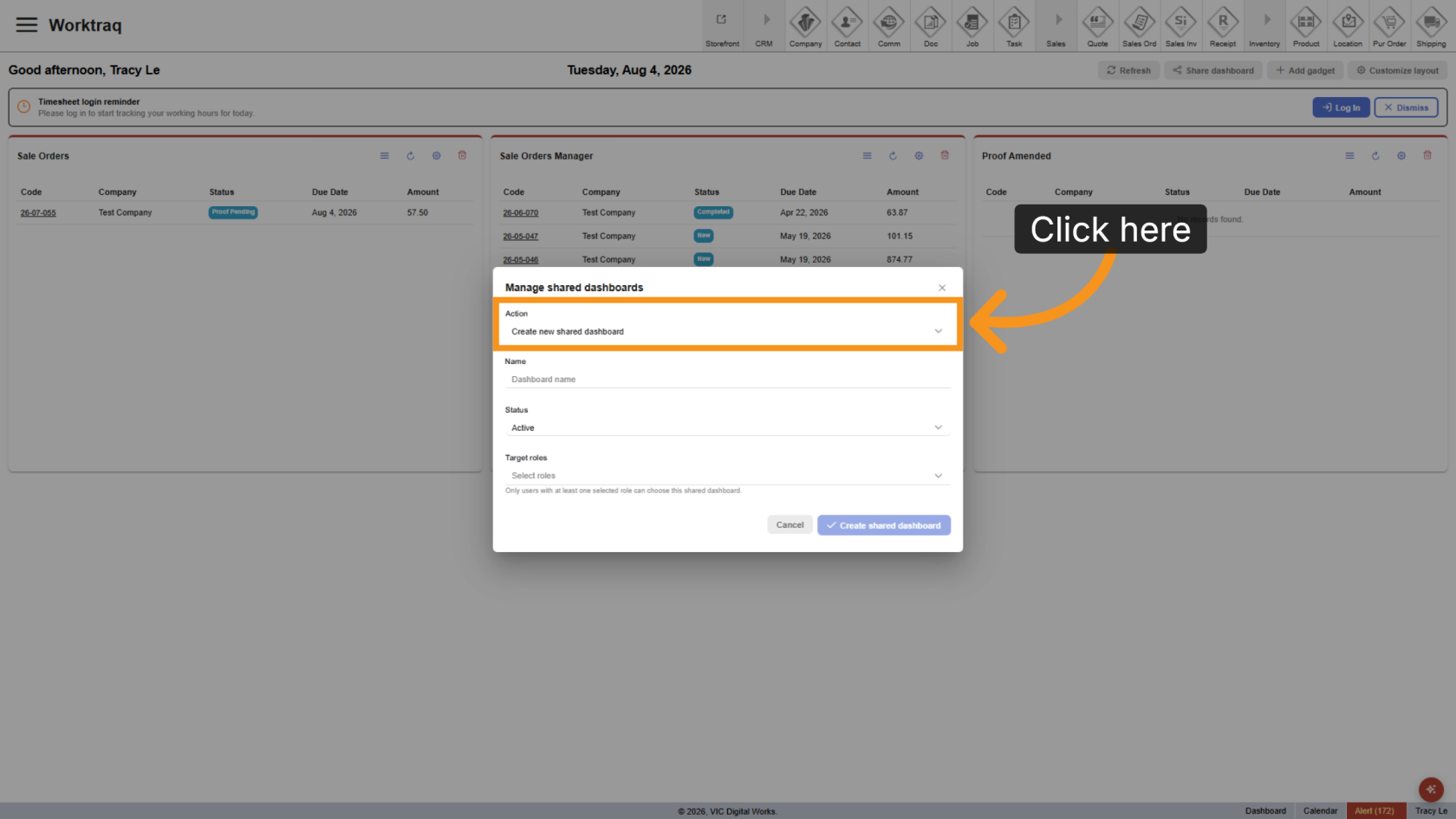
2. Create Shared Dashboard
Select Create New Shared Dashboard.
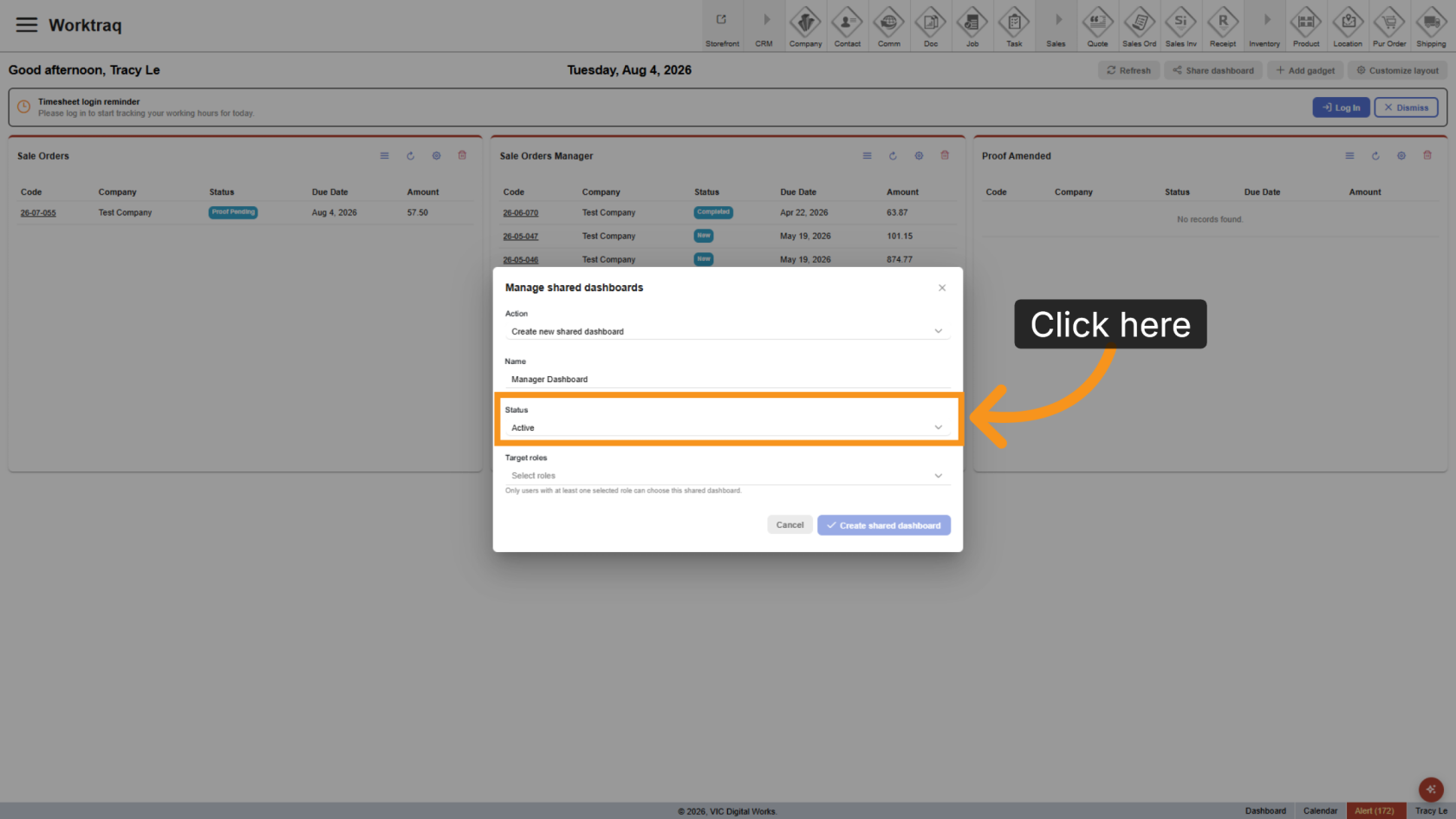
3. Enter Dashboard Name
Enter a clear name that helps users quickly understand the dashboard’s purpose.
4. Set Status
Select Active to make the shared dashboard available to users.
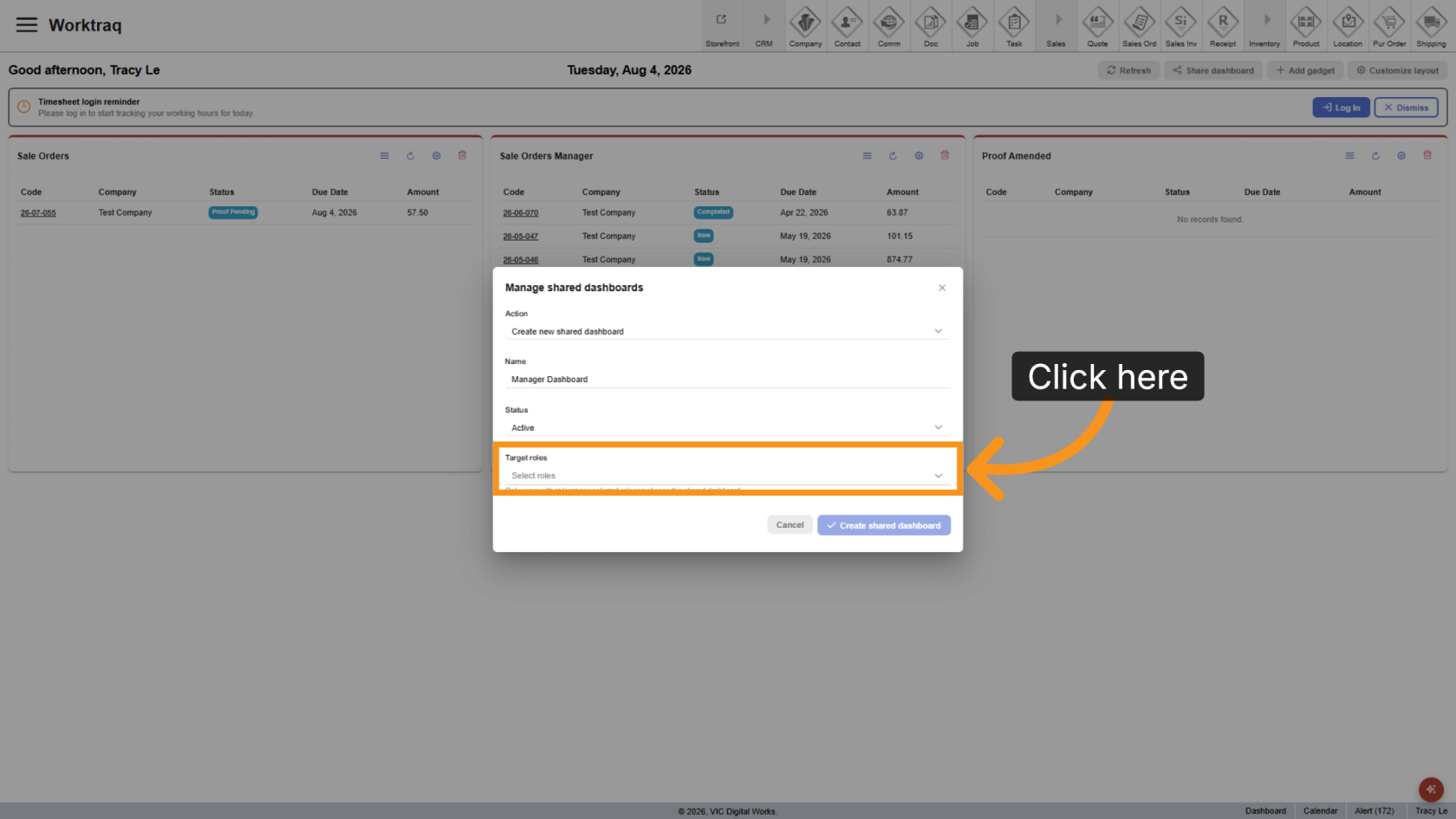
5. Select Roles
Click Select Roles, then choose the roles that can access the dashboard. You can select multiple roles.
6. Save Dashboard
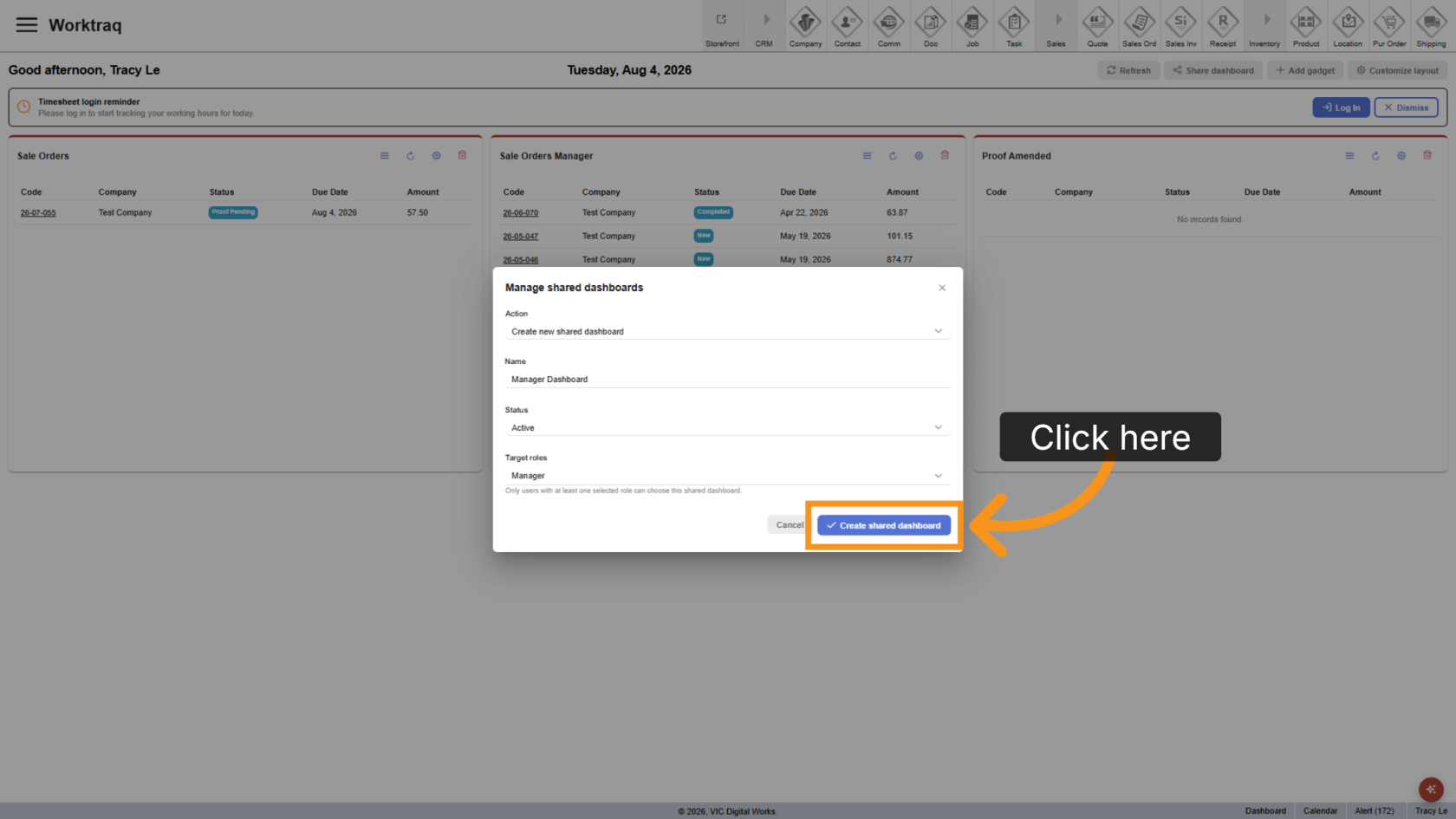
You have successfully created a shared dashboard in the WorkTraq App and assigned it to the selected roles.