
Switch Dashboards
This tutorial shows you how to switch between available dashboards in the WorkTraq App.
Video Tutorial
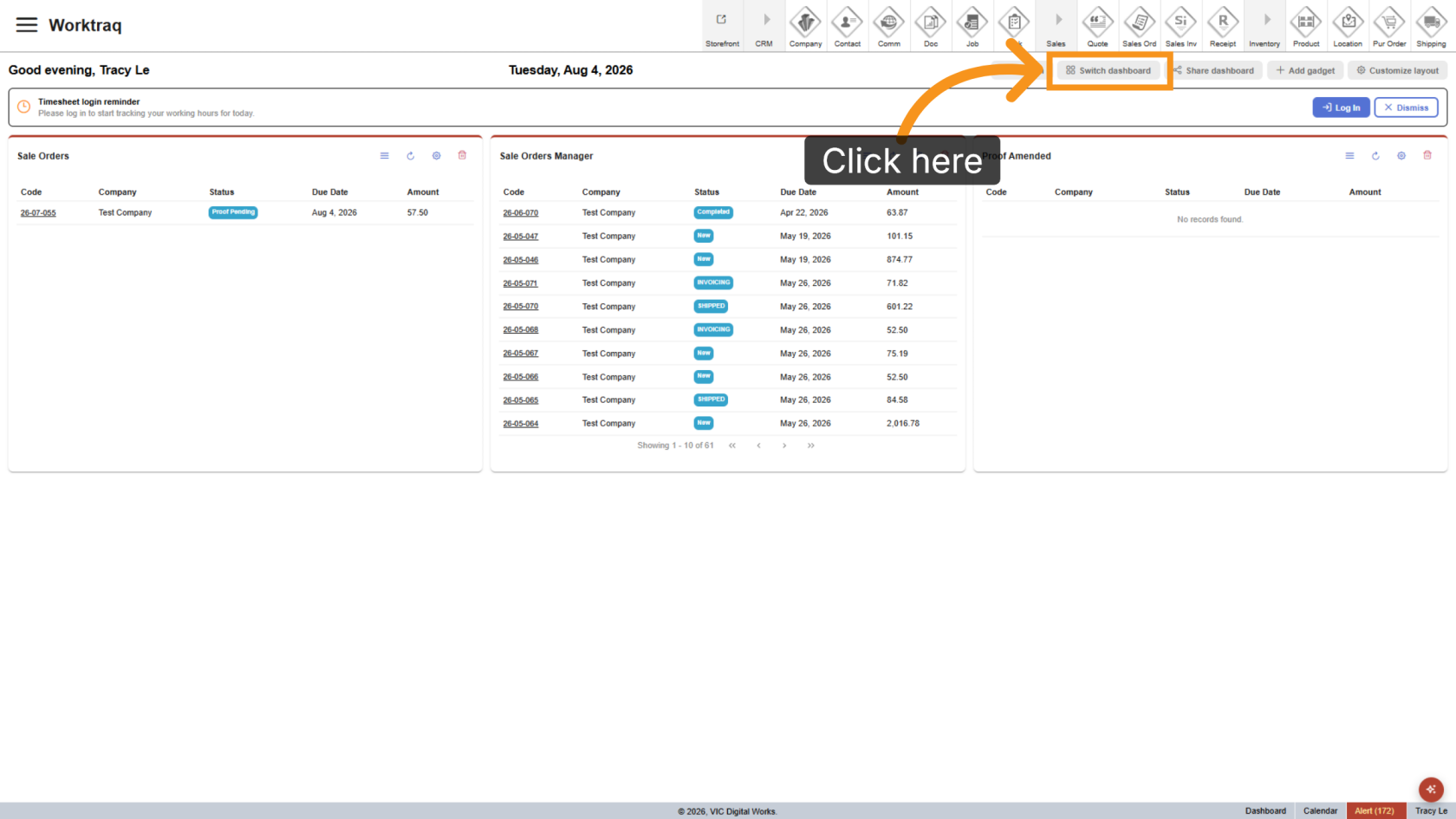
1. Open Switch Dashboard Menu
Click Switch Dashboard.
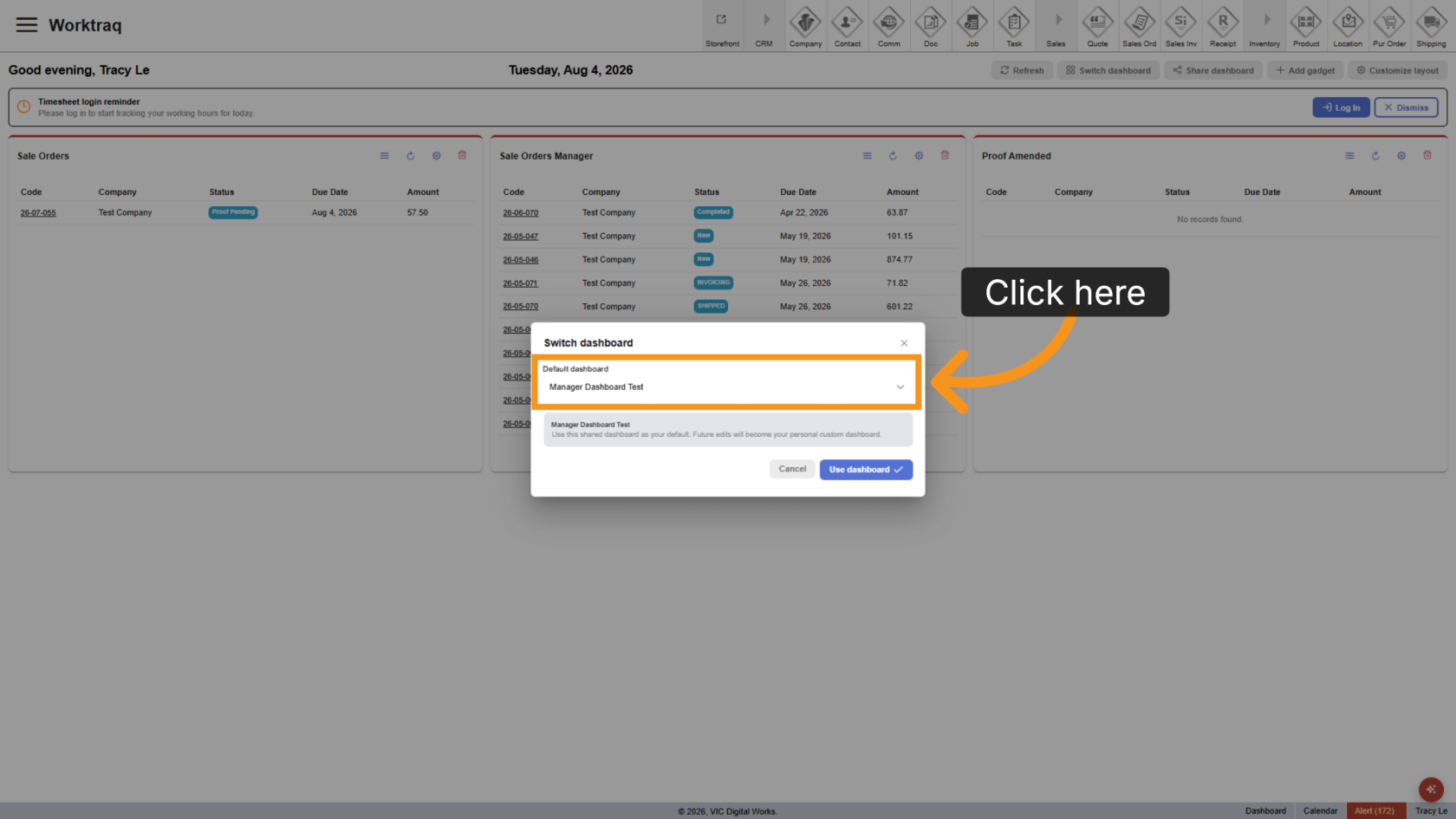
2. Select Dashboard
The list displays the shared dashboards available to your role. Select the dashboard you want to use.
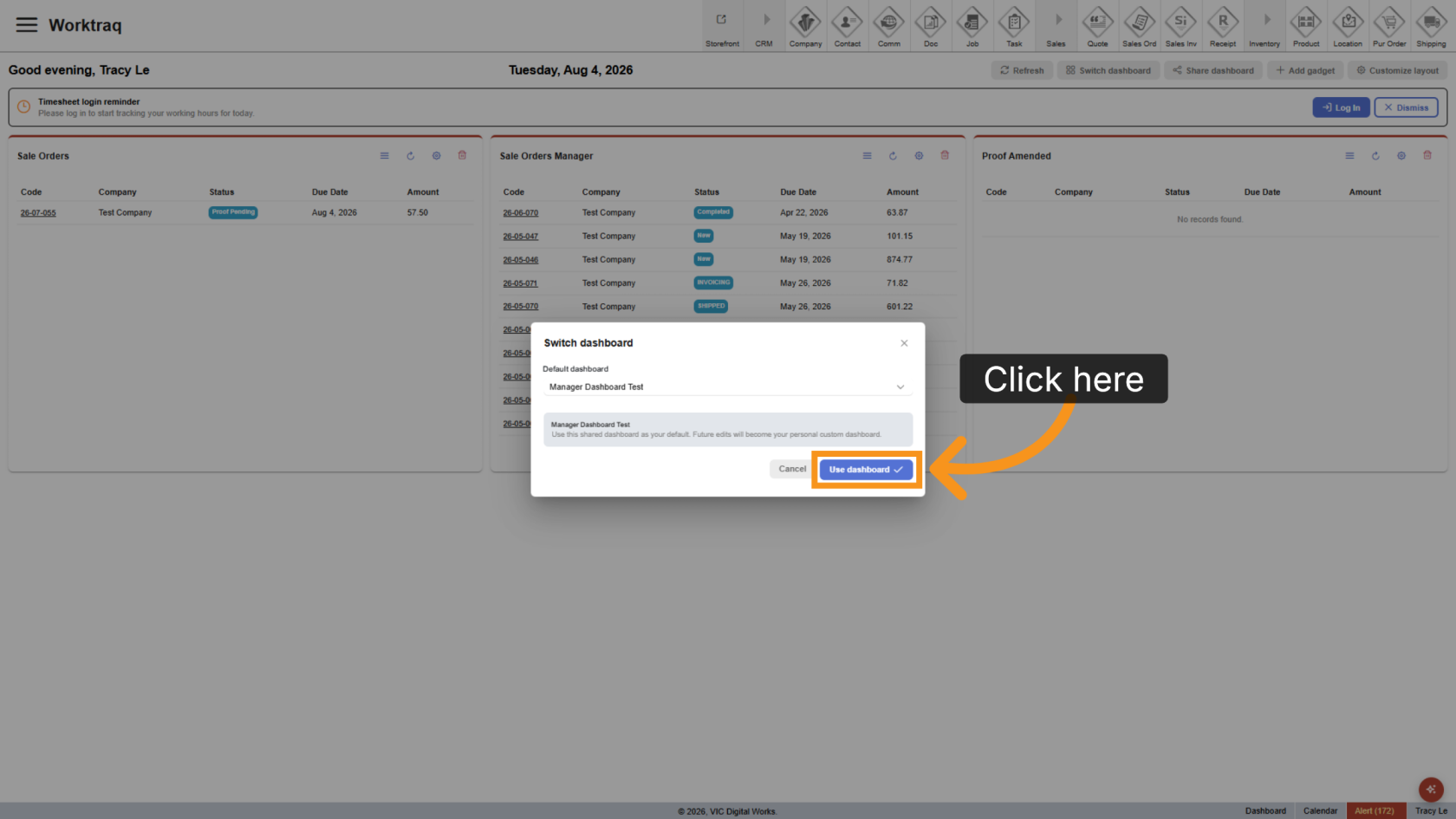
3. Use Dashboard
Click Use Dashboard to apply the selected dashboard to your workspace.
4. Review Dashboard
The selected dashboard is displayed with its saved layout and gadget configuration.
- If you do not customize it, future updates to the shared dashboard will be applied automatically after you refresh your browser.
- If you customize it, your changes create a personal dashboard, and you will no longer receive updates from the shared dashboard.
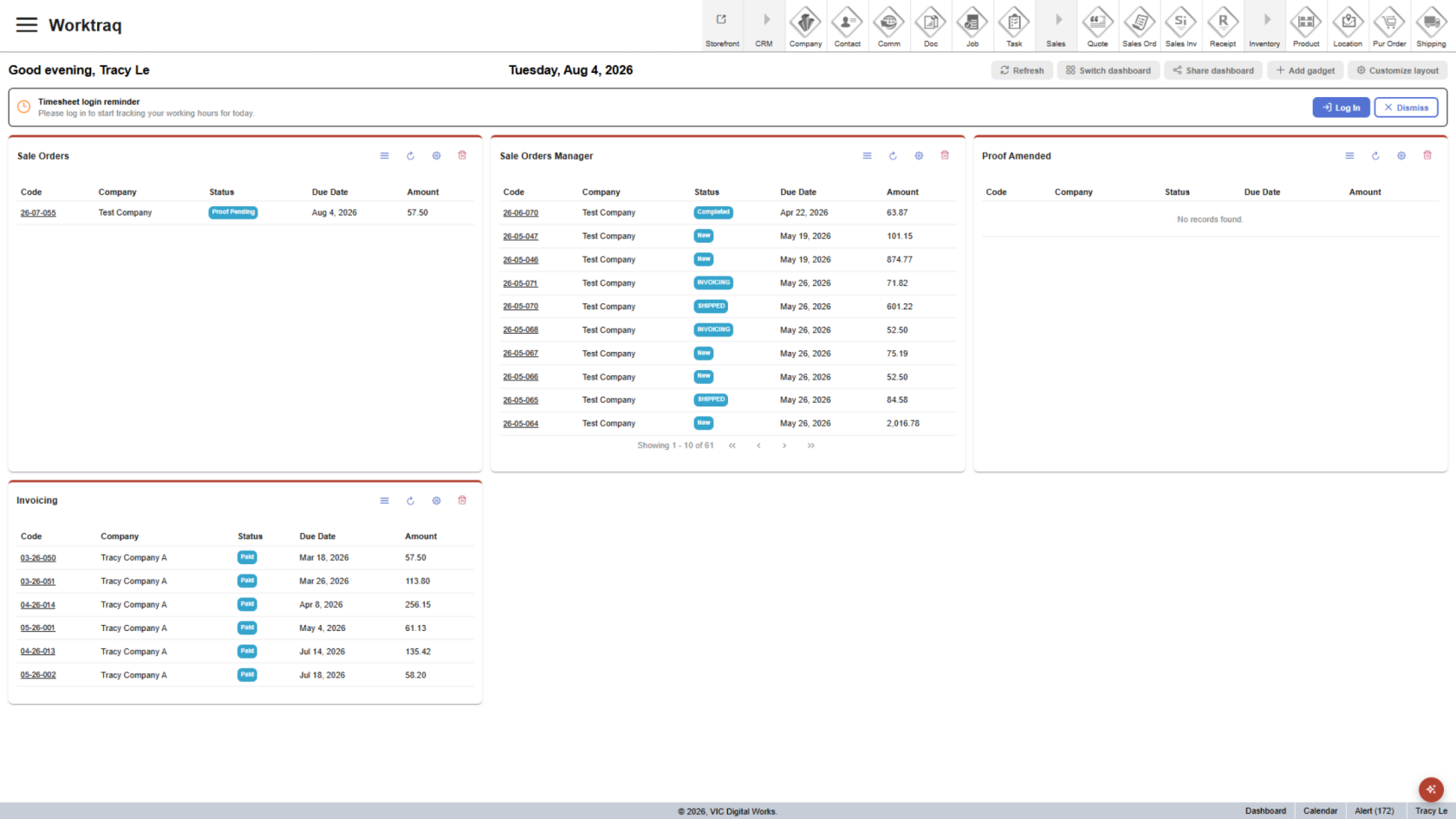
You have successfully switched to a different dashboard in the WorkTraq App.