
Create a B2B E-Store Company
This tutorial guides you through creating and configuring a new B2B E-Store Company. The E-Store allows customers to browse products, customize items, and place orders through a self-service online portal.
Video Tutorial
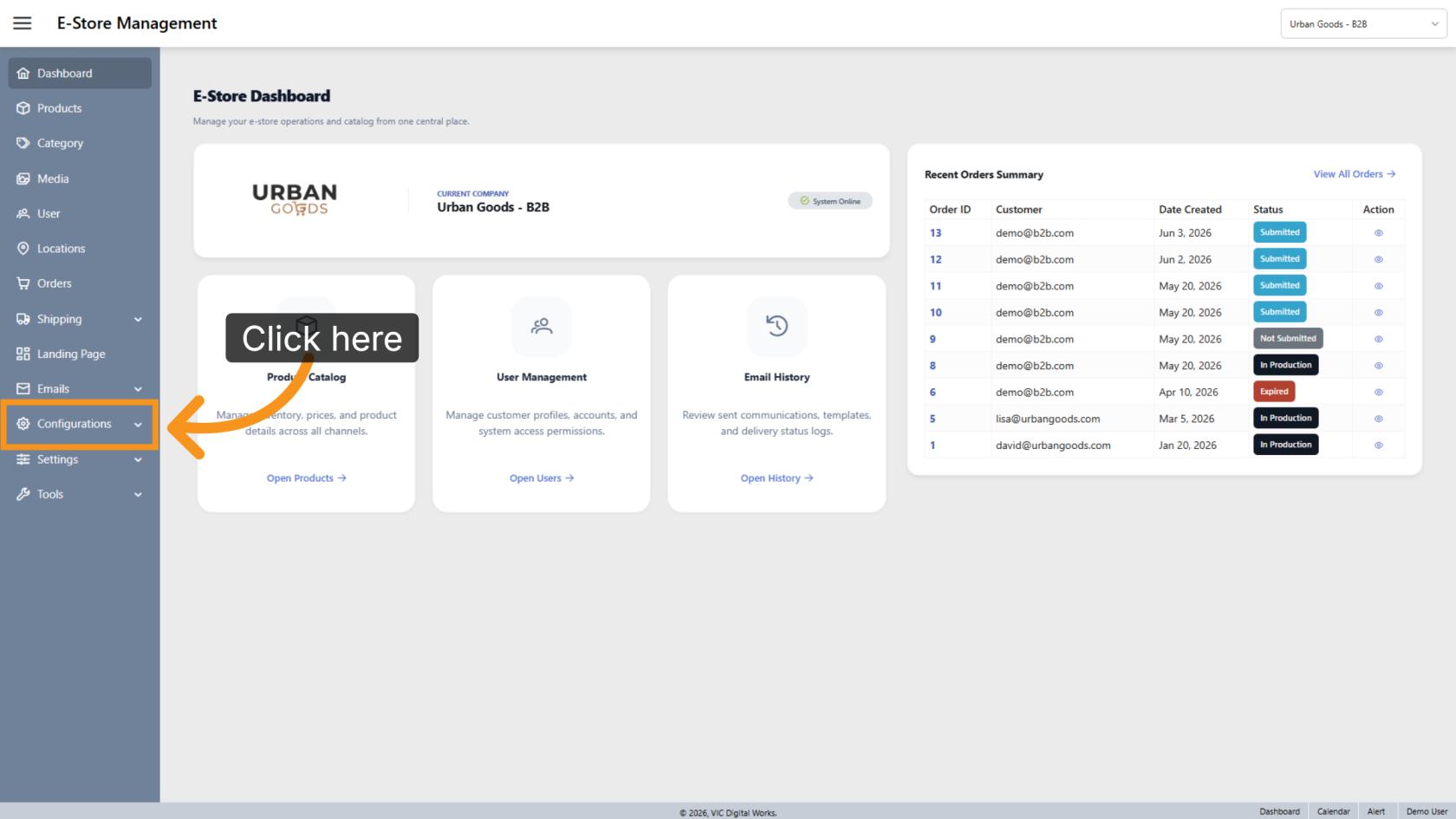
1. Open Configurations
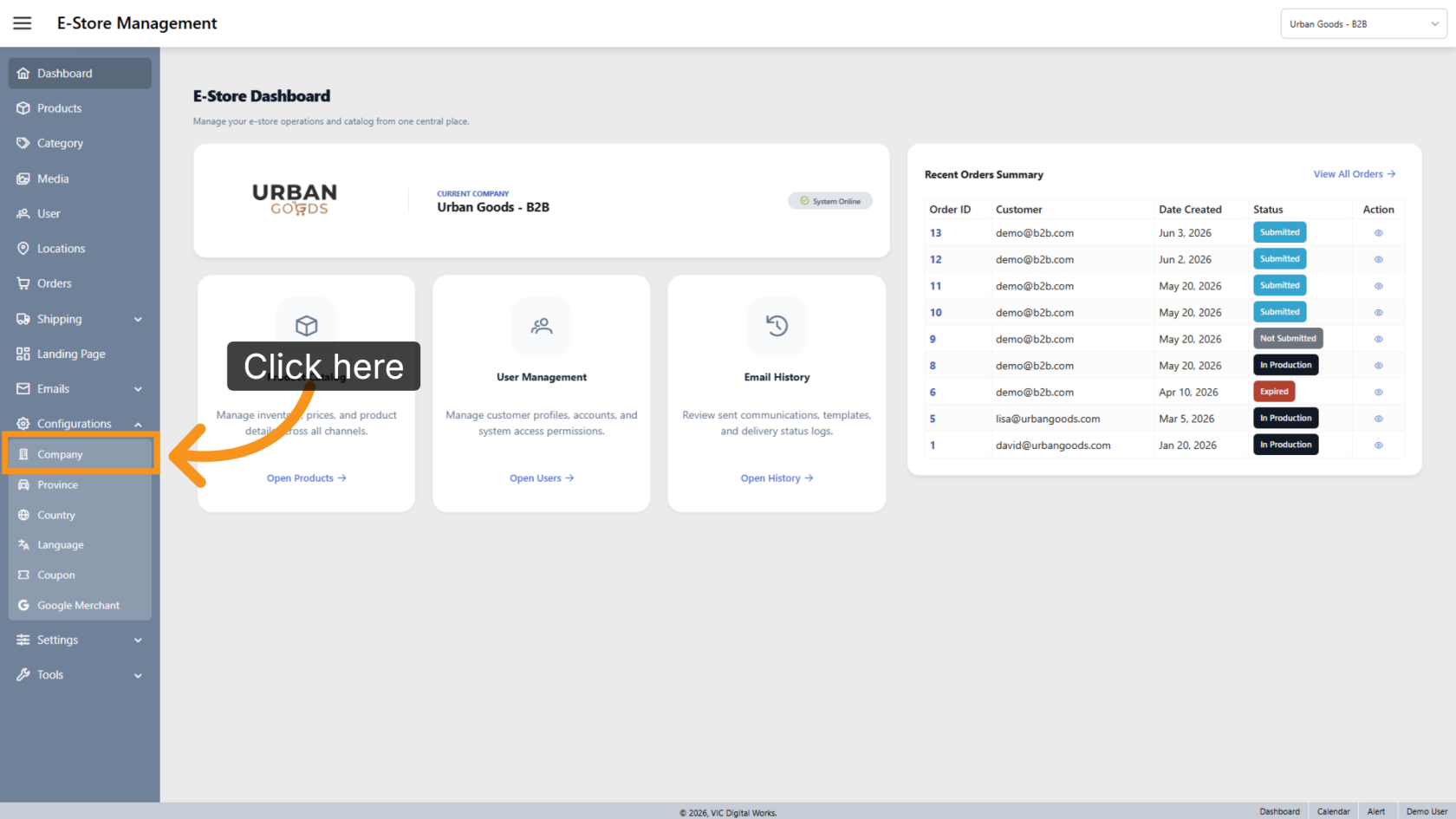
2. Open Company Management
Click Company to open the company management section.
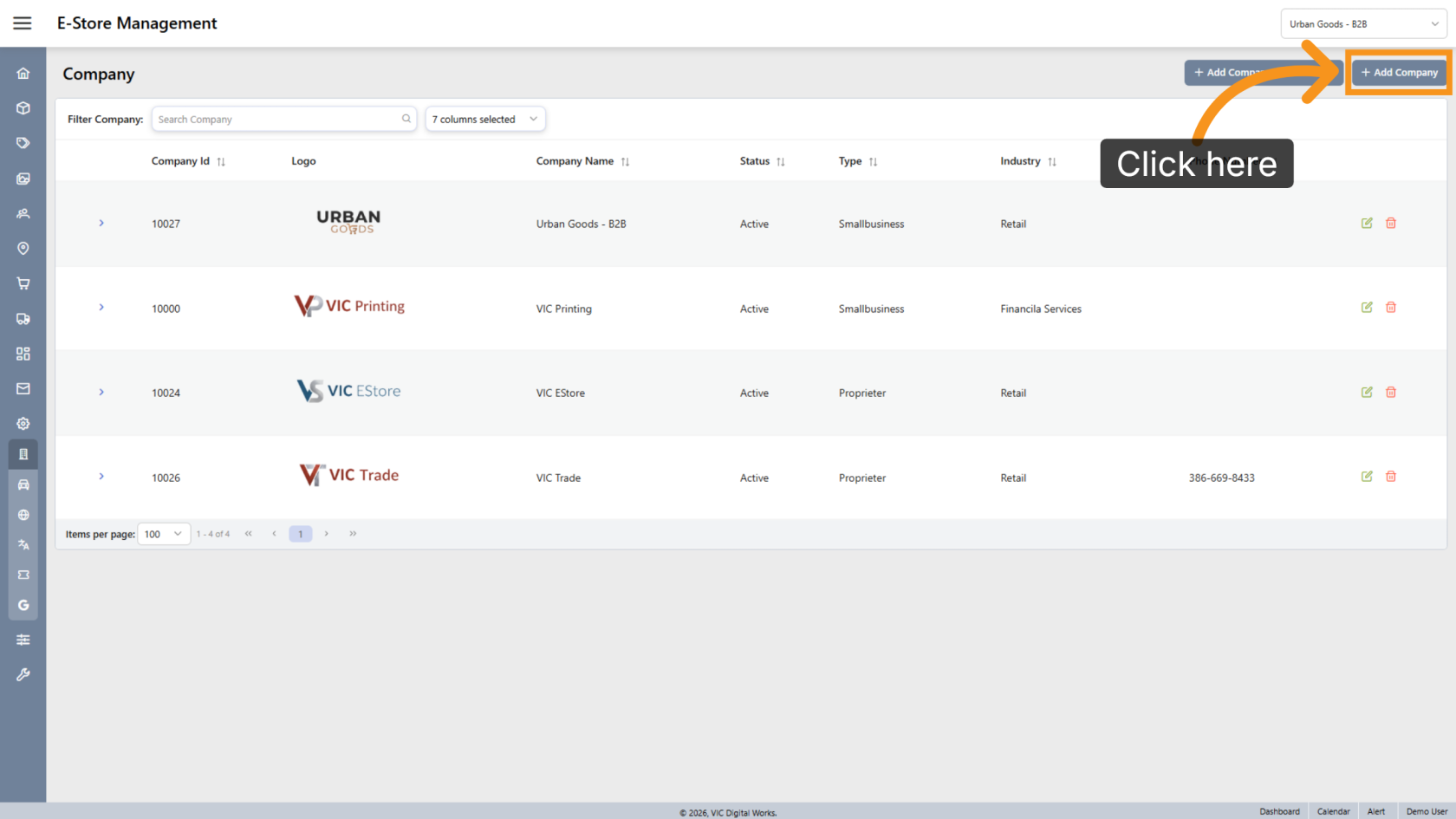
3. Create a New Company
Click Add Company to create a new B2B E-Store company.
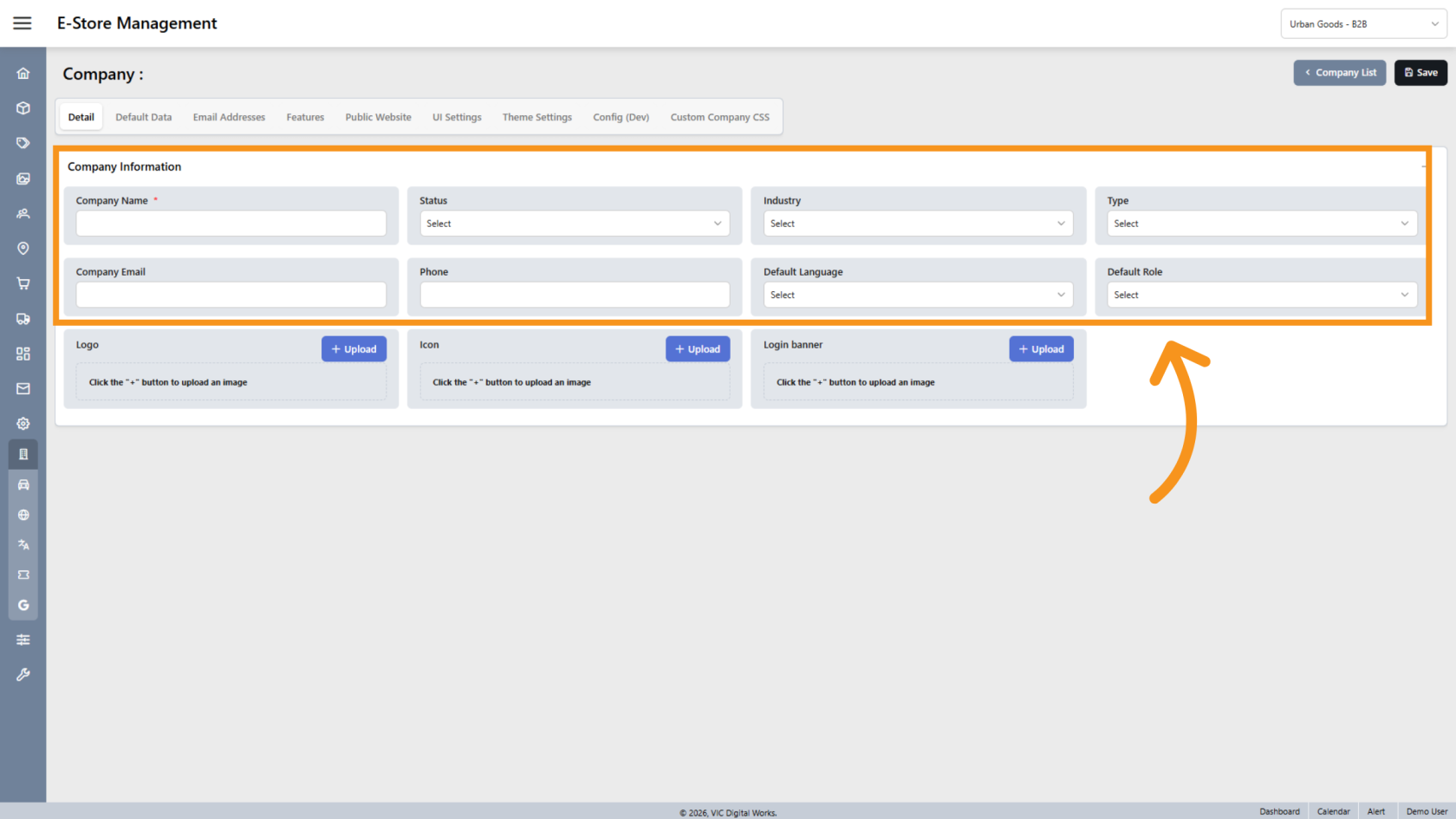
4. Enter Company Details
In the Detail tab, enter the company information, including Company Name, Status, Company Email, Phone Number, and other settings as needed..
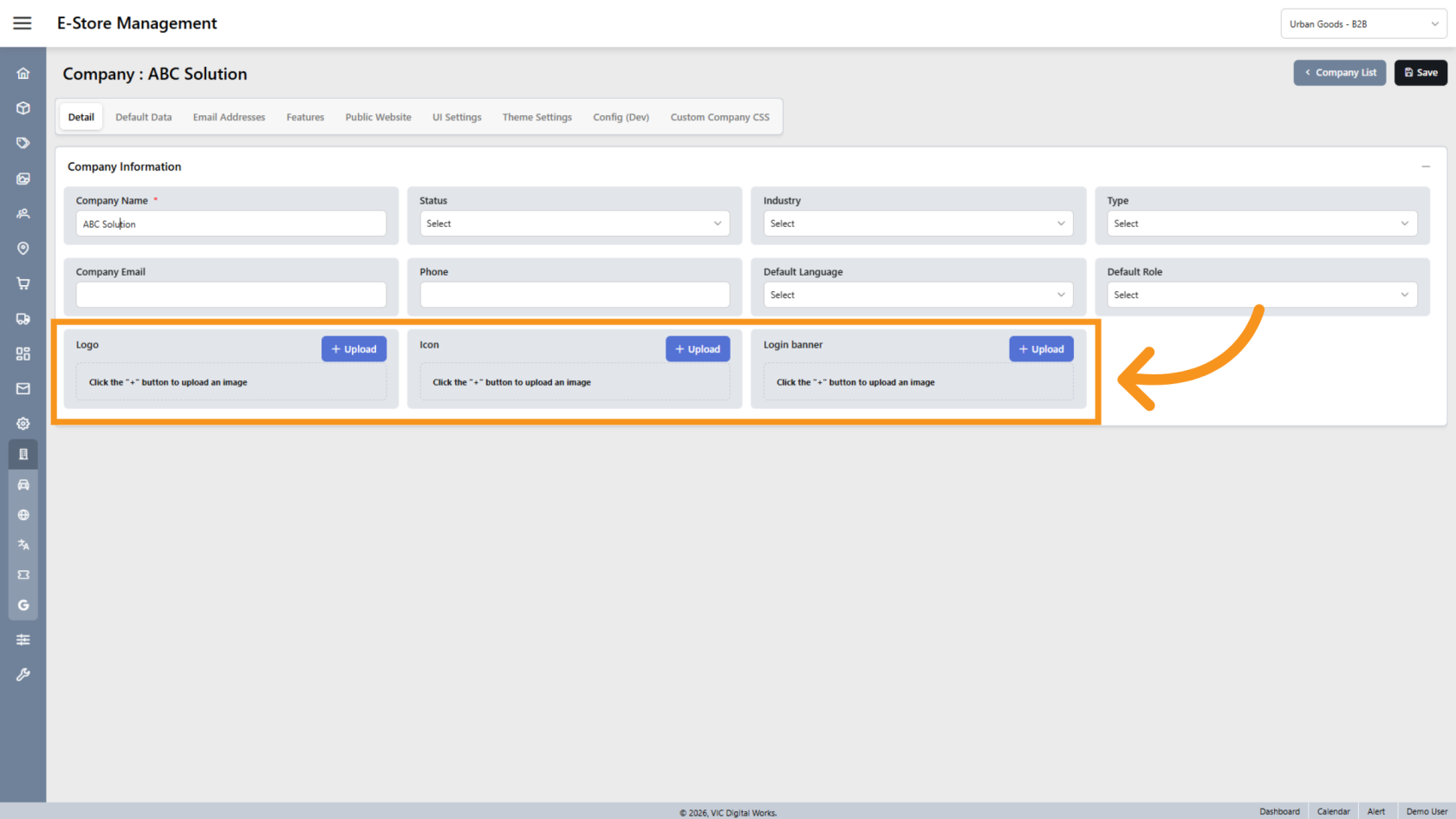
5. Upload Company Branding
Upload the company logo that will appear on the E-Store portal.
The company icon will also be used as the favicon displayed on the browser tab.
You have successfully created a B2B E-Store company and configured its basic settings. Review the company information and branding to ensure the E-Store portal is ready for customer use.