
Create Sales Invoice
This tutorial explains how to manually create an invoice from a sales order in the application.
Note: If you want to automatically generate an invoice, please follow the Run Invoicing guide instead.
Video Tutorial
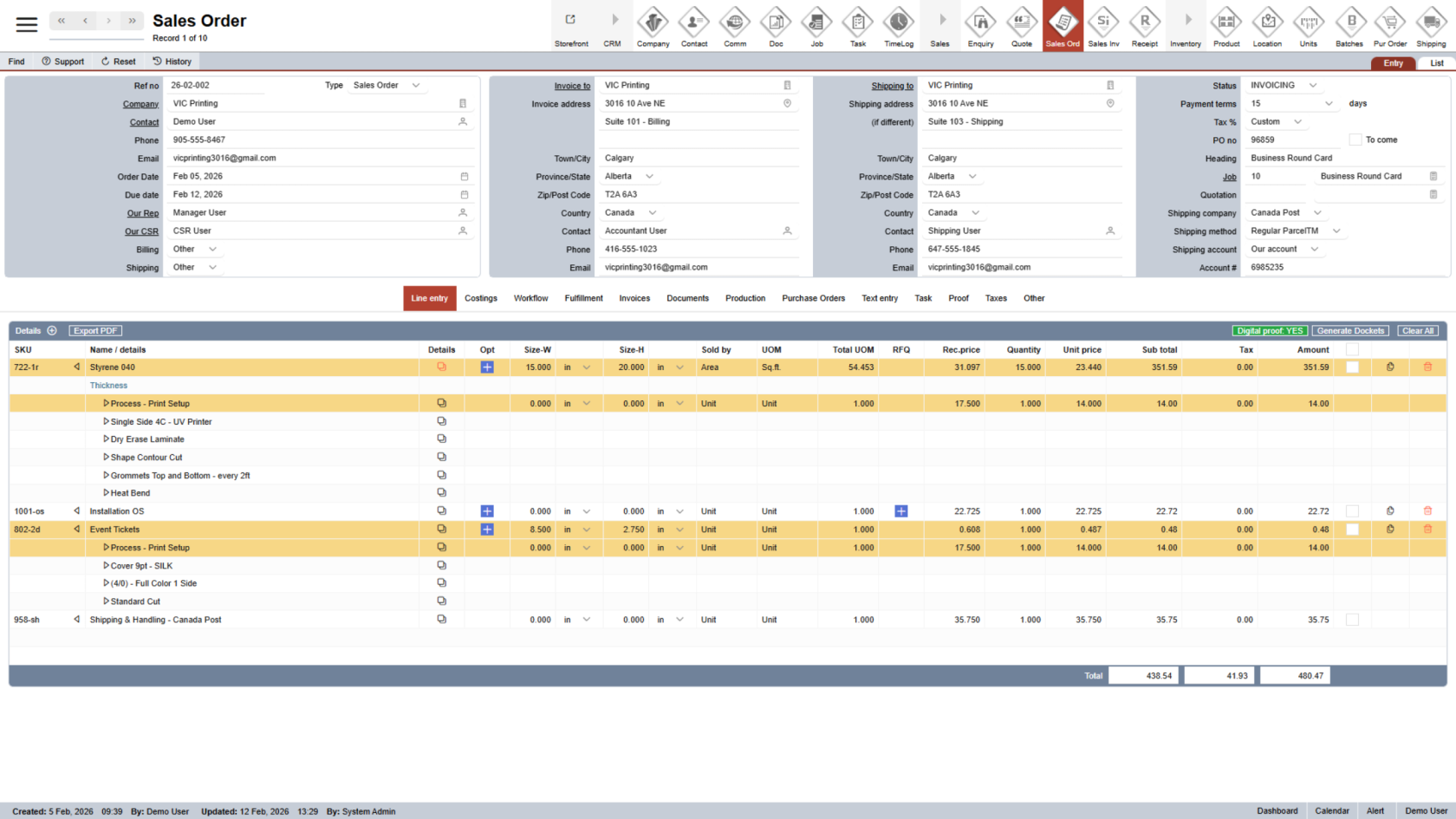
1. Open the Appropriate Sales Order
Open the sales order you want to invoice. (Click here to learn how to find a specific sales order.)
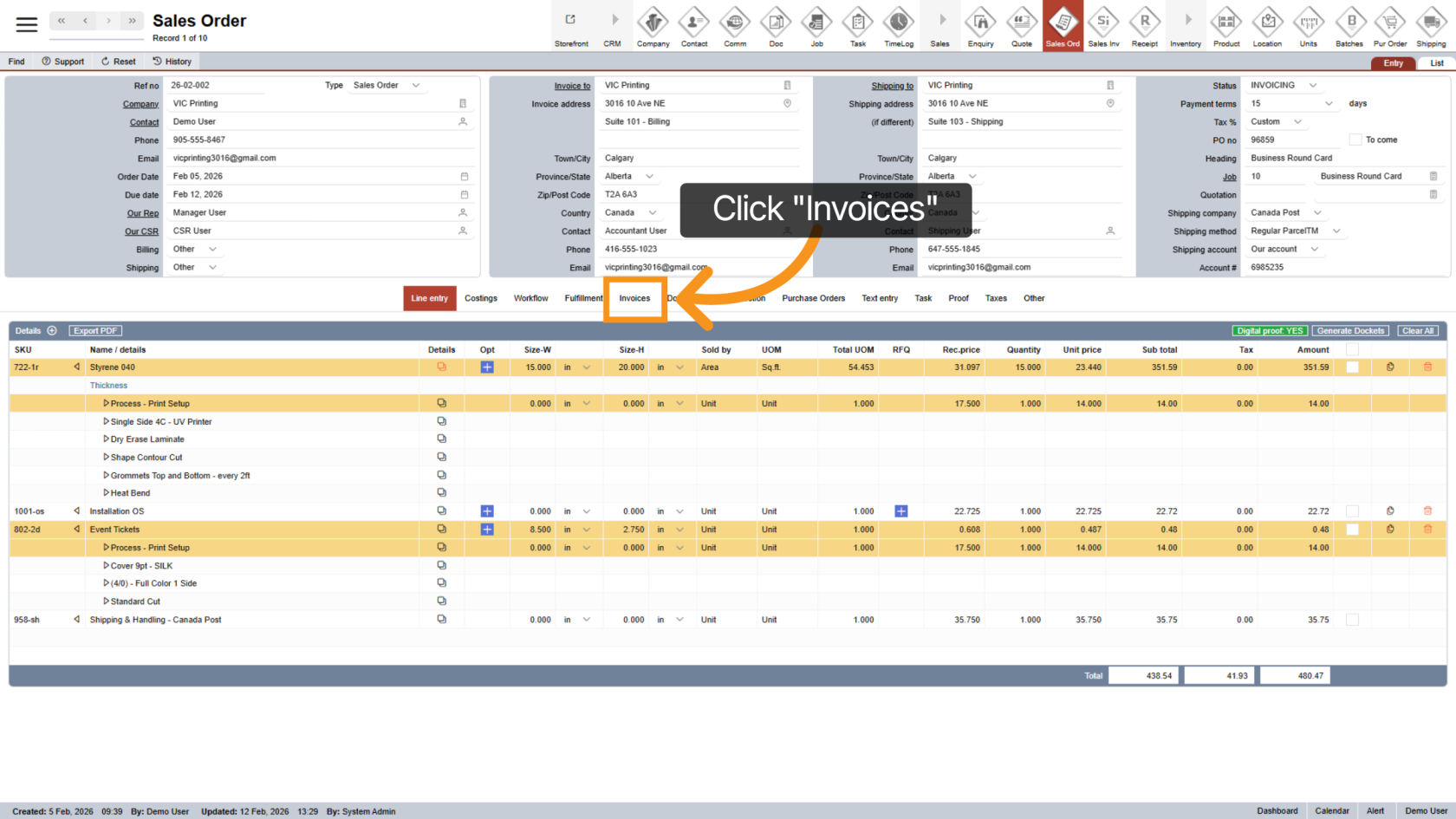
2. Go to the Invoices Section
Click "Invoices" to open the invoice area for the current sales order.
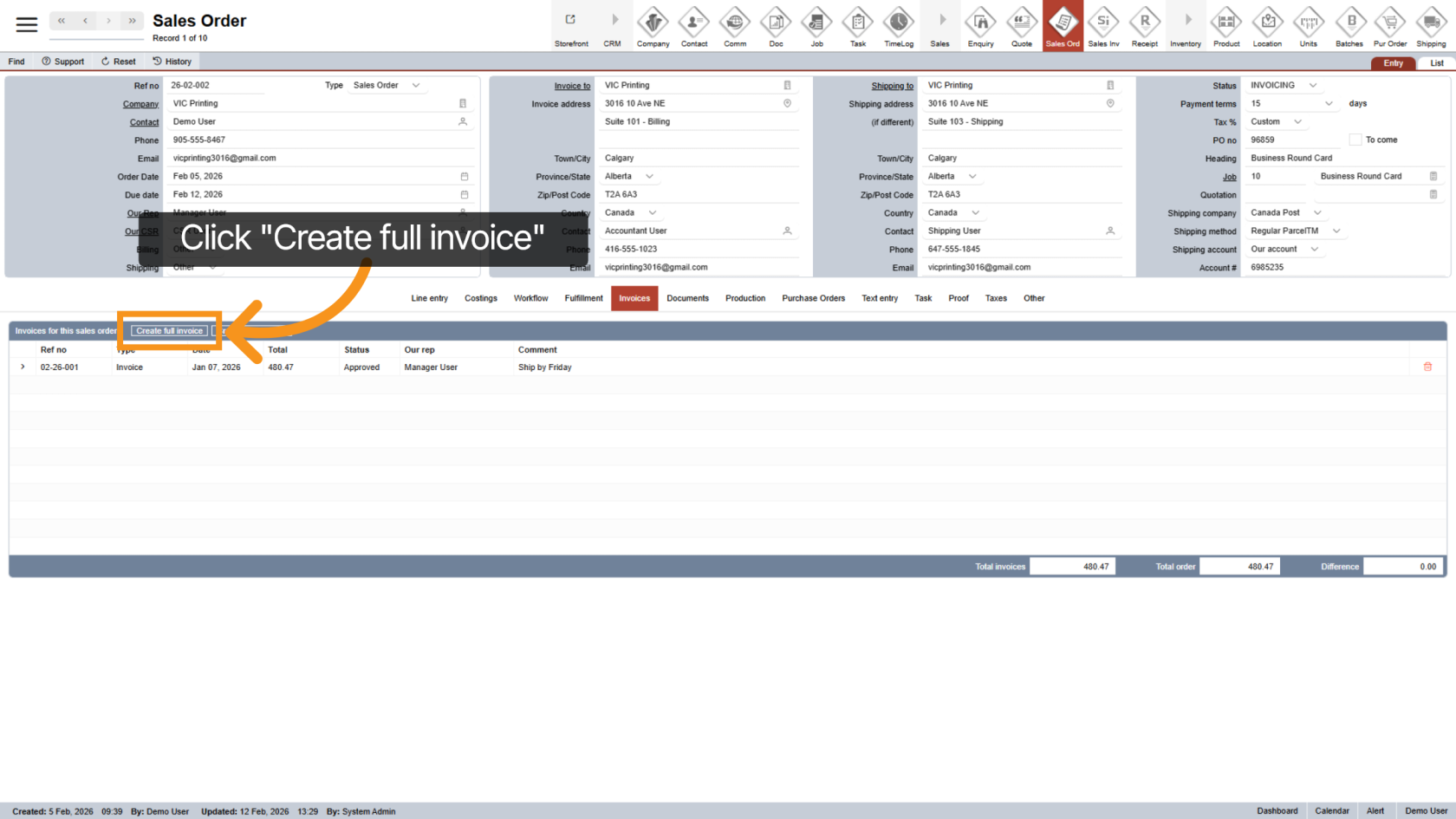
3. Create the Invoice
Click "Create Full Invoice" to generate a complete invoice for the sales order.
4. Review the Invoice
After creation, the system will automatically open the new Invoice. All relevant information from the sales order will be copied to the invoice.
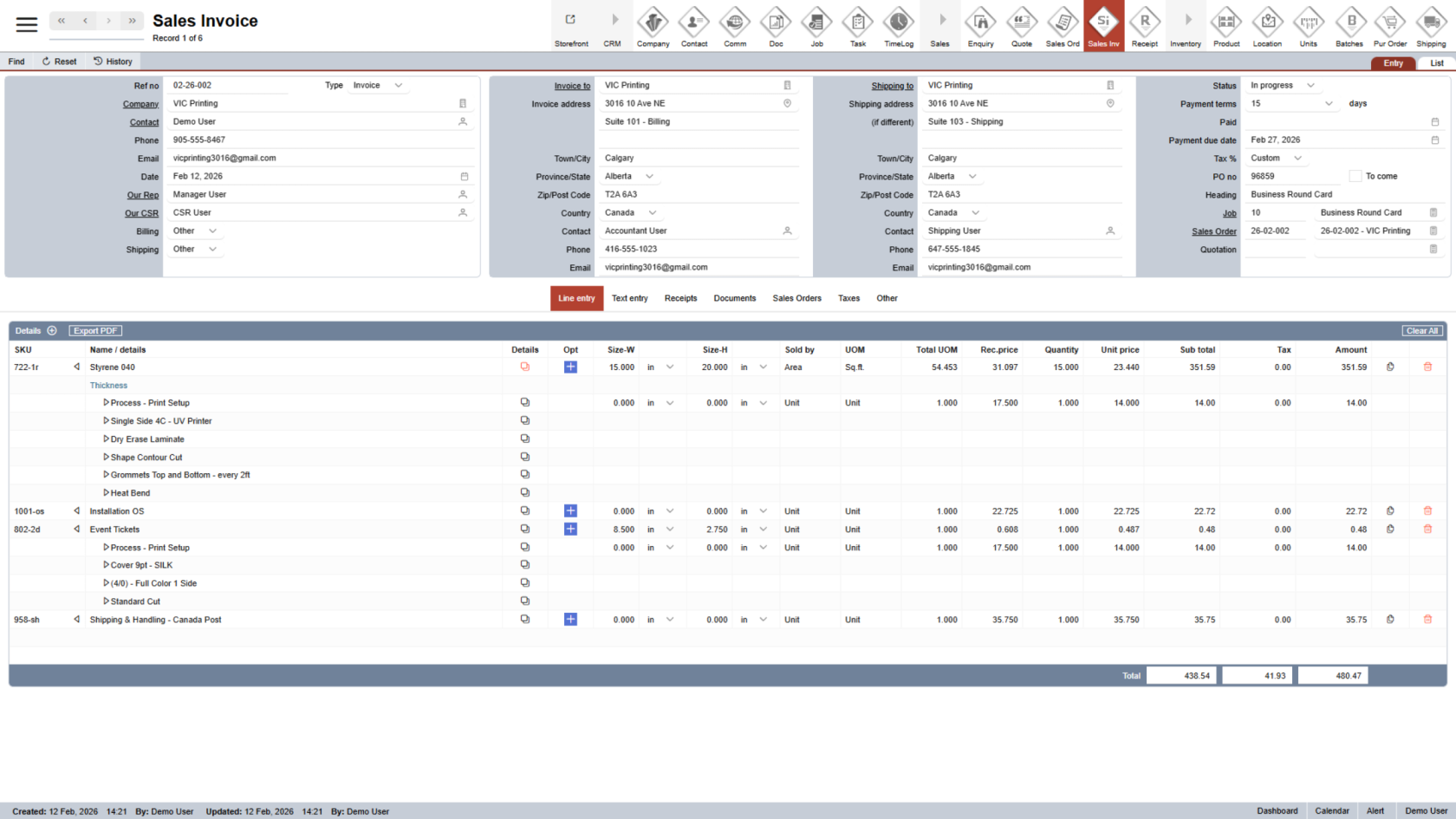
You have successfully created a full invoice from a sales order.