
Track Shipments
This tutorial shows you how to track shipments in the Worktraq app.
Video Tutorial
1. AccessOpen a Sales Order Details
FindOpen the sales order that contains the shipment you want to track.
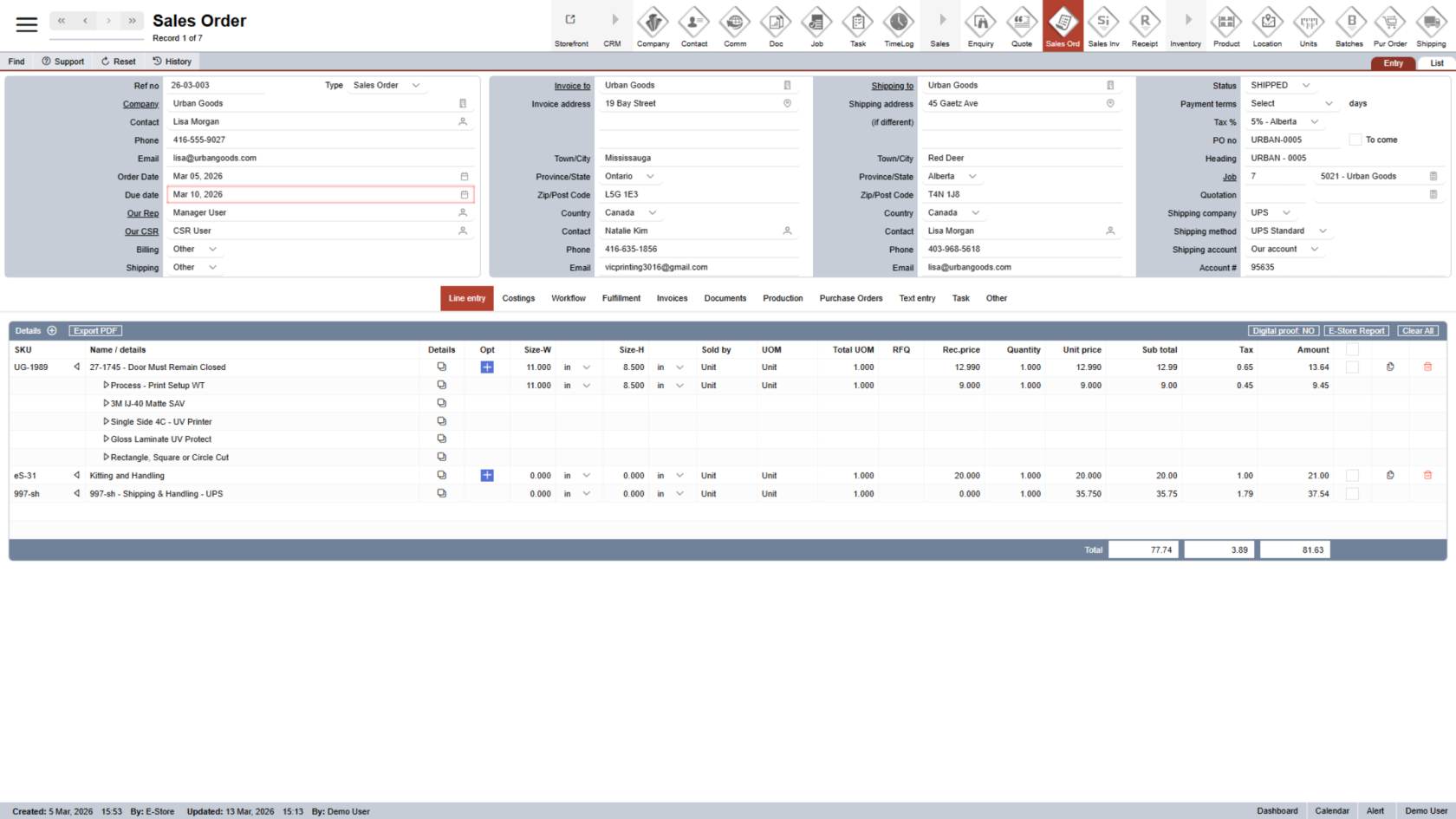
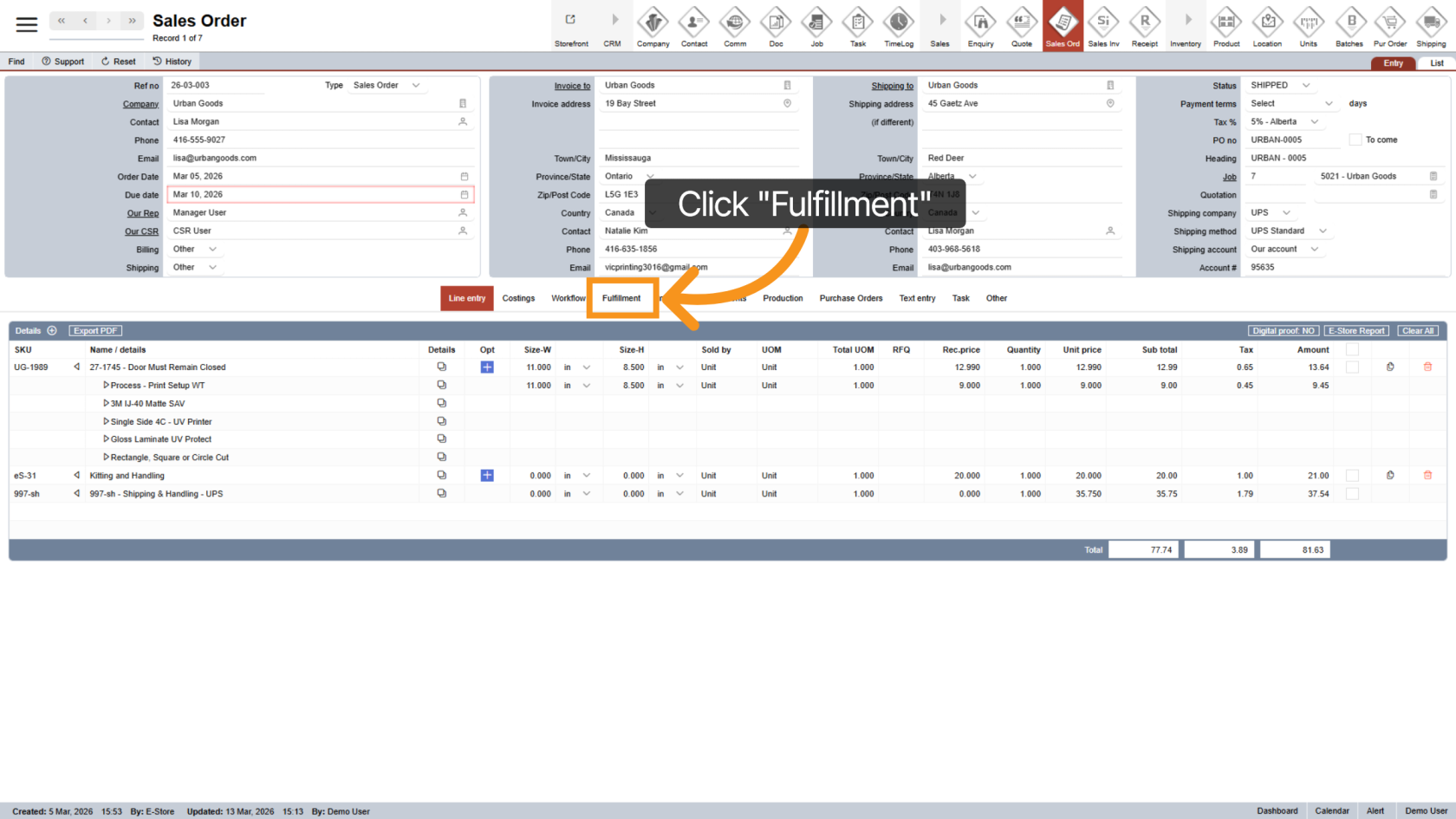
2. Open the Fulfillment OptionsTab
Click the "Fulfillment " tab in the sales order to view the shippingshipment details.information.
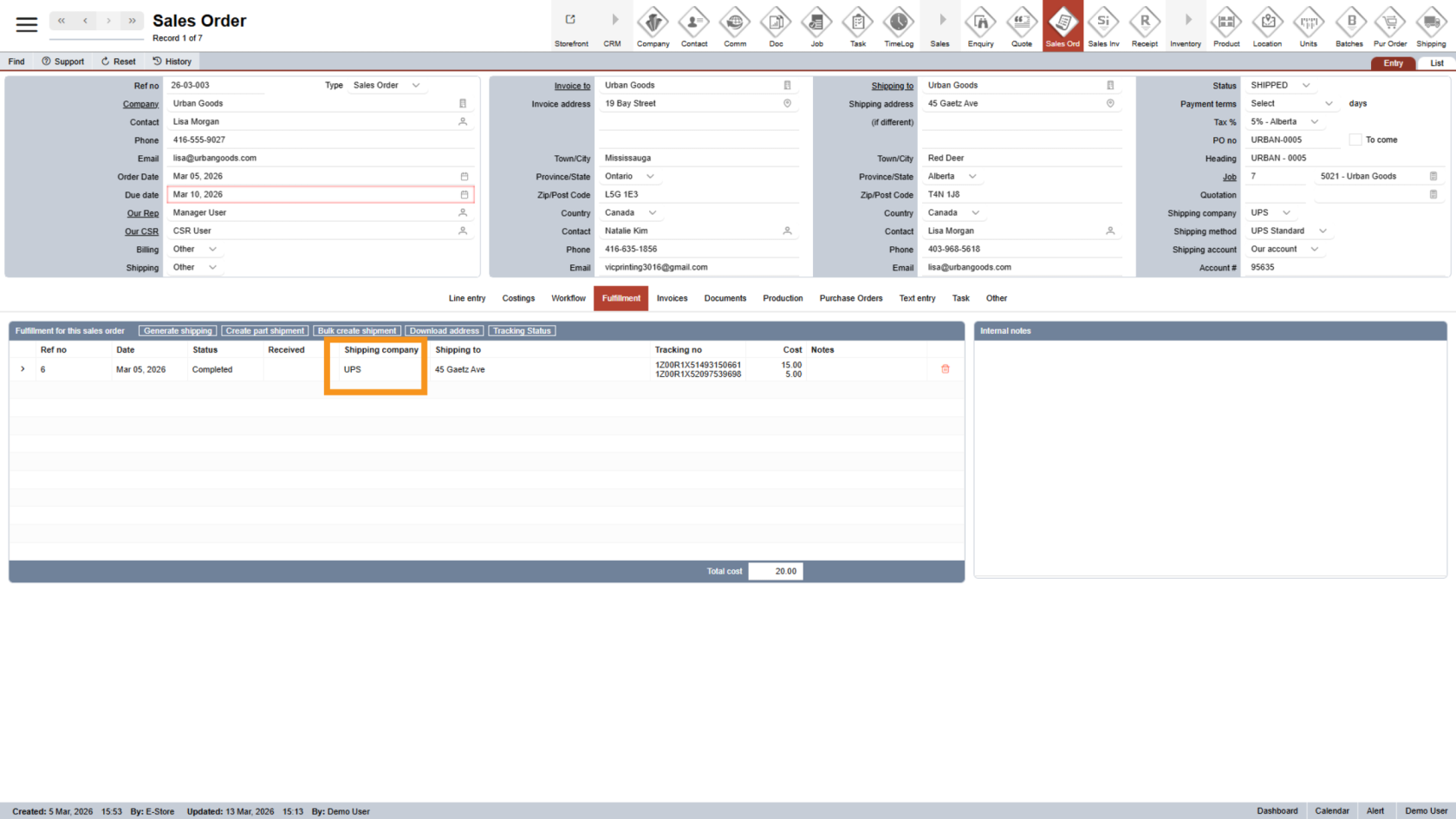
3. Check Shipping Company
At this time, theThe system supports shipment tracking for UPSintegrated andshipping Purolatorcarriers only.only.
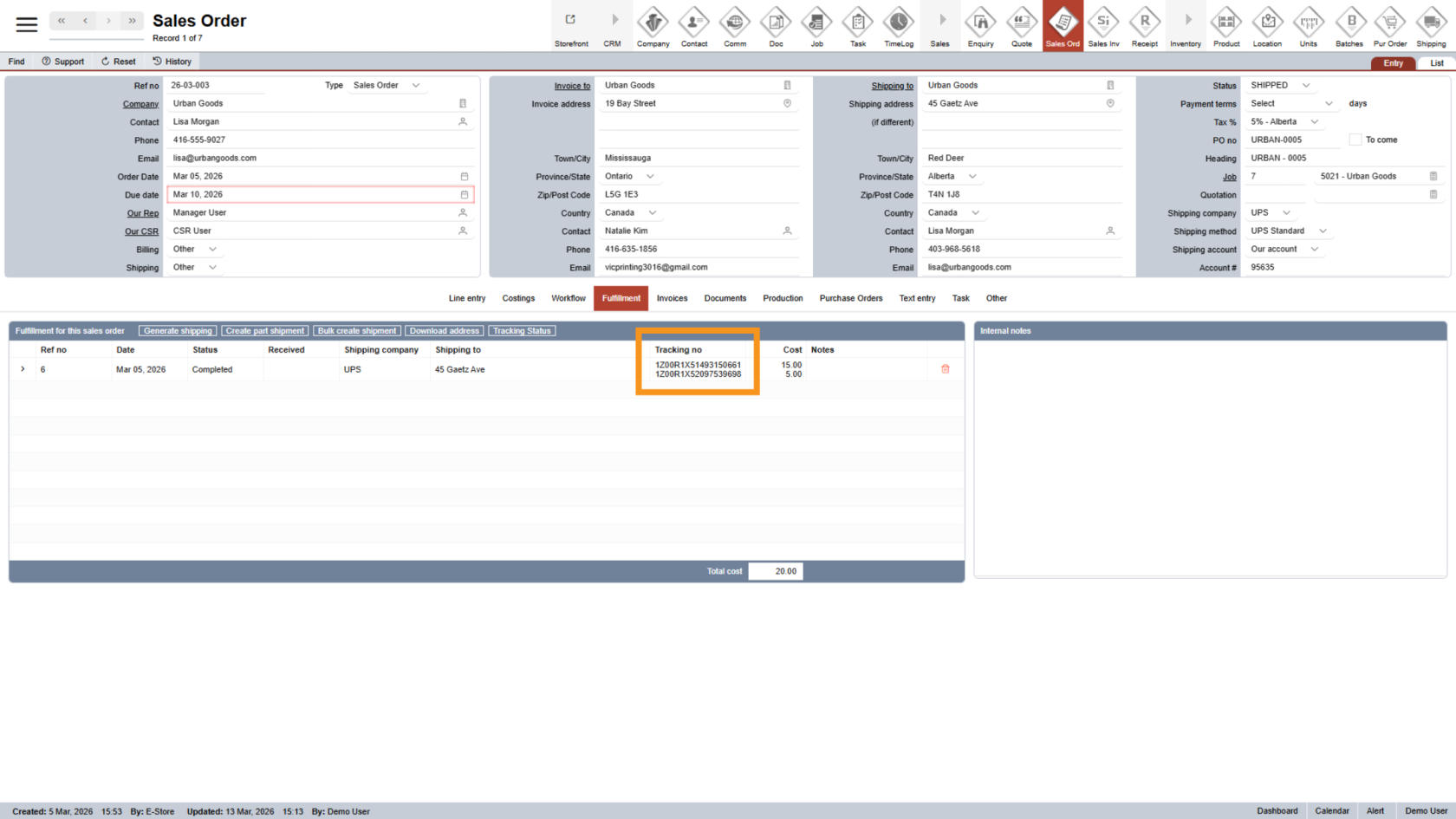
4. Verify Tracking Number
The system can only checkAutomatic tracking numbersrequires the tracking number to be entered in the correct format.
Inthe otherformat cases,is not recognized, you willcan need tostill track them manually, which can also be done within the system.shipment
This is shown inusing the steps below.
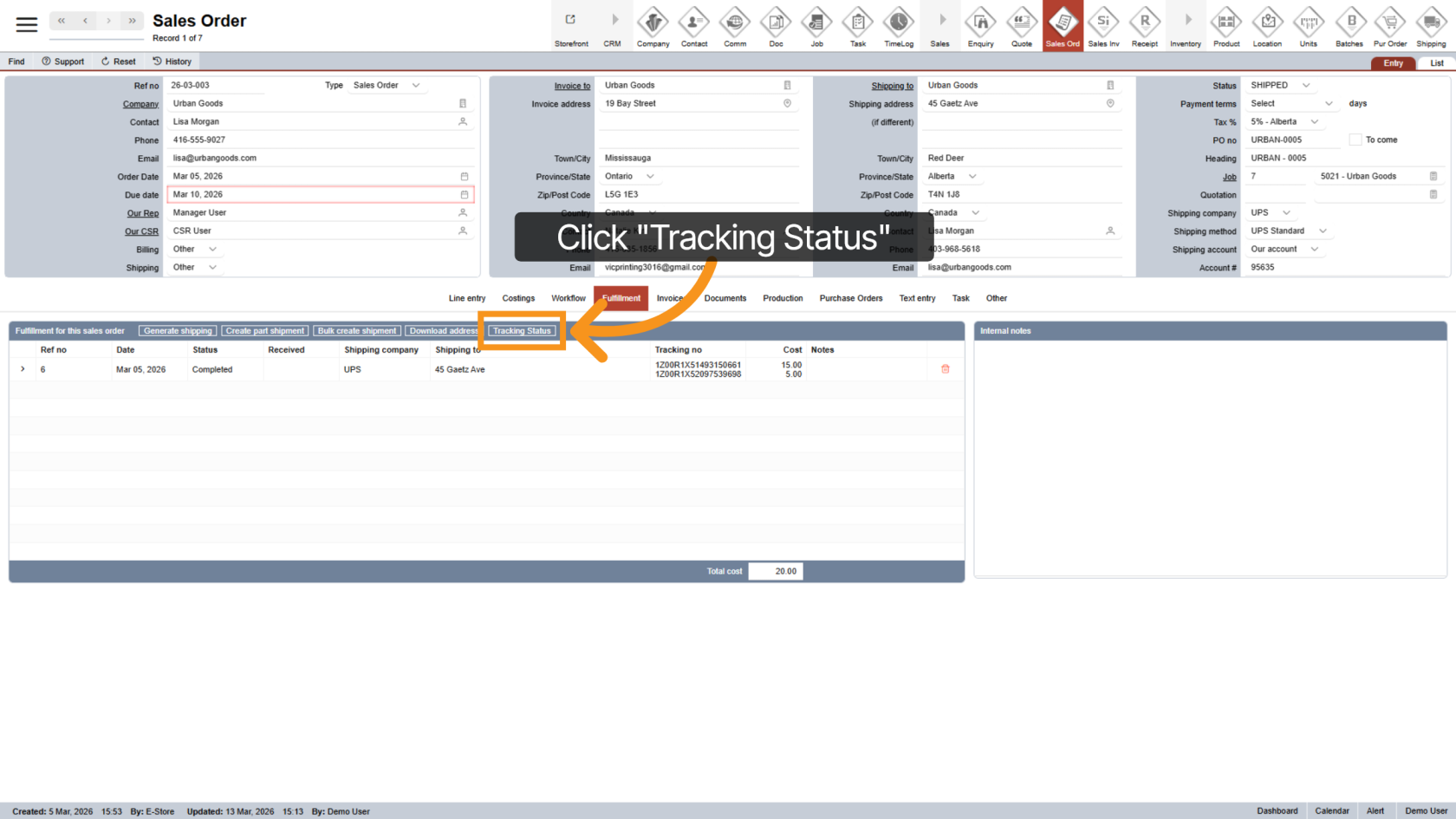
5. Check Tracking Status
Click "Tracking Status" to check the current shipmentlatest status.
TheNote: system can check multiple shipments withinIf the same sales order incontains onemultiple click.shipments, the system will check all supported tracking numbers at once.
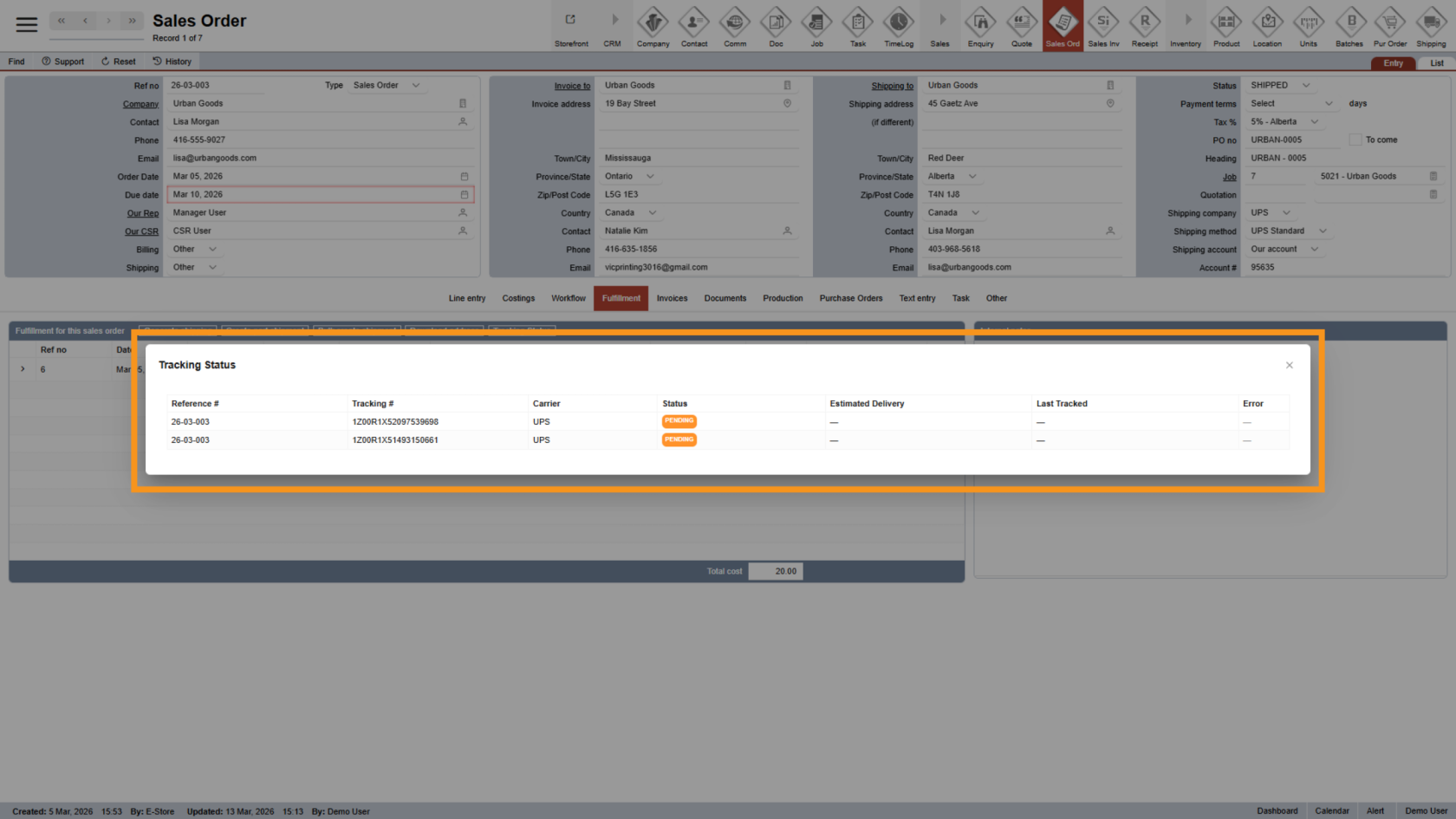
6. View Tracking Summary
A pop-up willdisplays displaythe acurrent summarystatus of alleach shipmentsshipment in the sales order, including each package's status.order.
7. Detailed Tracking (Manual Tracking)
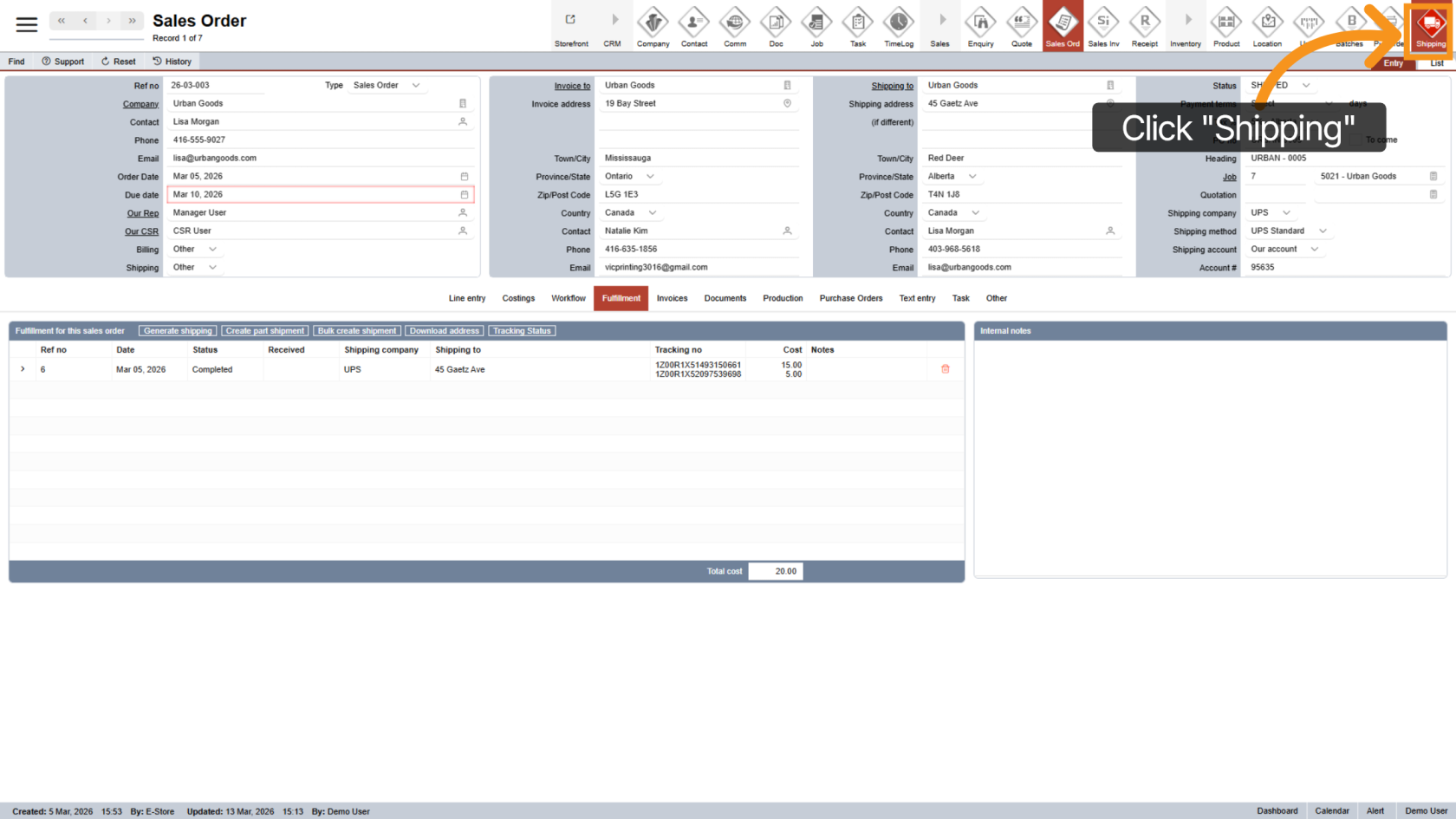
For more details or manual tracking,tracking:
- Copy the tracking number you want to check.
- Then click "Shipping" to open the shipping module.
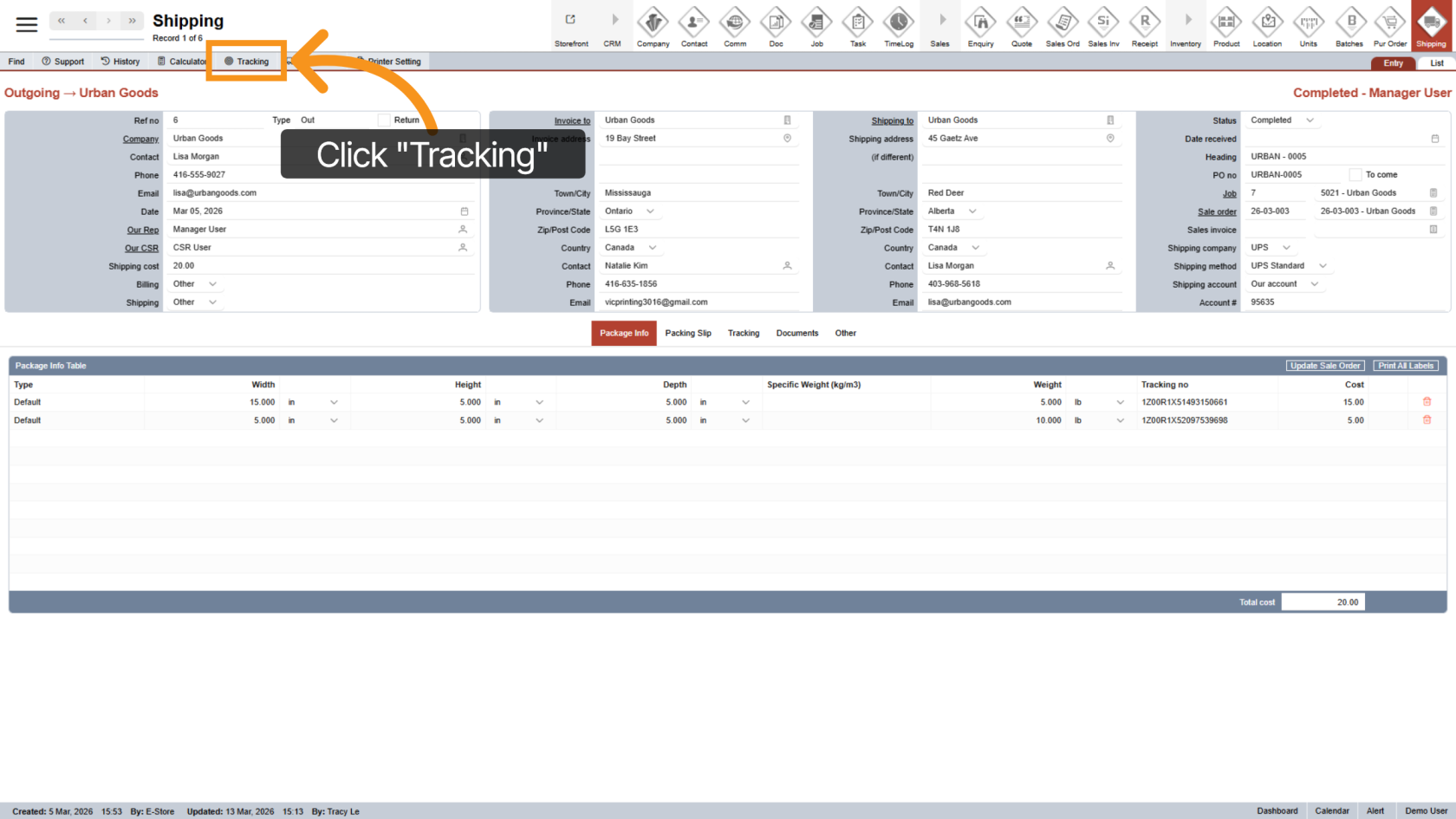
8. Open the Tracking Feature
Click "Tracking" to open the tracking function.tool.
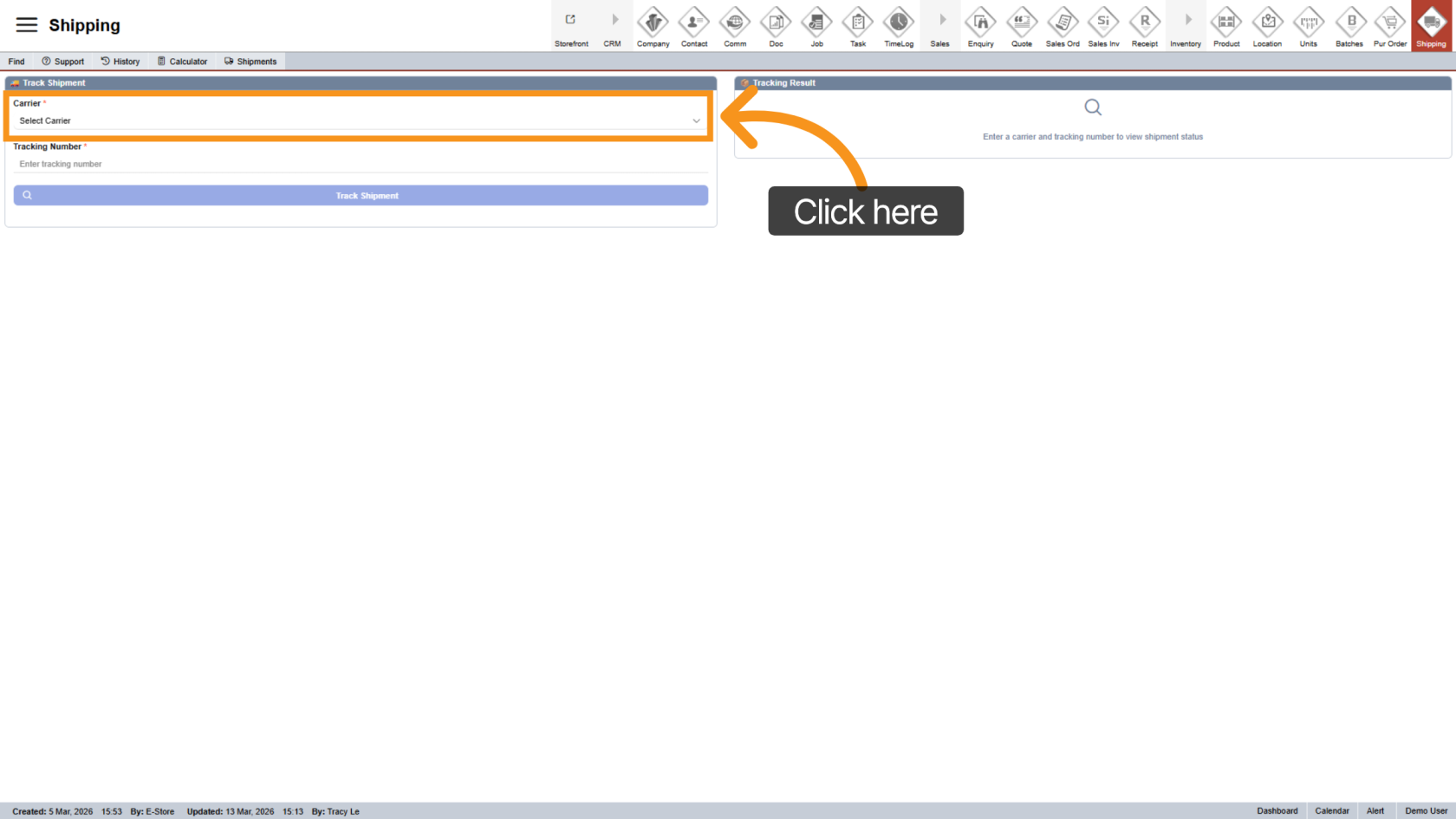
9. Select Carrier
Choose the appropriate carrier forassociated with the shipment.tracking number.
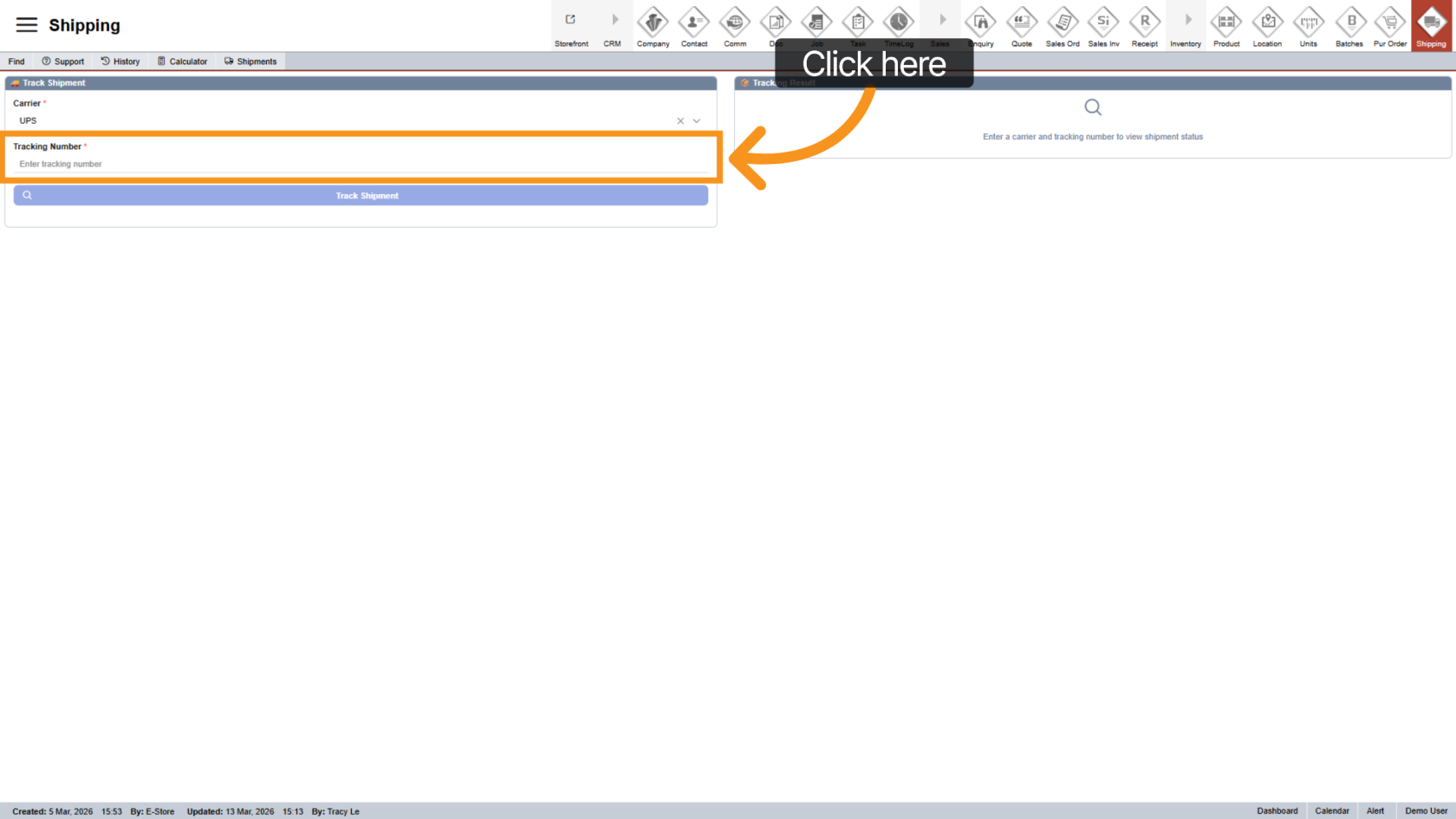
10. Enter Tracking Number
Paste the tracking number you copied earlier.earlier into the tracking field.
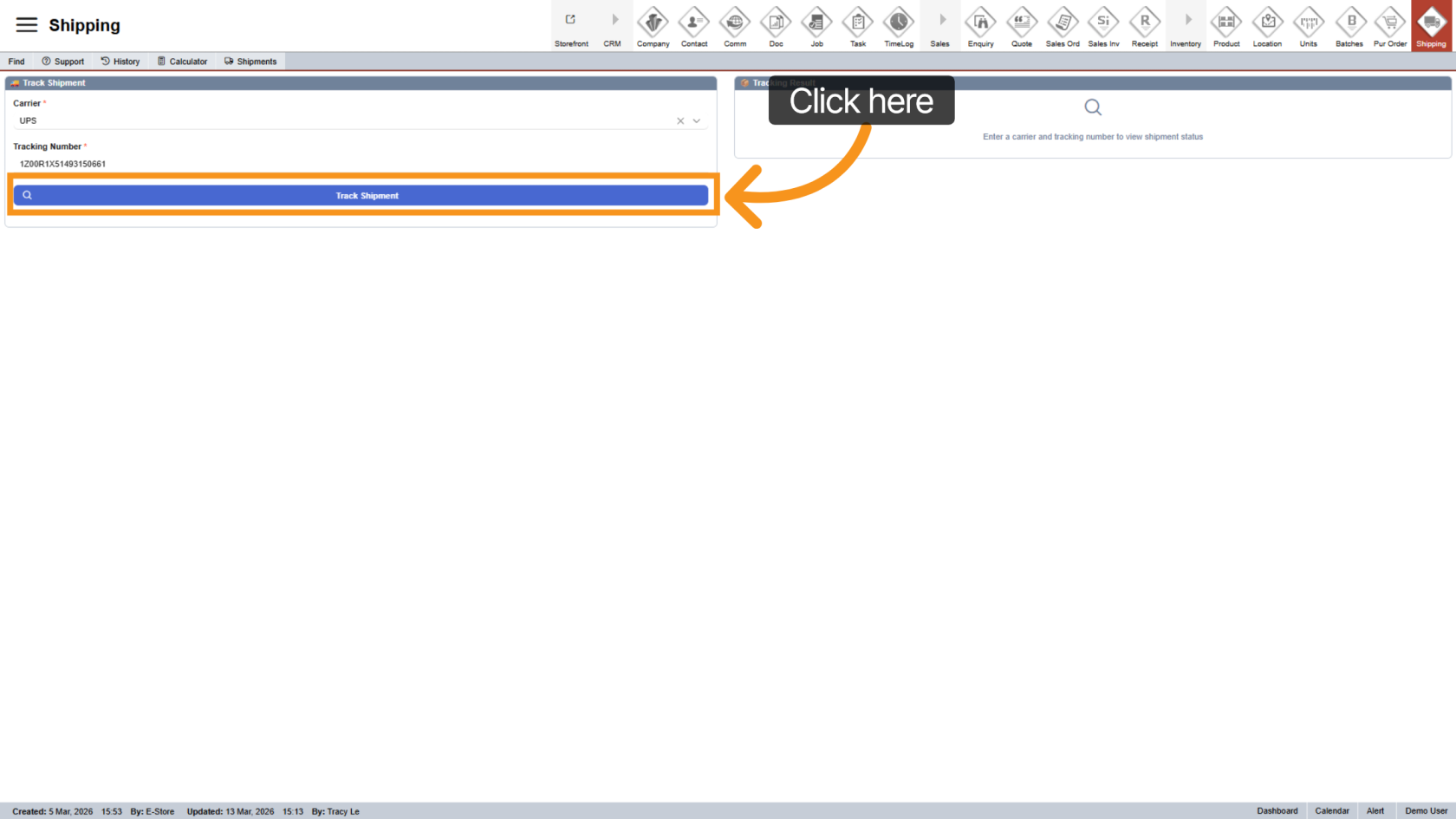
11. Track Shipment
Click "Track Shipment" to startretrieve the tracking process and view thelatest shipment status.details.
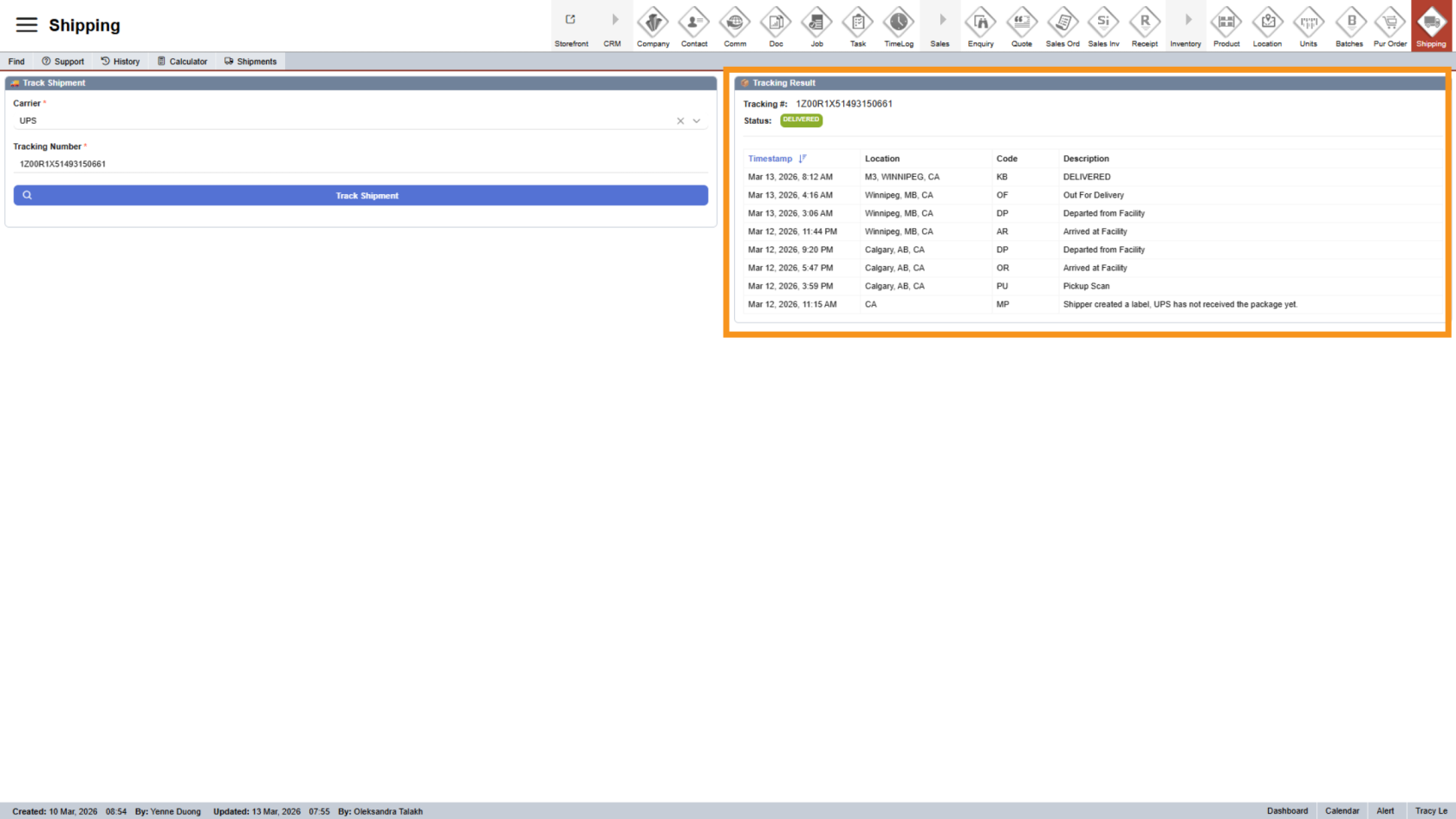
12. View Tracking Details
The detailed shipment detailsinformation willis appeardisplayed on the right side.side of the screen.
You have now successfully tracked ashipments salesusing orderboth shipmenttracking and manually tracked a packagemethods in the Worktraq app.WorkTraq.