
Late Order Reports
This tutorial guides you through accessing late order reports in the Worktraq application. You can customize what’s considered late in Order Status Settings under Admin Settings. Additionally, any order with a due date that has passed today will automatically be marked as late.
Video Tutorial
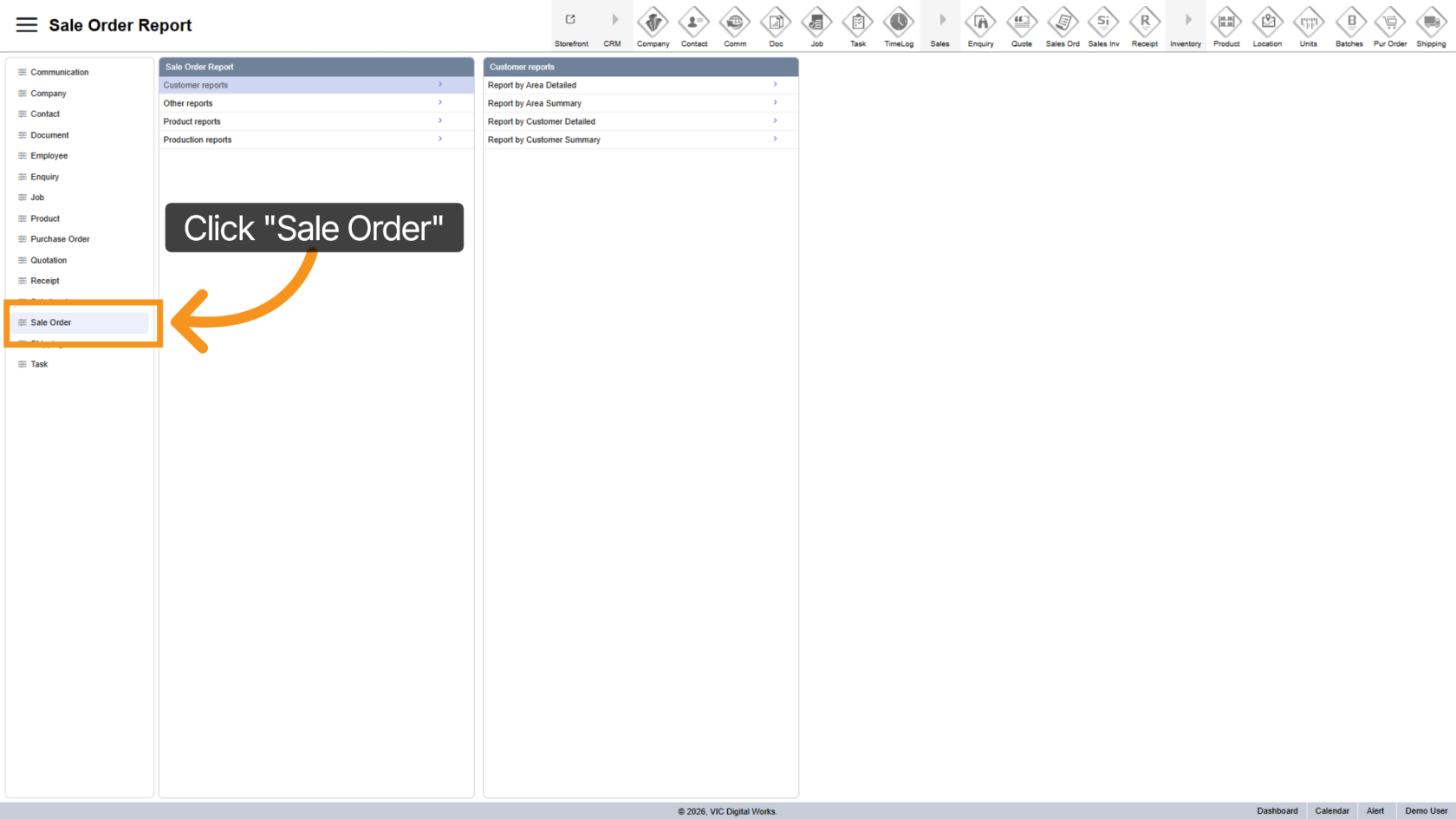
1. Open Sale Order Section
Click "Sale Order" to access all your orders and related options.
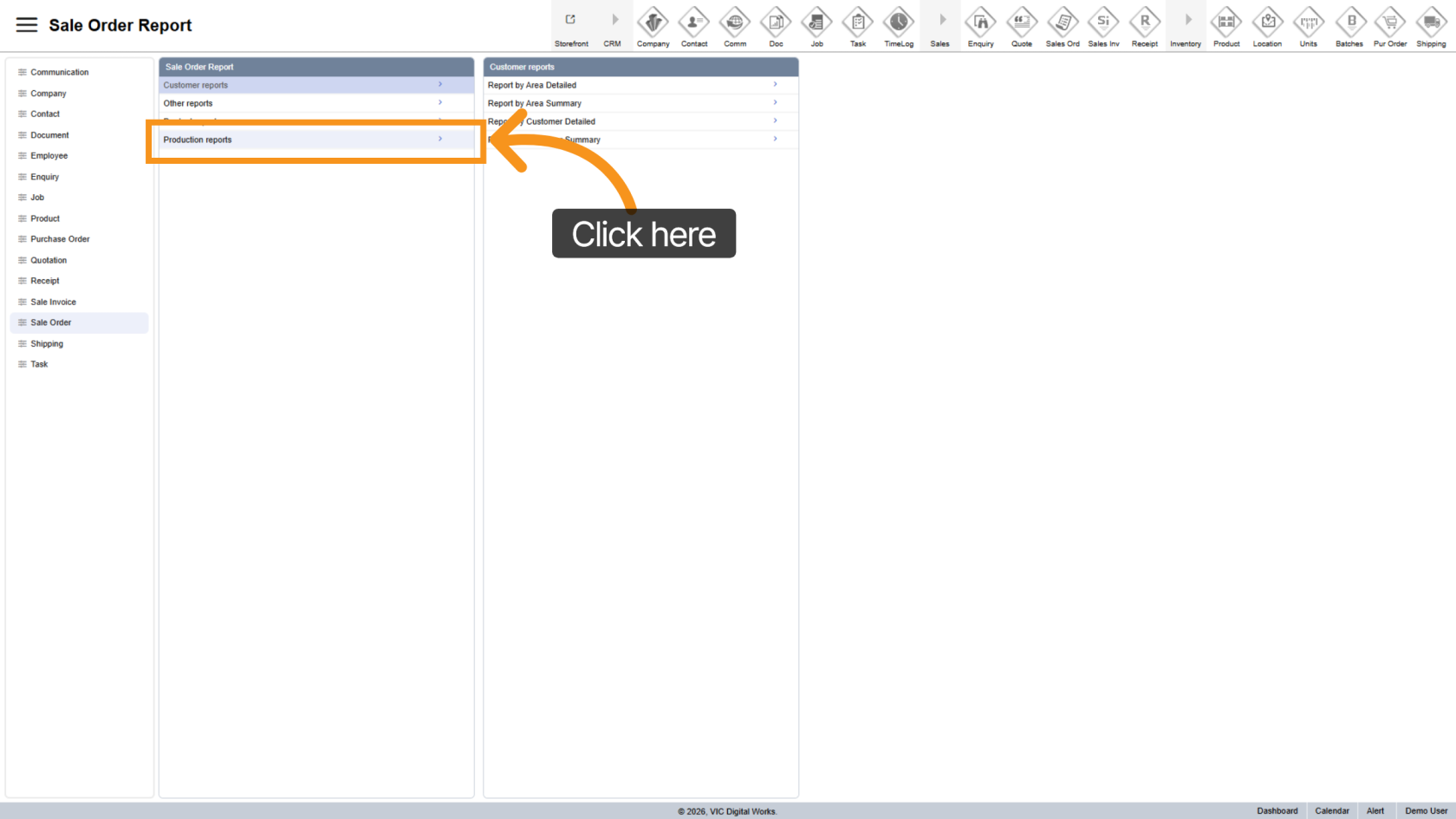
2. Go to Production Reports
Click on "Production Reports" to view the list of available reports.
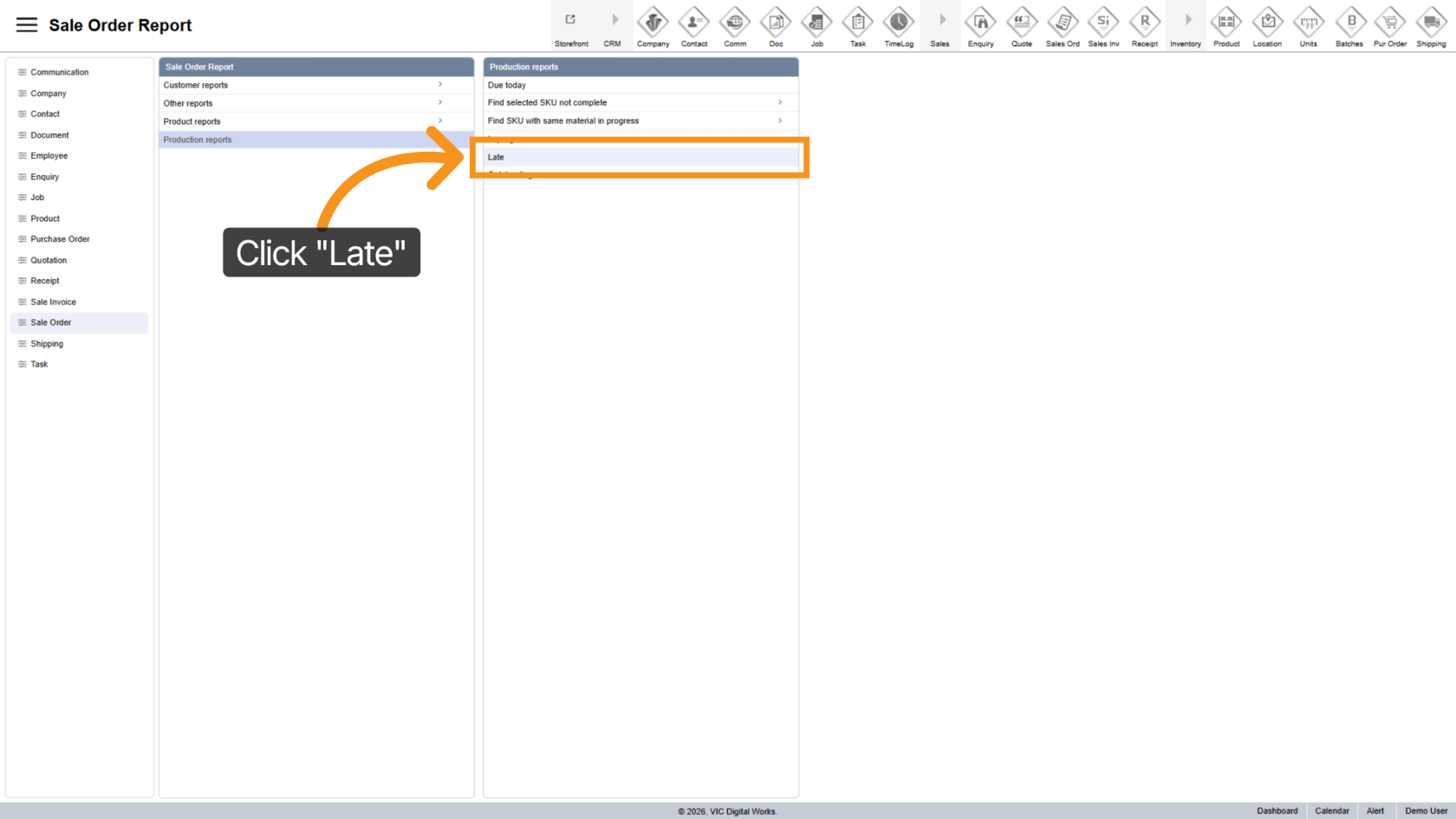
3. Select Late Report
Click "Late" to filter the production reports and display only those that are delayed or late.
4. Export the Report
- Excel
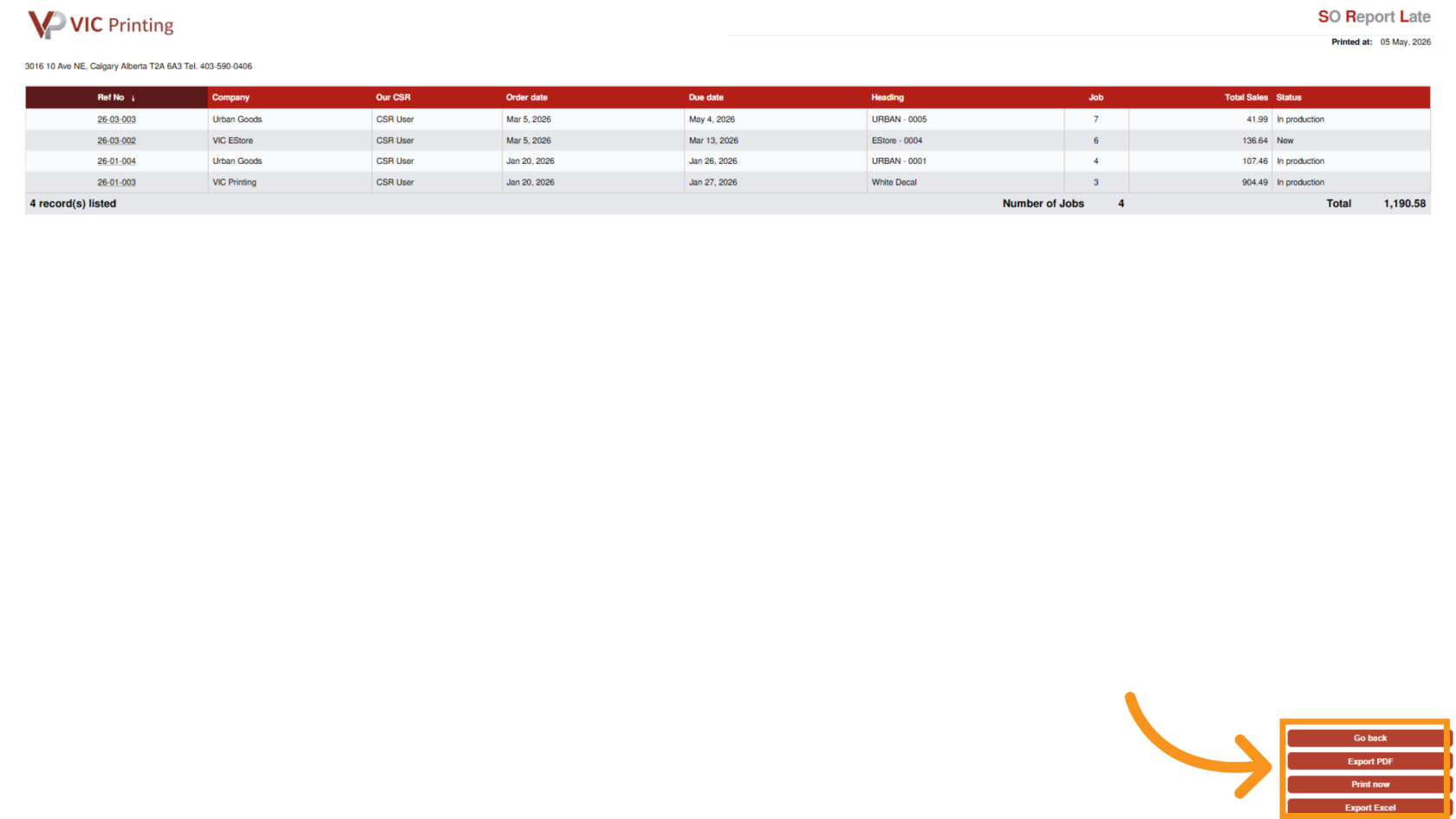
You have successfully accessed the late production reports. This allows you to review delayed sales orders and take necessary actions based on the report details.