
Complete Installation Task
This tutorial explains how to complete an installation task.
Video Tutorial
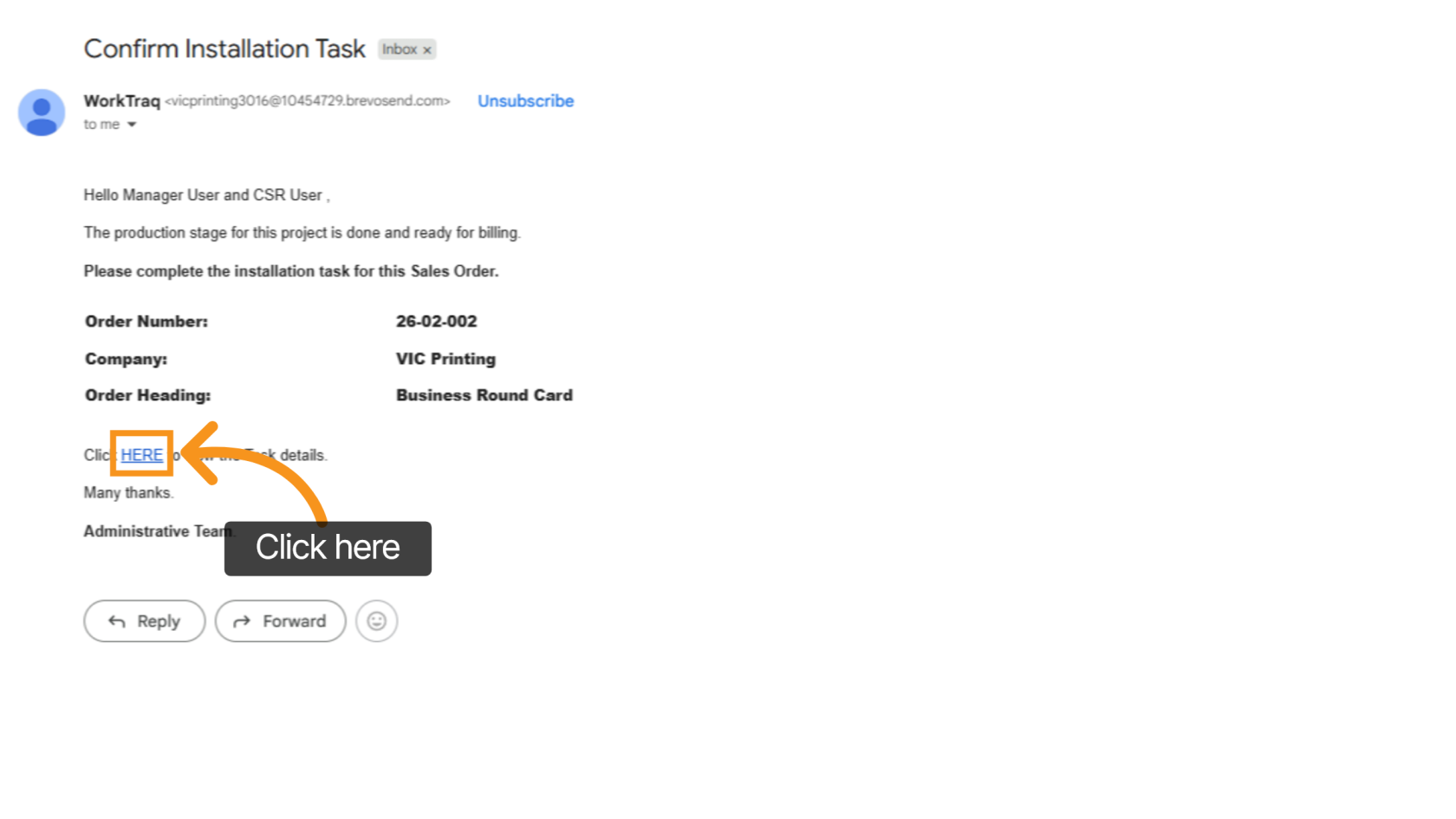
1. Receive Email Request
The REP or CSR will receive an email requesting completion of the installation task.
Click the link in the email to open the related task.
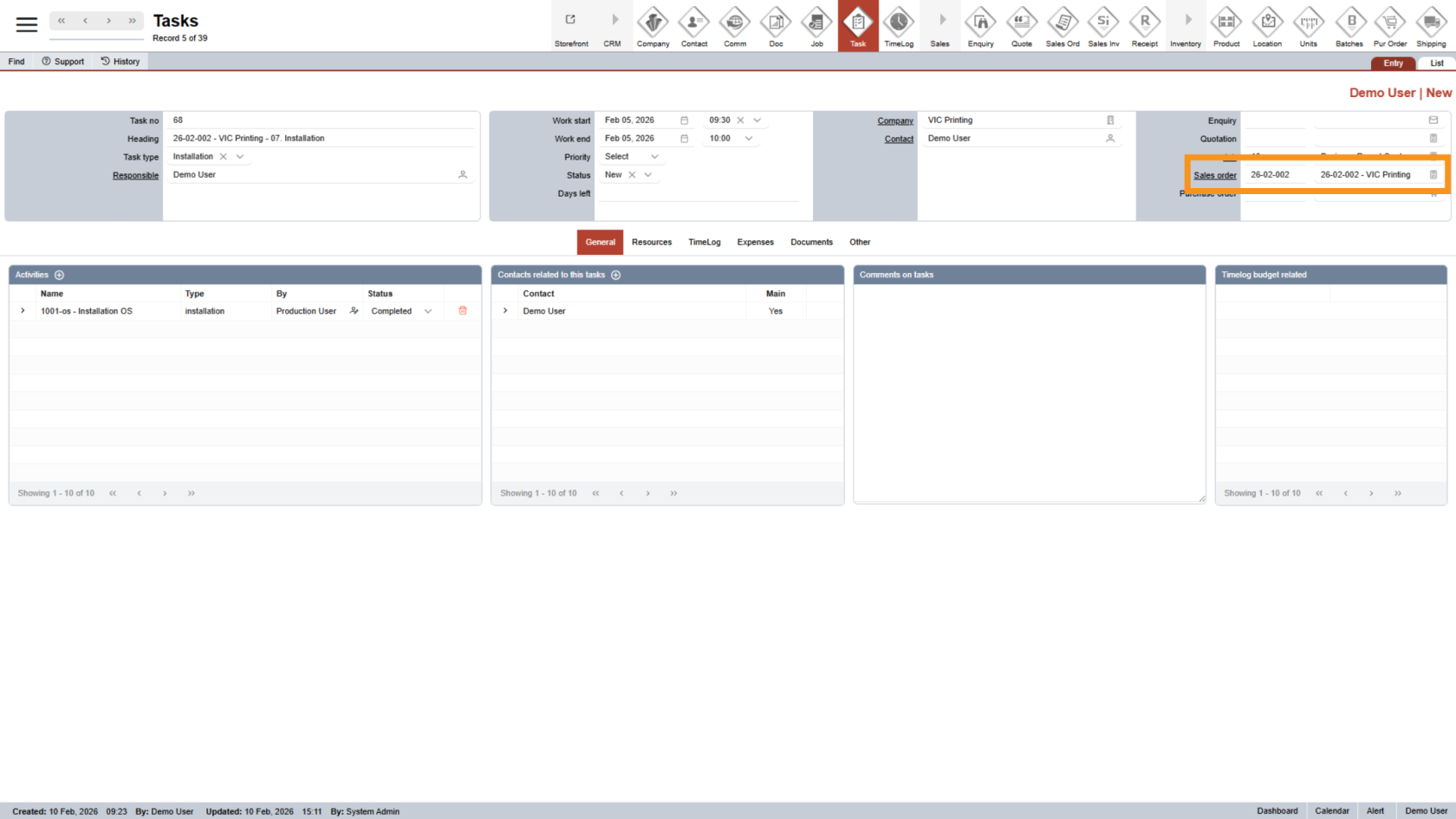
2. Review Task Details
Review the task information carefully, especially the sales order number, to make sure you are working on the correct order.
3. Update Task Status
Change the task status to Completed to confirm that the installation has been finished.
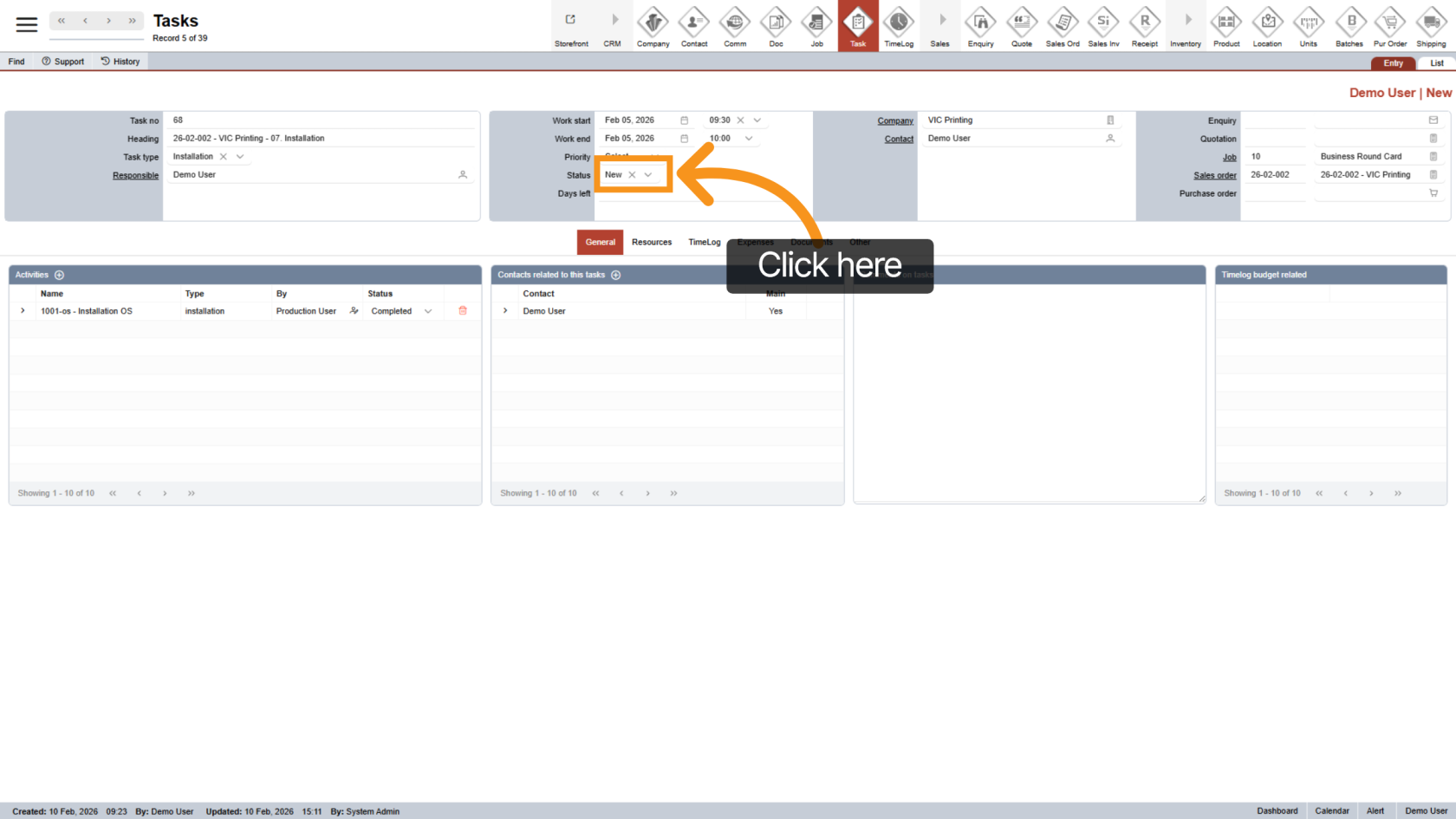
You have successfully completed the installation task.