
Change Theme
This tutorial guides you through changing your theme in WorkTraq to personalize the application's appearance.
Video Tutorial
1. Open Contact
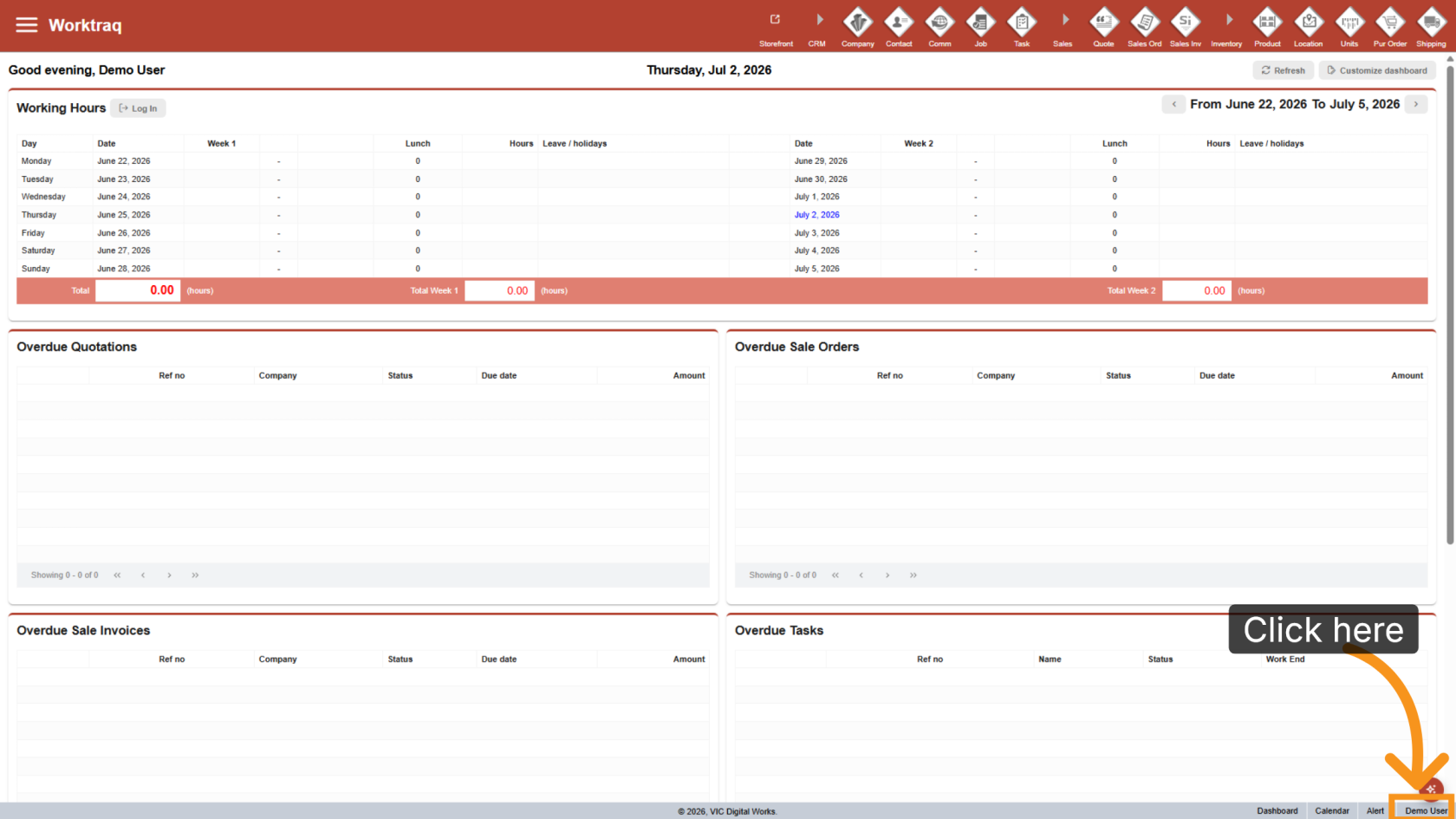
Click your username in the bottom-right corner of the screen.
2. Open User Preferences
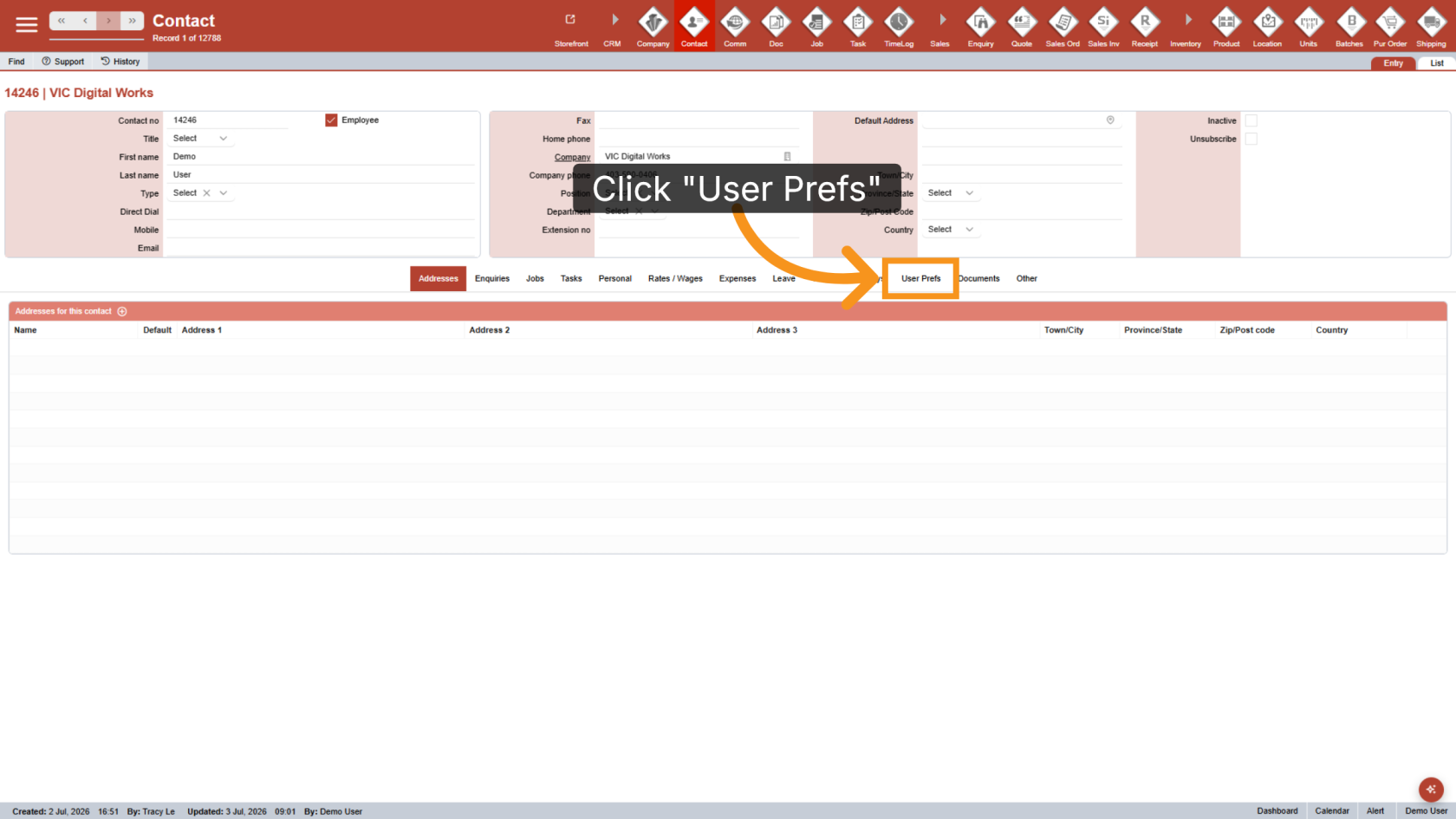
Click User Prefs to access your user preferences.
3. Select a Theme
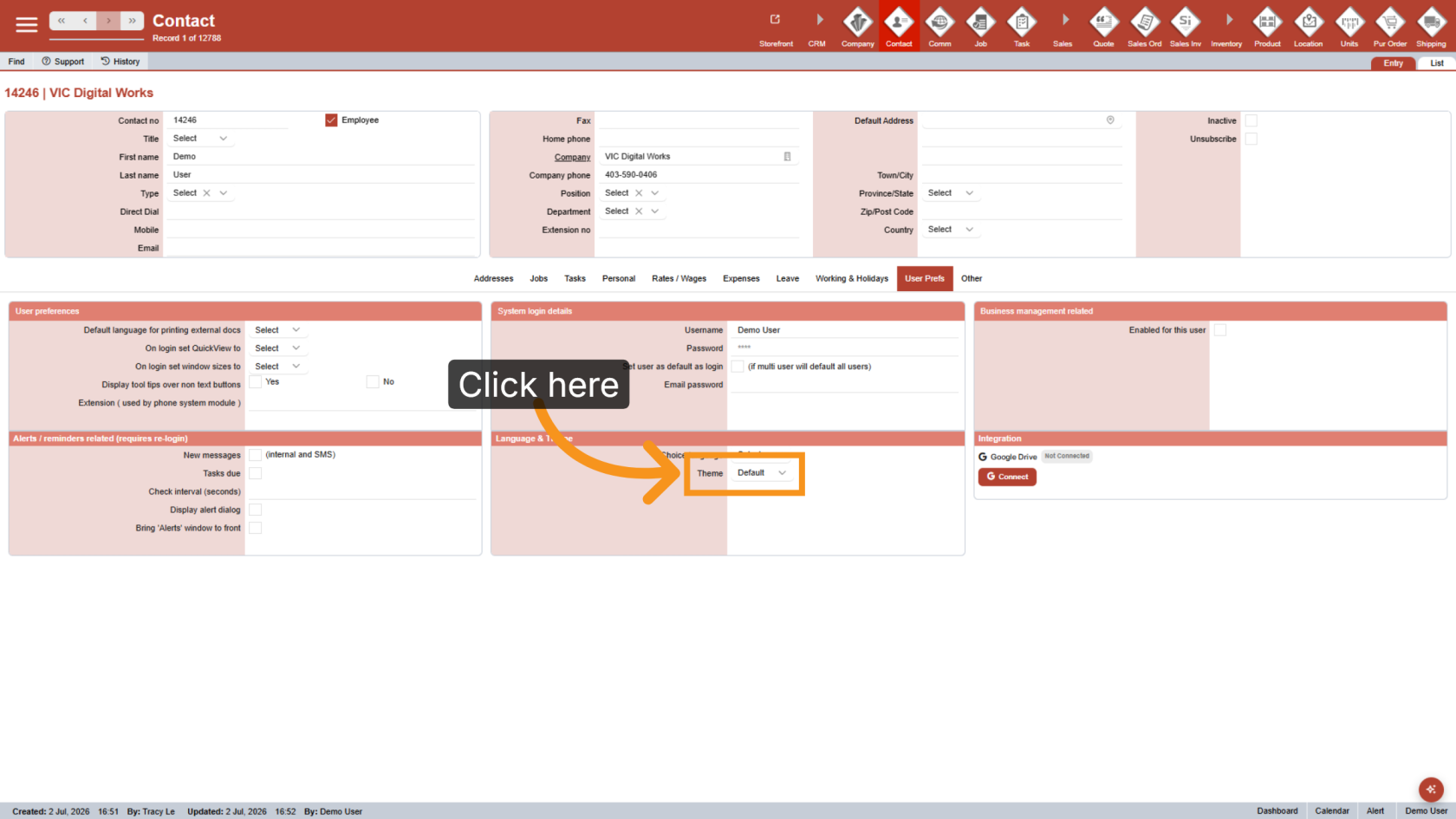
Choose the theme you want to use.
4. Apply the Theme
The selected theme is applied immediately throughout the application.
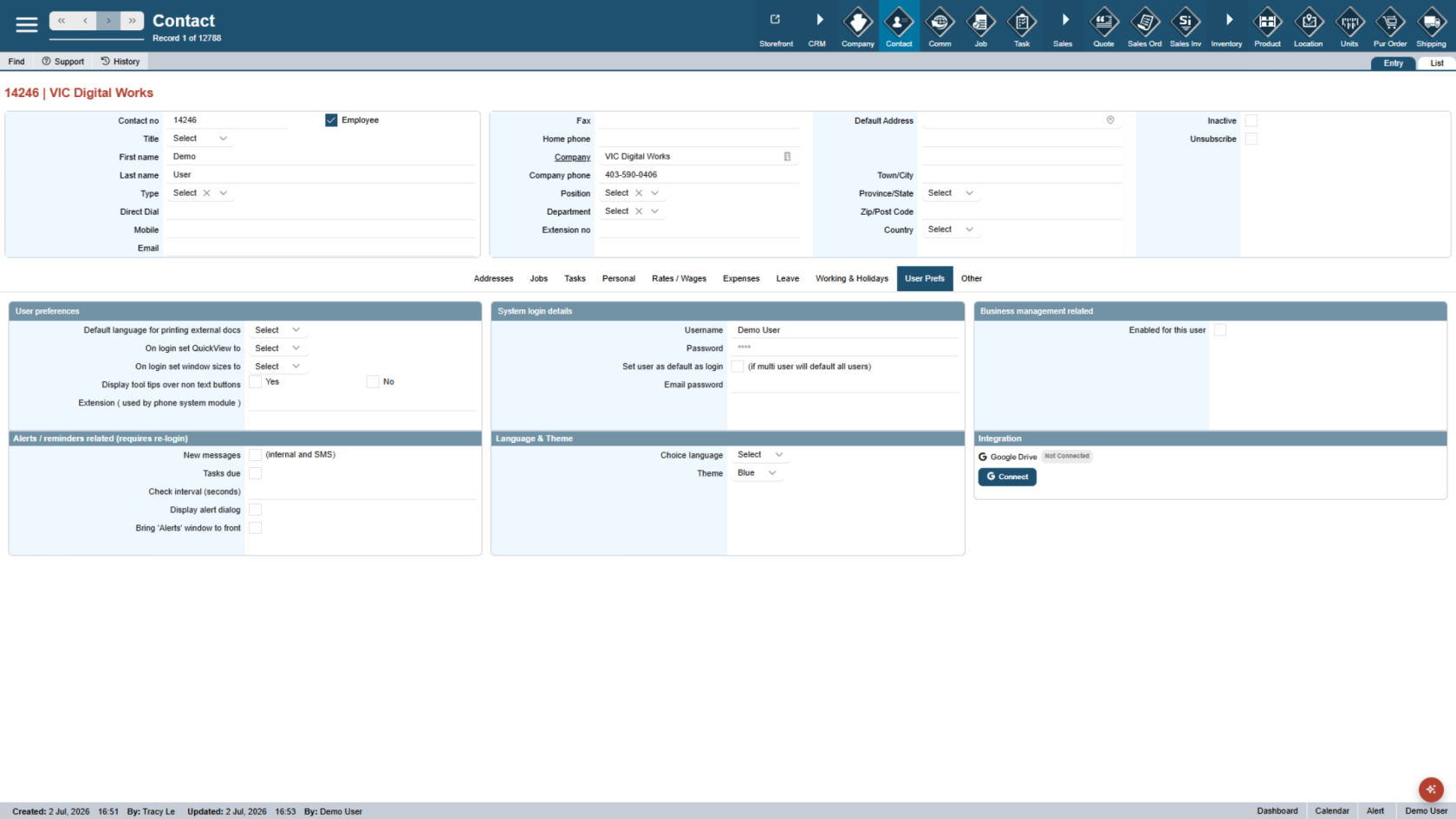
Your theme has been updated successfully. Enjoy your personalized workspace.