
Convert Quotation to Sales Order
This guide explains how to convert an approved quotation into a sales order in WorkTraq.
Video Tutorial
1. Open the Quotation Module
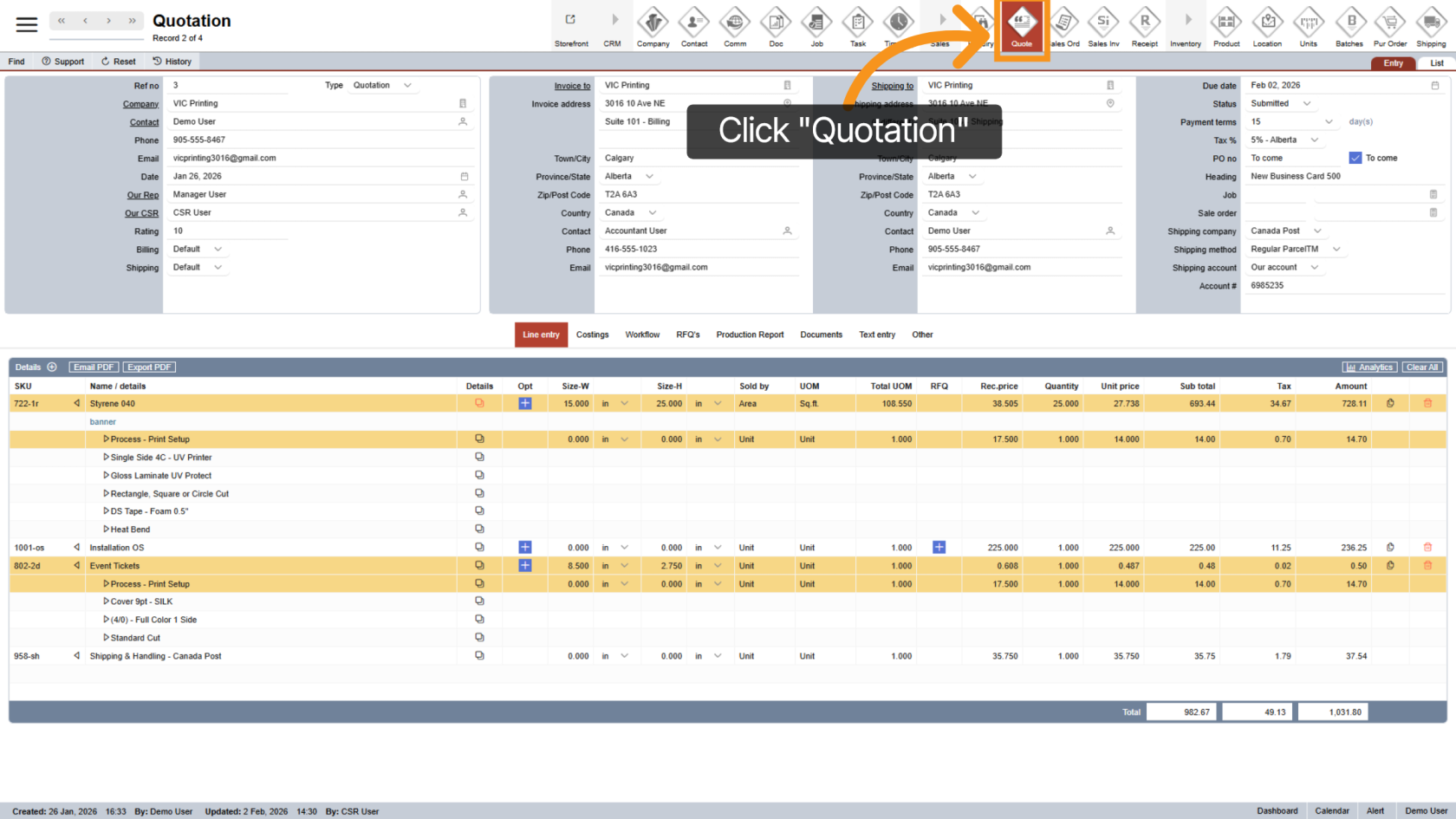
After the customer confirms the quotation, click "Quotation" in the main menu to open the quotation section.
2. Find the Quotation
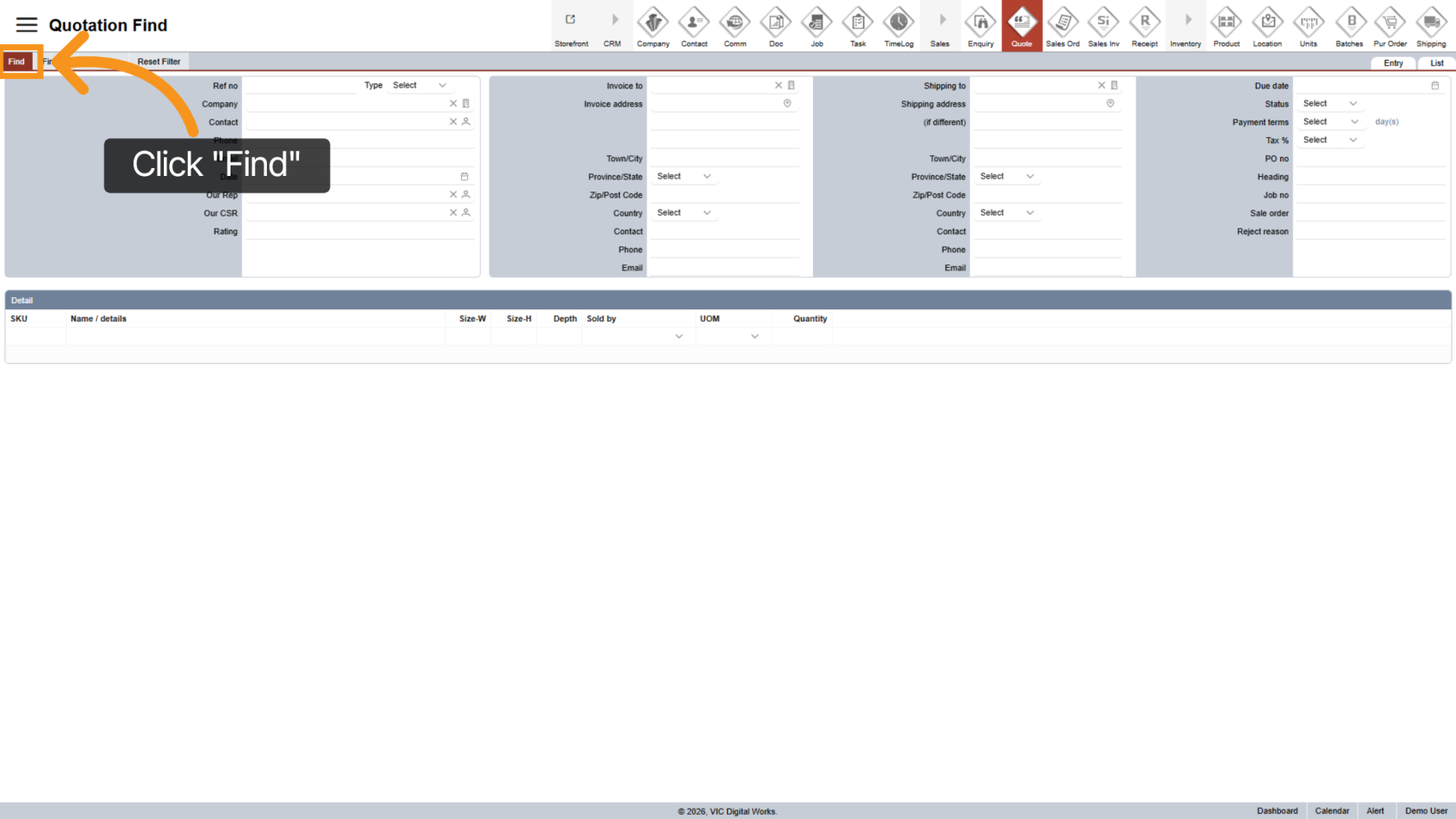
Click "Find" to search for the quotation you want to convert.
3. Enter Quotation Reference Number
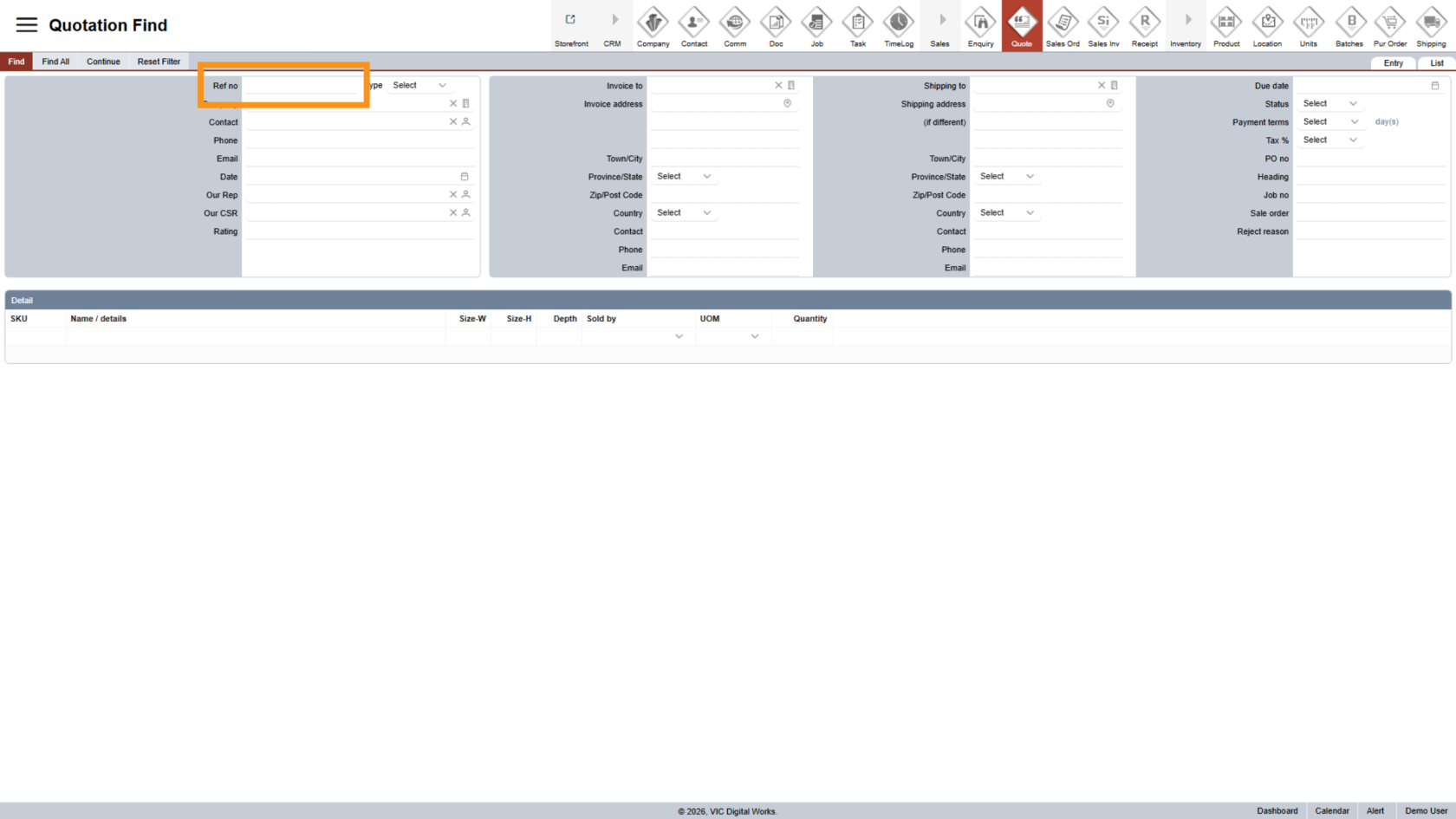
In the search field, enter the quotation reference number to locate the correct quotation.
4. Start the Search
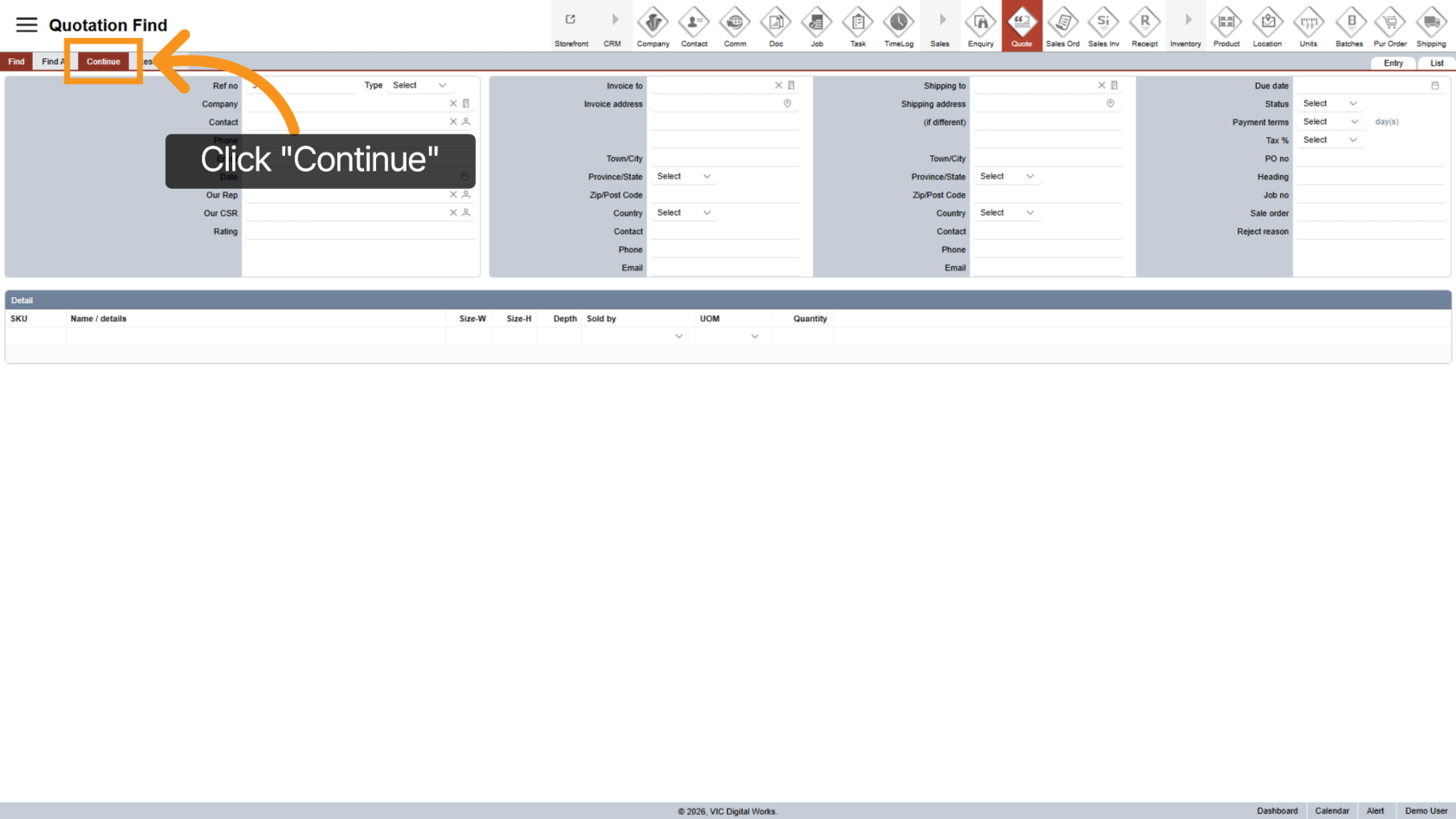
Click "Continue" to view the search result and open the quotation.
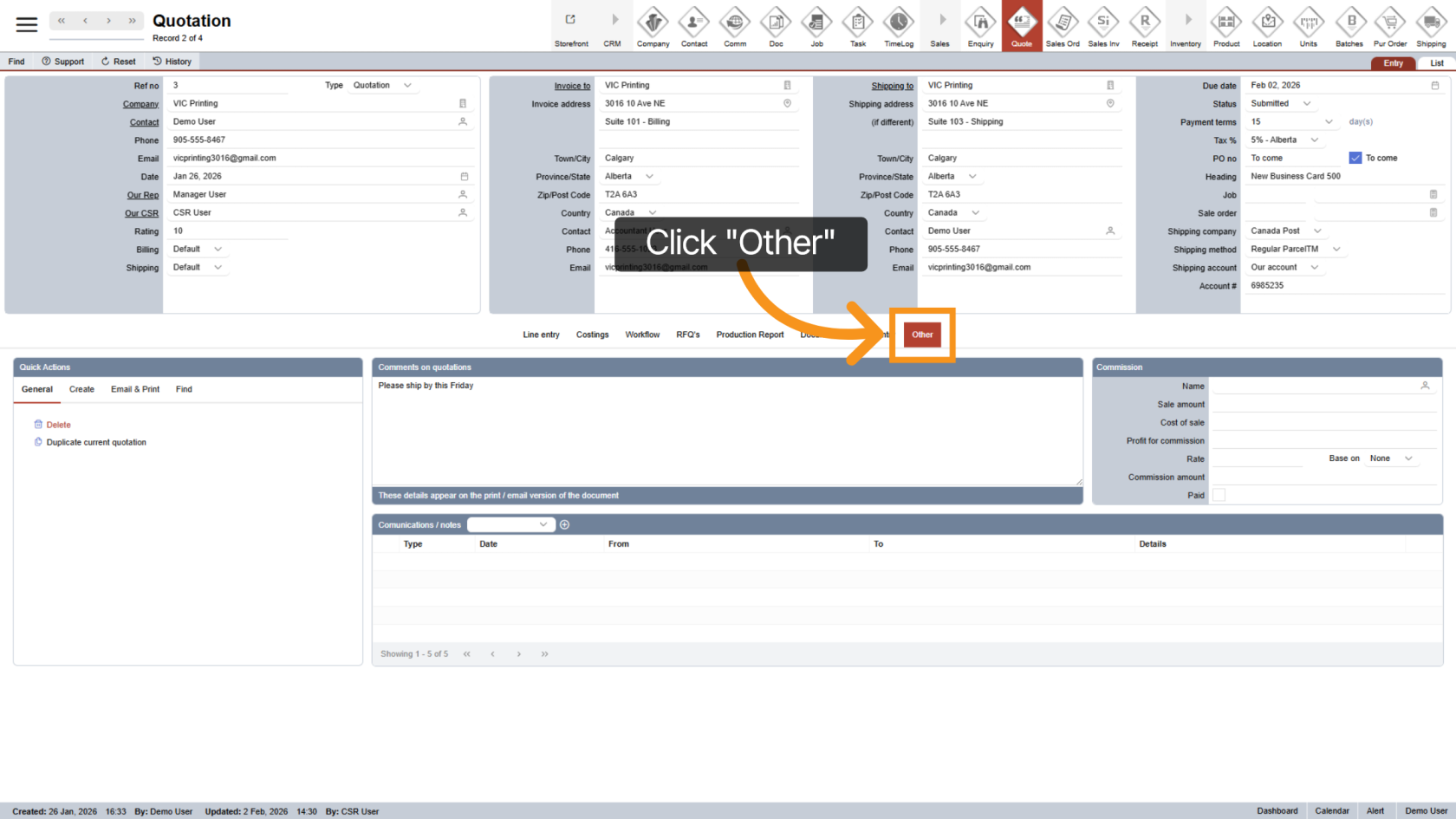
5. Open the Other Section
Once the quotation is open, click "Other" in the middle menu.
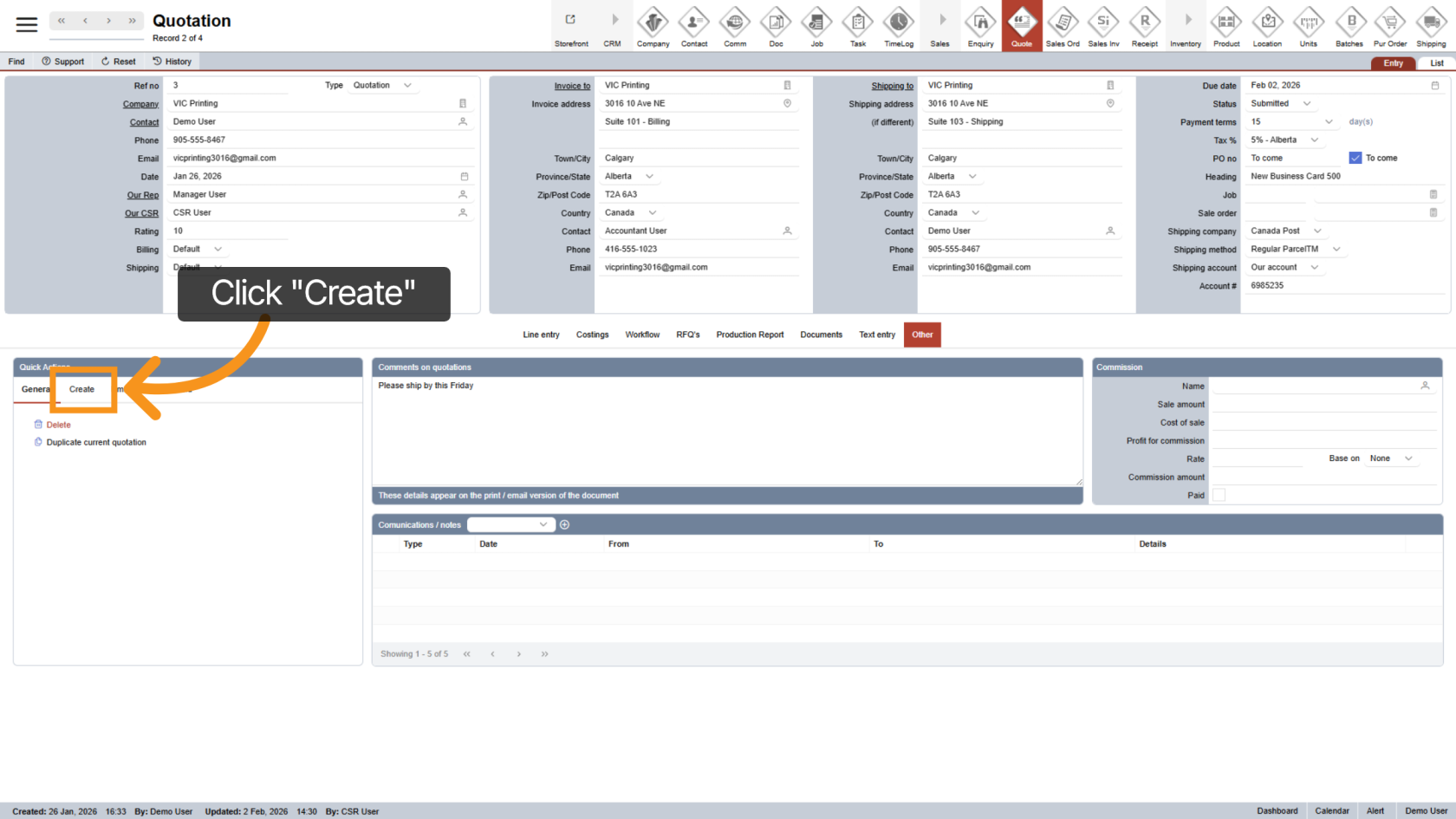
6. Start Sales Order Creation
Click "Create" to begin creating a sales order from the quotation.
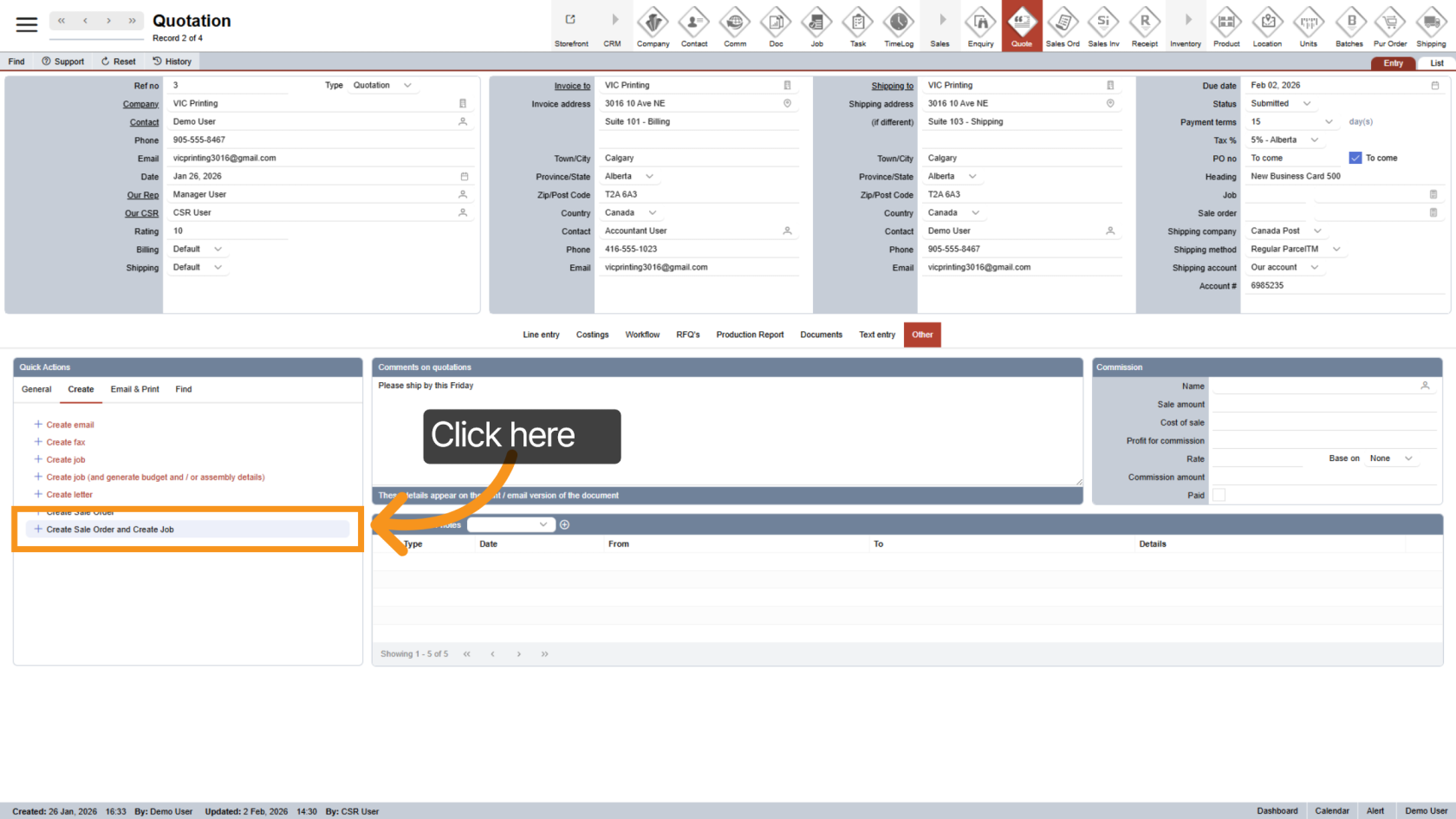
7. Create Sales Order and Job
Click "Create Sales Order and Create Job" to generate:
- A sales order
- An associated job for production.
Both will be created at the same time.
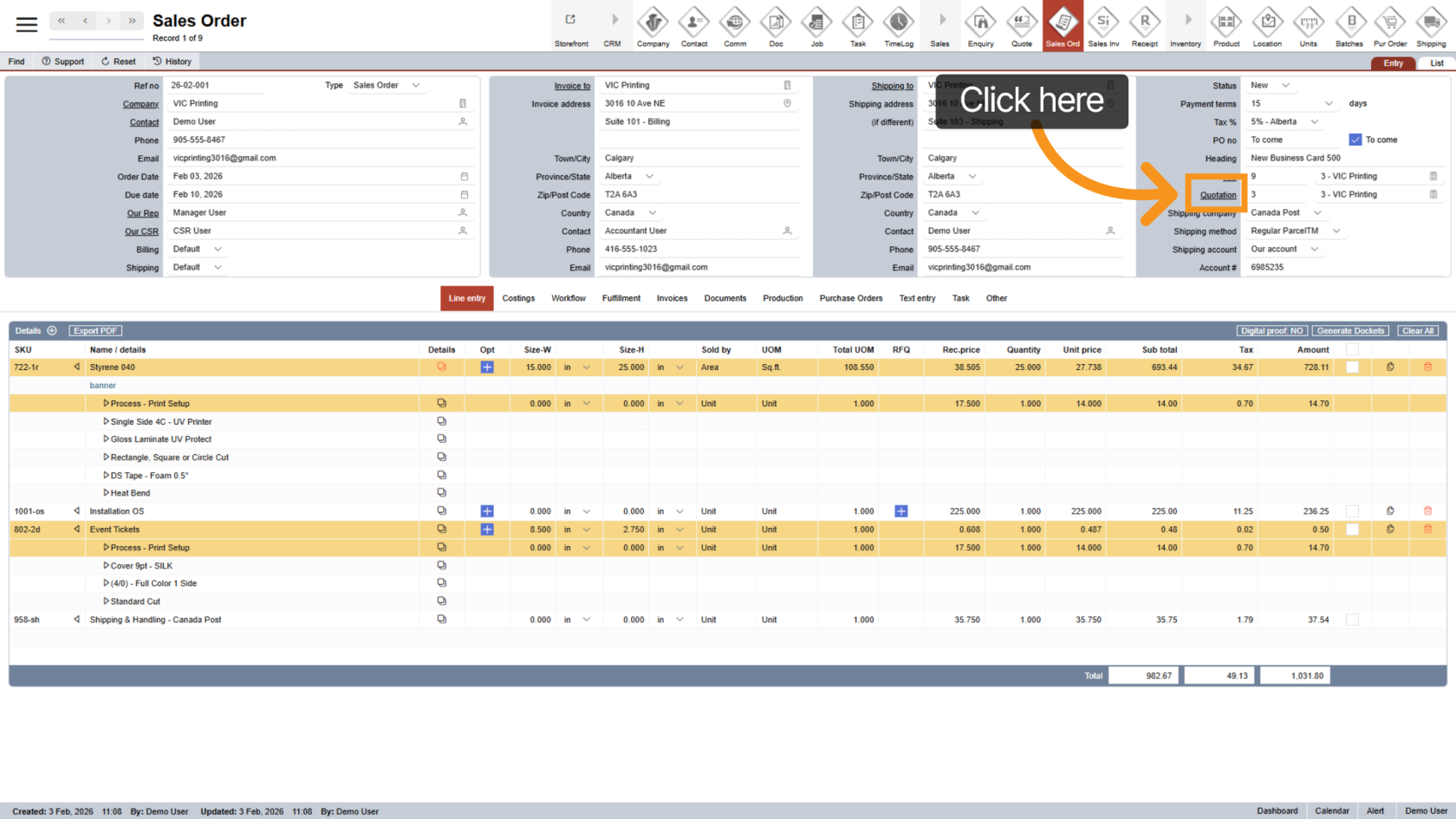
8. View the Sales Order
After creation, the system will automatically open the new Sales Order.
All relevant information from the quotation will be carried over.
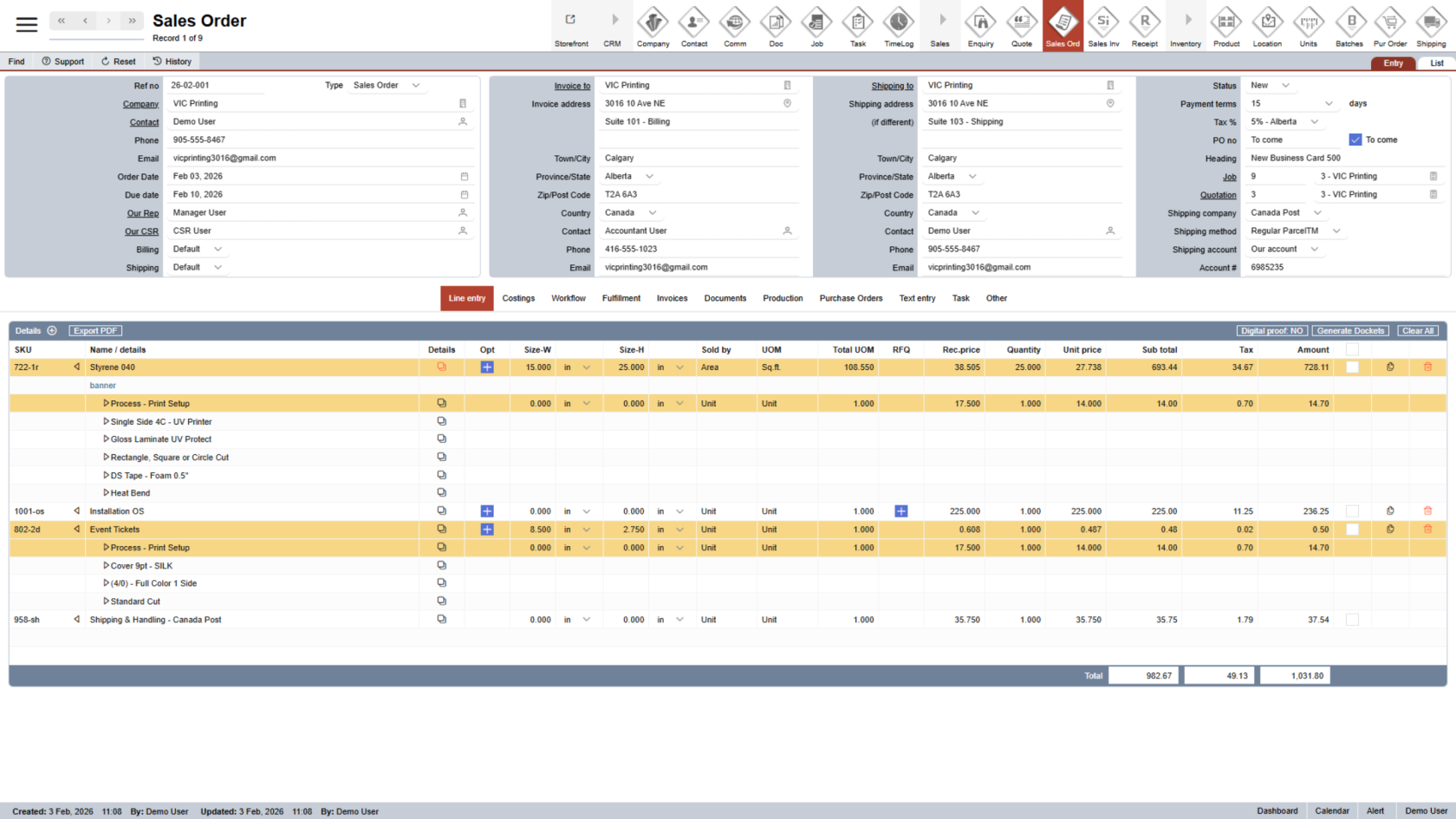
9. Return to the Quotation
Click the underlined "Quotation" to quickly go back to the related quotation.
10. Quotation Status Update
The system will automatically update the quotation status to Approved, indicating it has been successfully converted into a sales order.
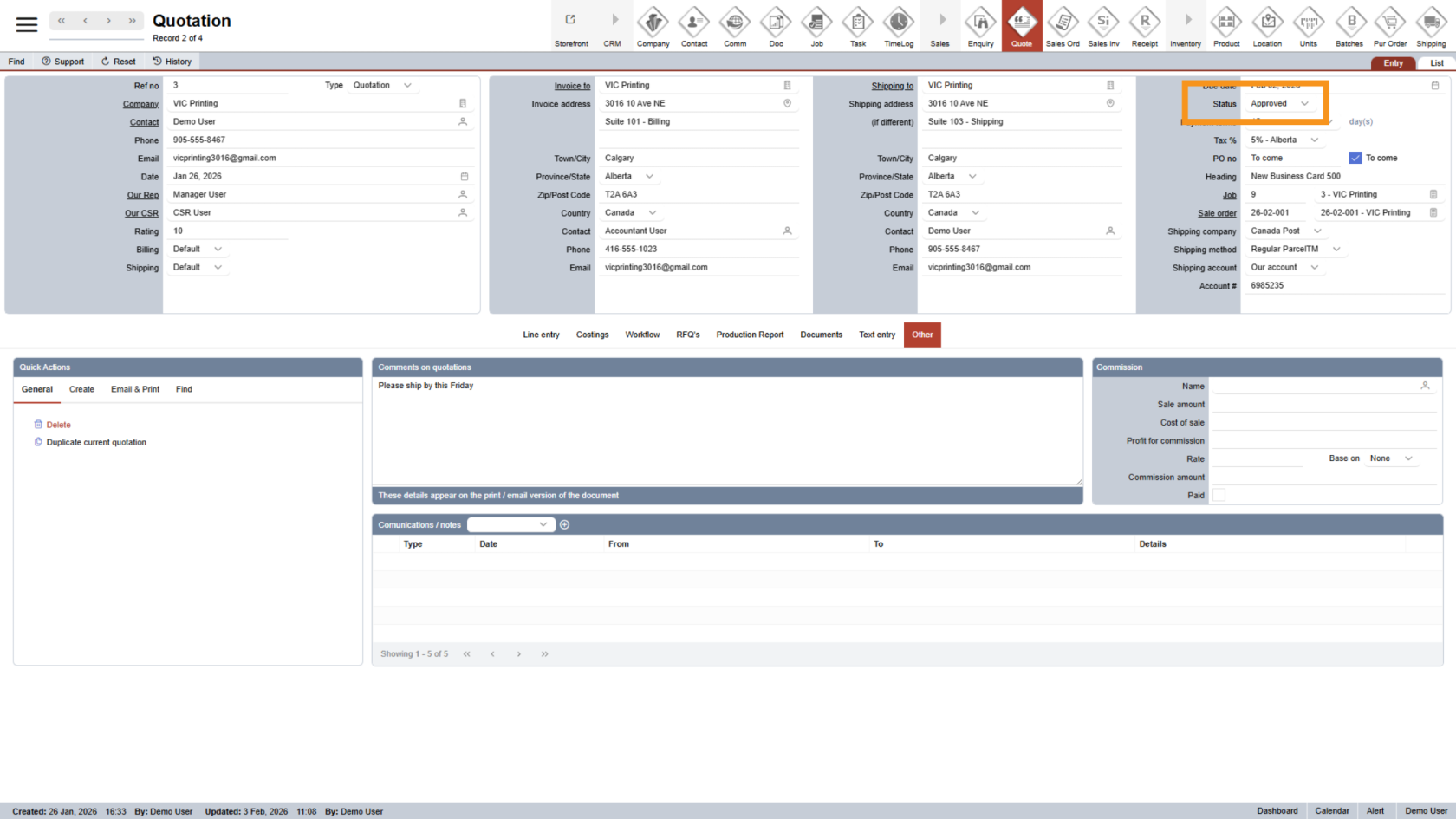
You have successfully converted a quotation into a sales order in WorkTraq. The sales order and job are now ready for processing and fulfillment.