
Customer Proof Review and Submission
This guide explains how customers can review and approve (or request changes to) a digital proof using the online proof review system.
Video Tutoriral
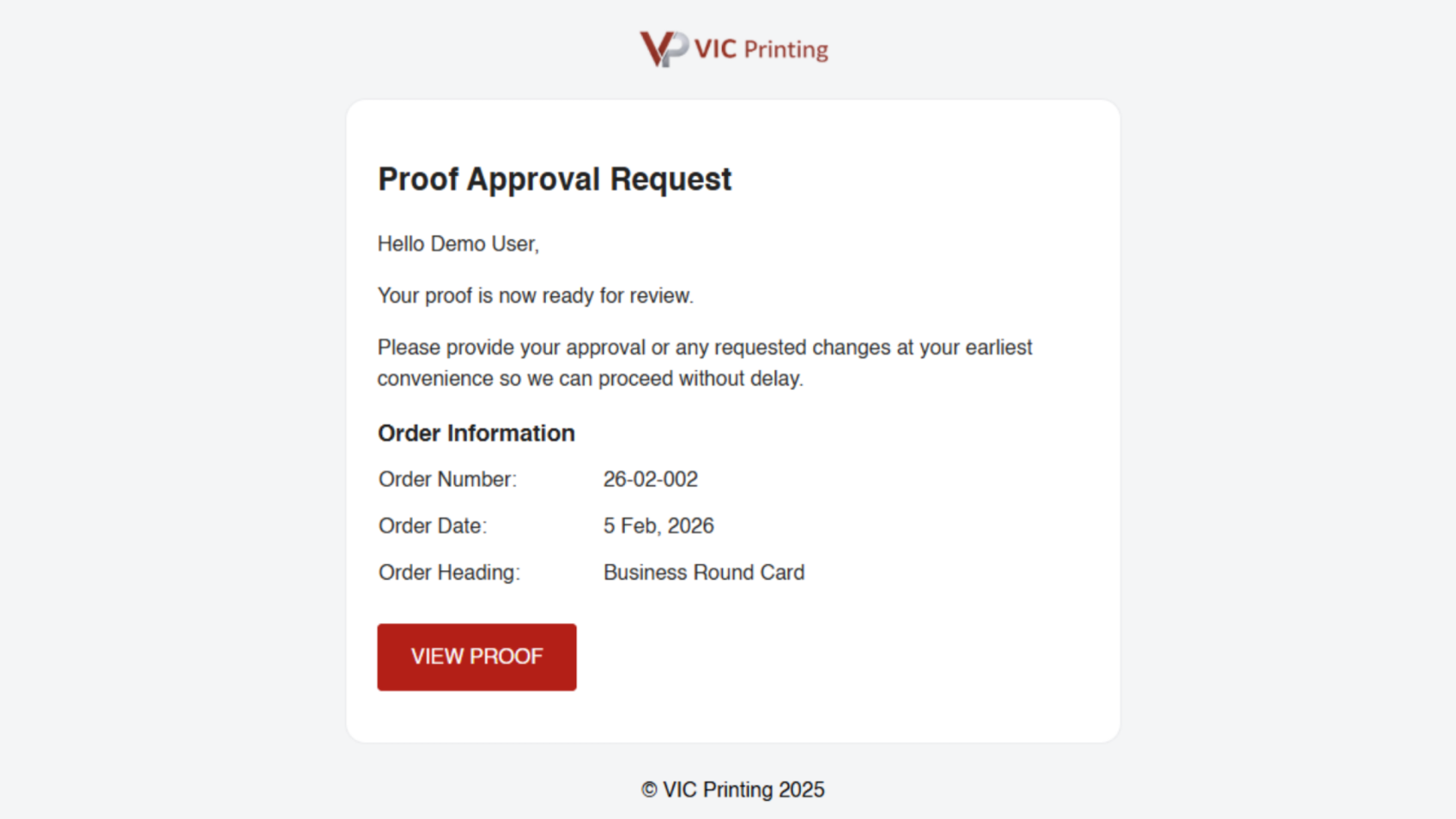
1. Proof Approval Request
You will receive an email requesting you to review and approve your proof.
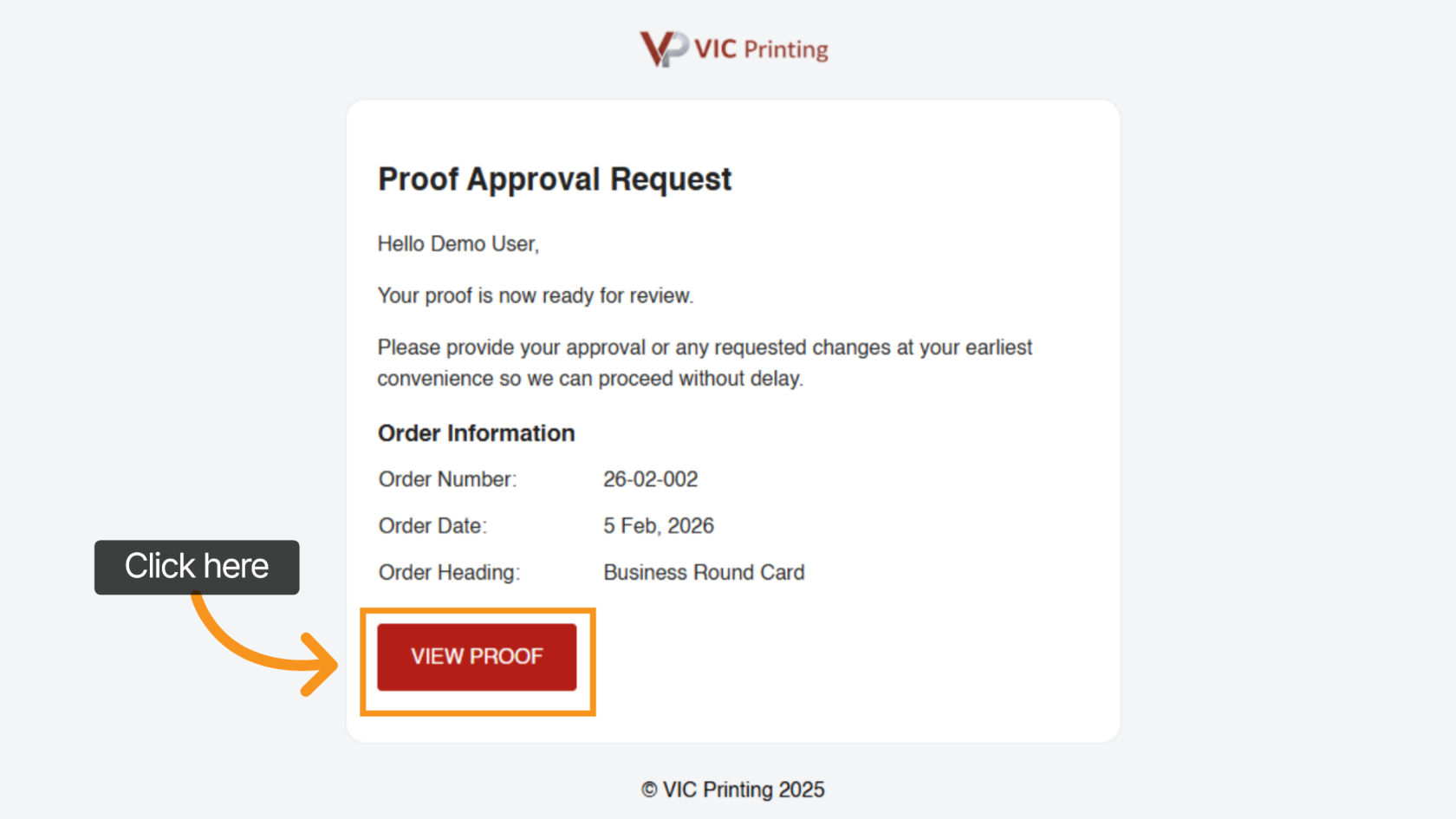
2. Open the Proof Review Page
In the email, click "VIEW PROOF" to open the digital proof review page.
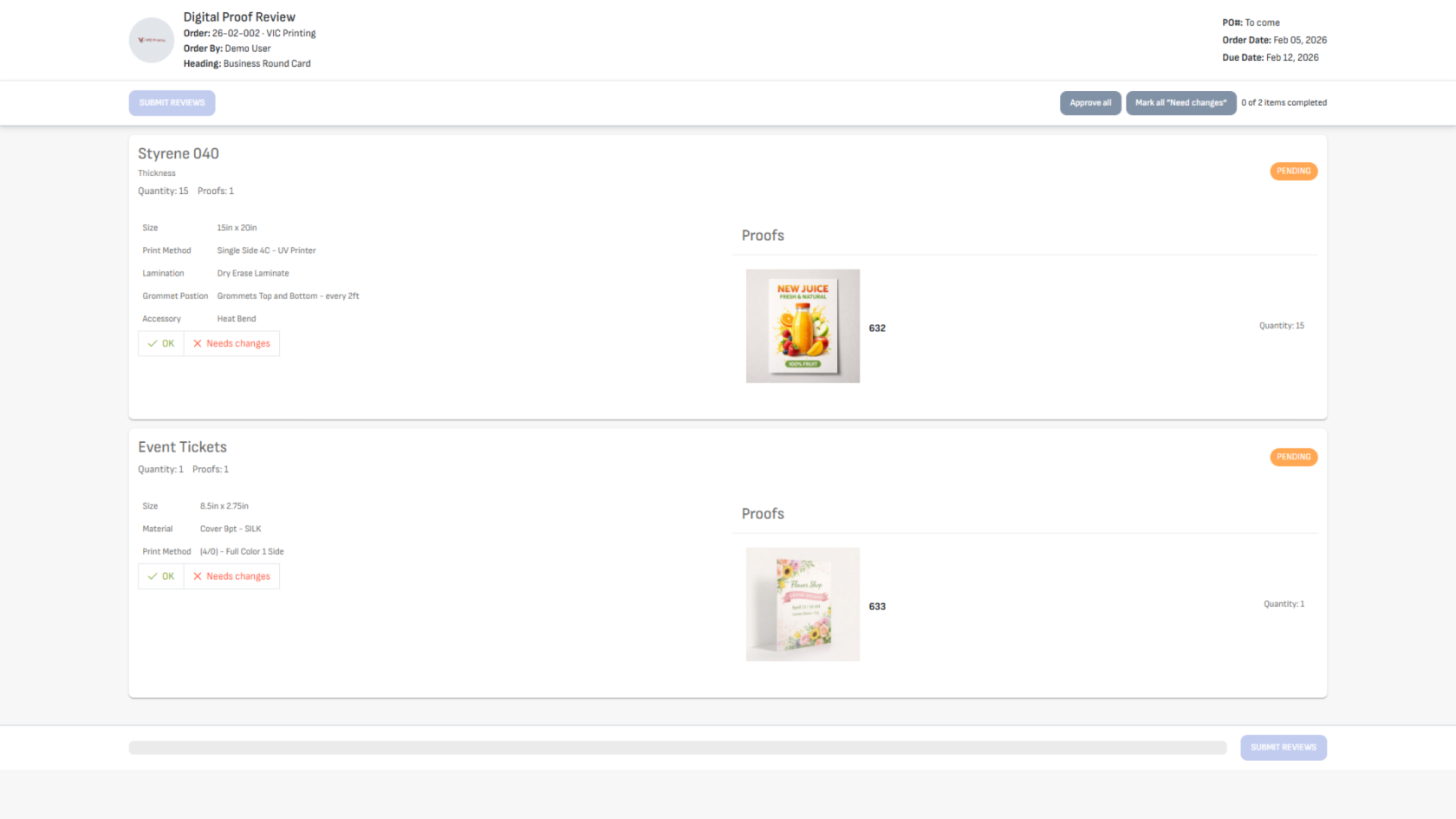
3. Review Order Details
The proof review page will open in your browser.
At the top of the page, you will see your order details.
All proof files related to your order will appear below.
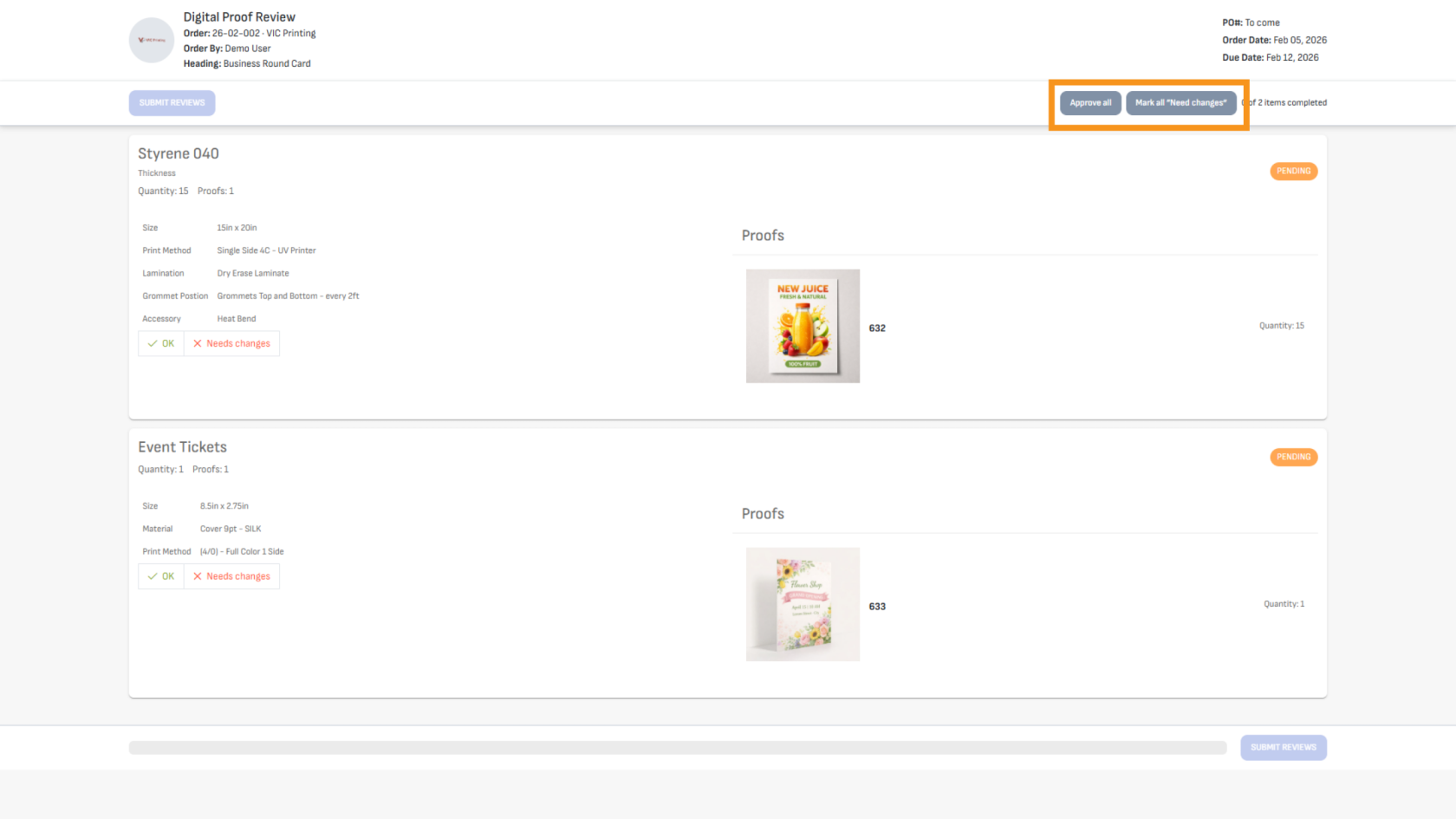
4. Quickly Approve or Request Changes
You can choose:
- "Approve All" to approve all proofs
- "Mark All as Need Changes" if modifications are necessary for all proofs.
This helps speed up the review process.
5. Approve a Single Proof
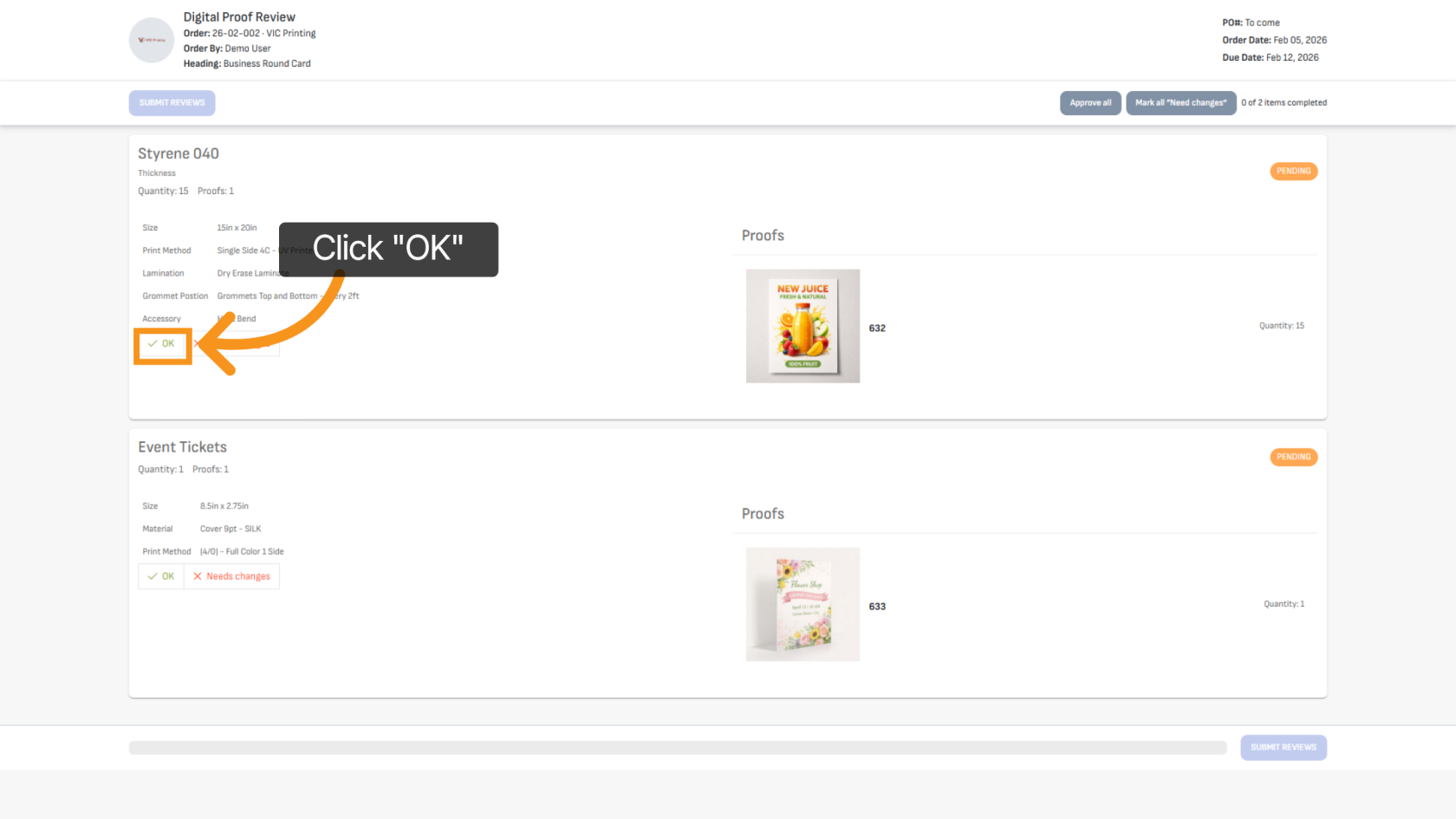
To approve an individual's proof, select it and click "OK" to confirm.
6. Mark a Proof as “Needs Changes”
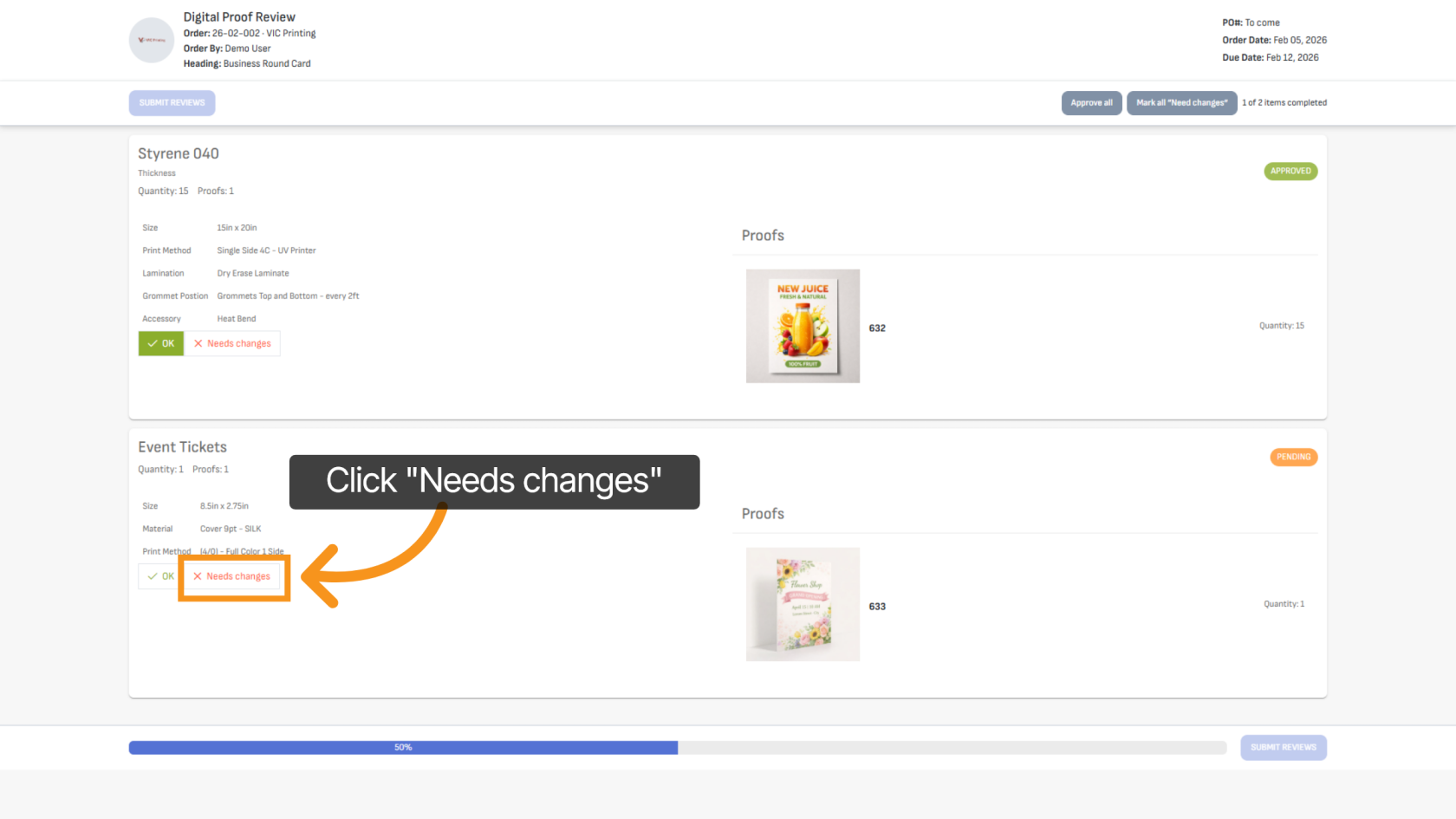
If a proof requires changes, click "Needs Changes" for that proof.
7. Add Comments or Change Requests
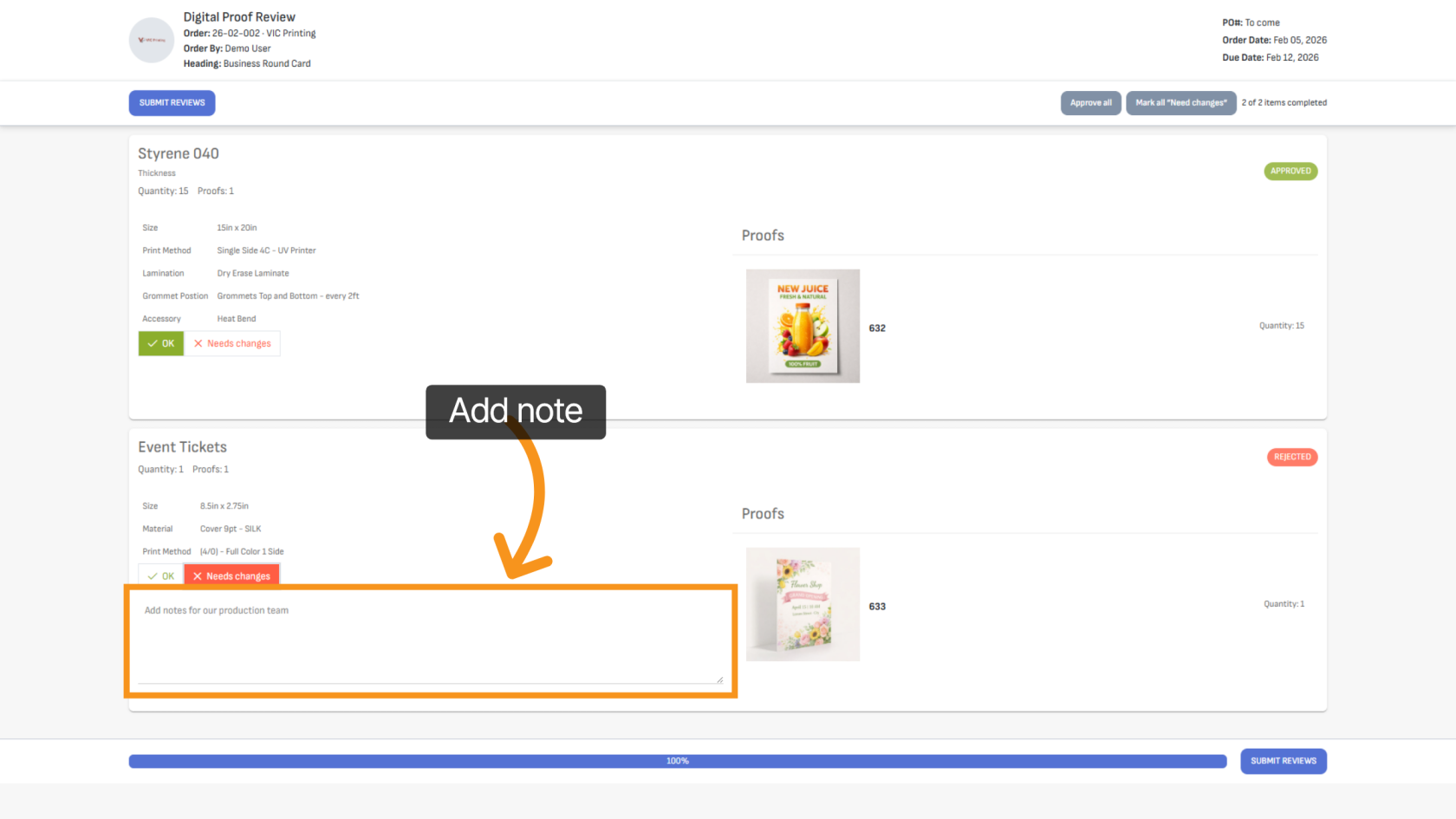
Enter your comments or requested changes in the comment box so the production team clearly understands your feedback.
8. Submit Your Review
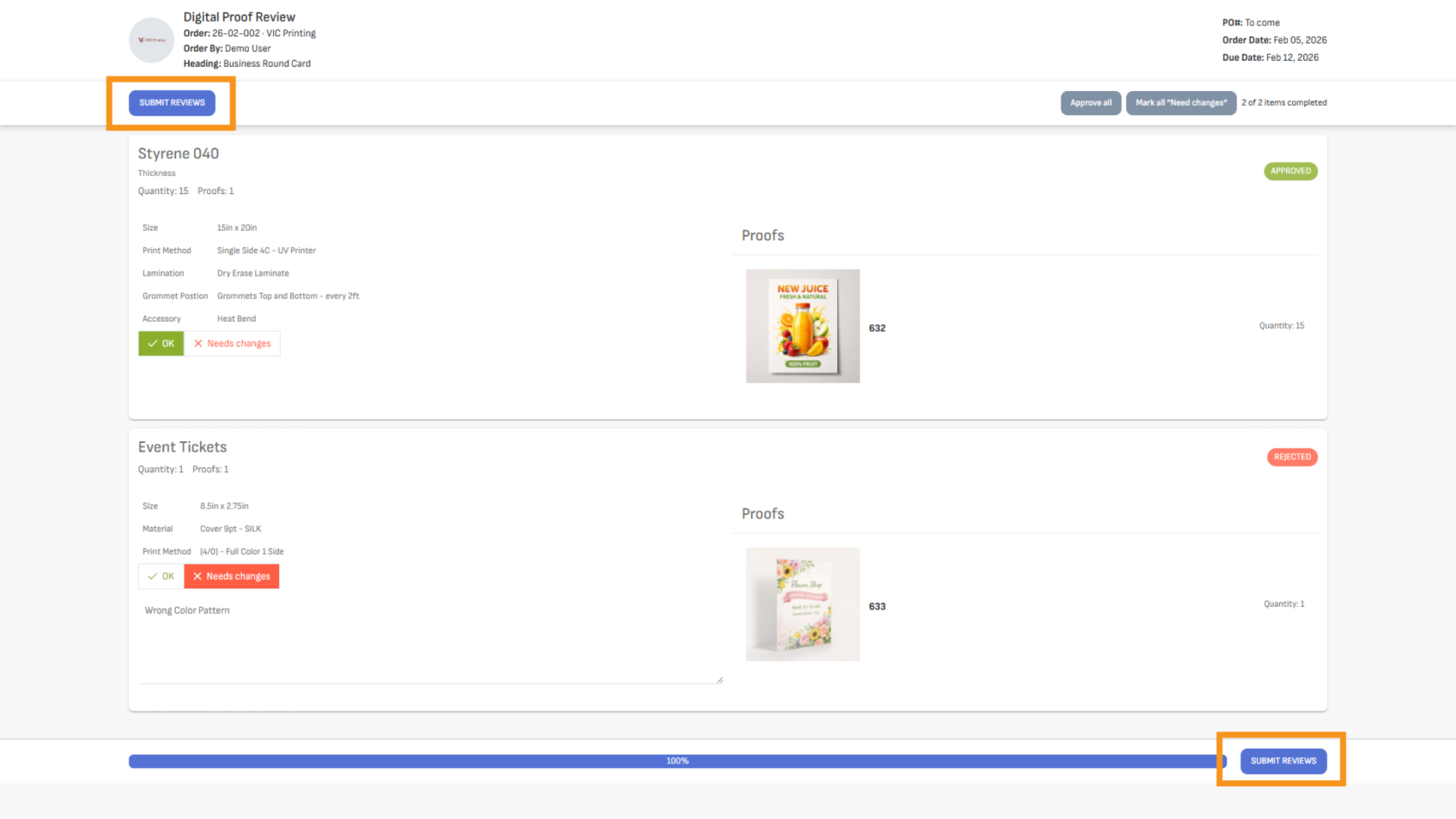
When finished, click "SUBMIT REVIEWS" at the top or bottom of the page to send your feedback.
9. Confirmation
Your review will be submitted successfully, and you will receive a confirmation email.
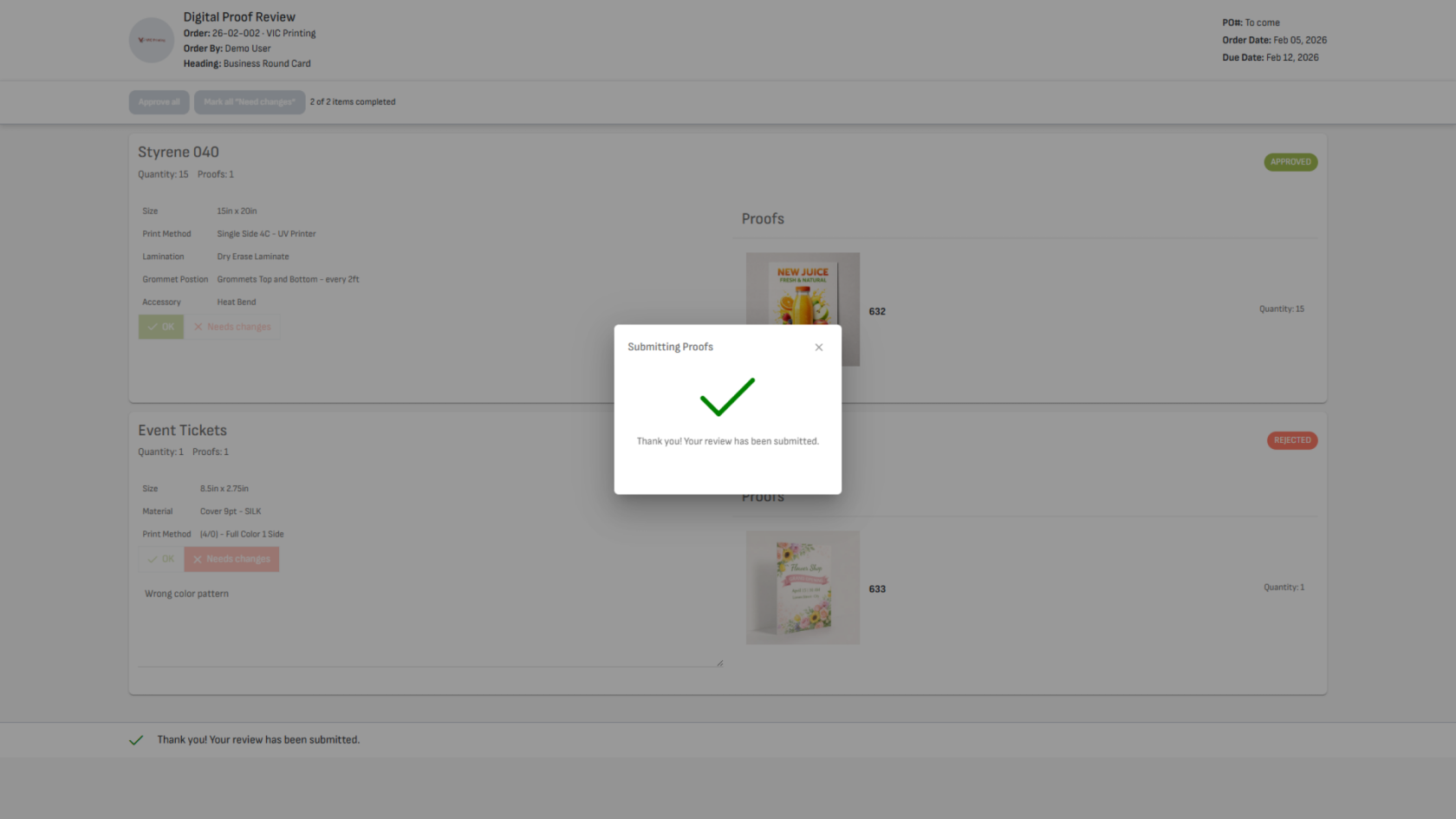
You have successfully reviewed and submitted your proof feedback. The production team will proceed based on your approval or requested changes. You may receive additional proofs if revisions are required.