
Review & Adjust Quotation Costing
This guide shows you how to review costing details for a quotation. You will learn how to adjust option pricing, review profit and margins, and apply a discount step by step.
Video Tutorial
1. Open the Costings Tab
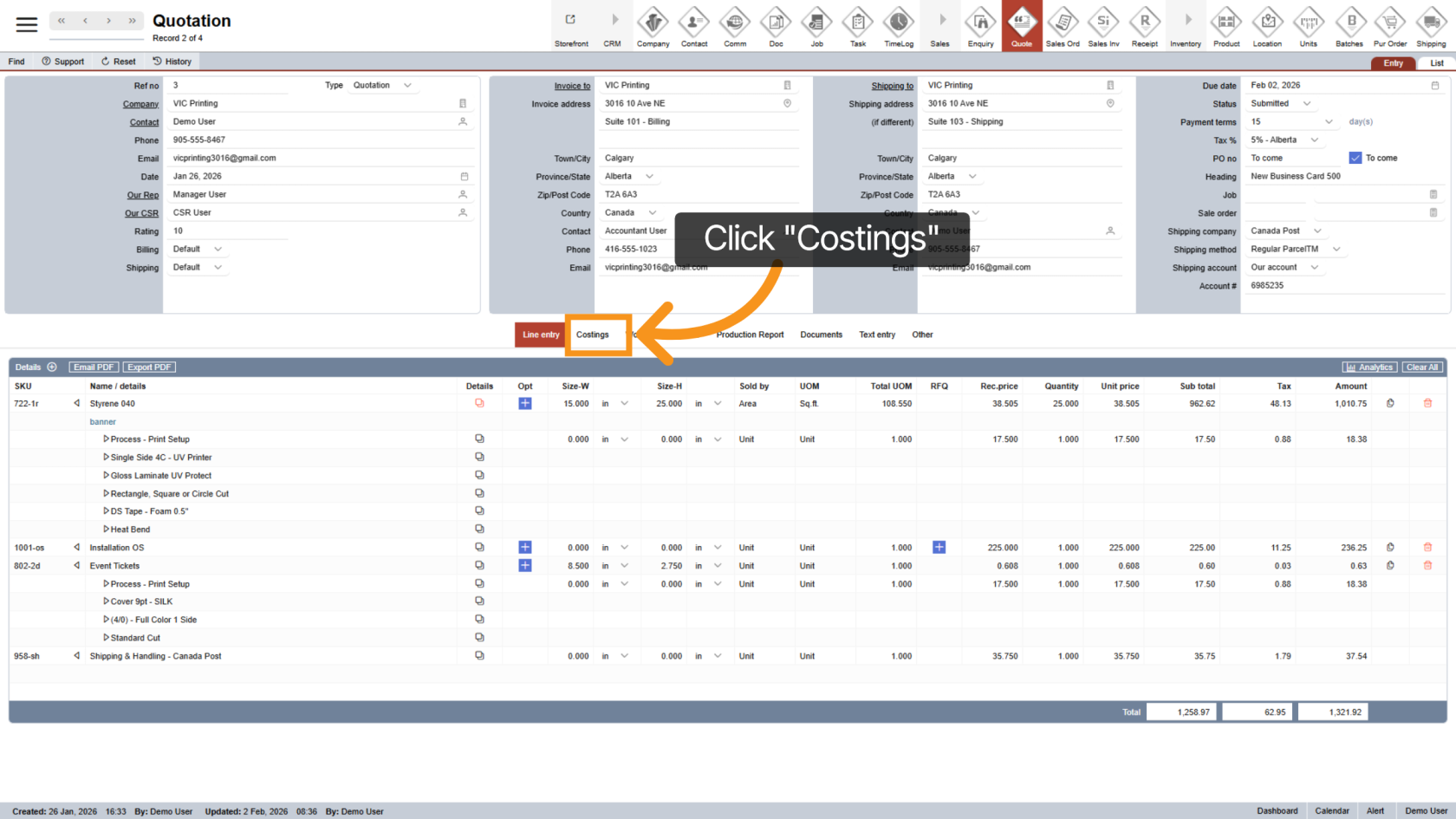
Click the "Costings" tab to view all cost-related details for the quotation.
2. Review Costing Breakdown
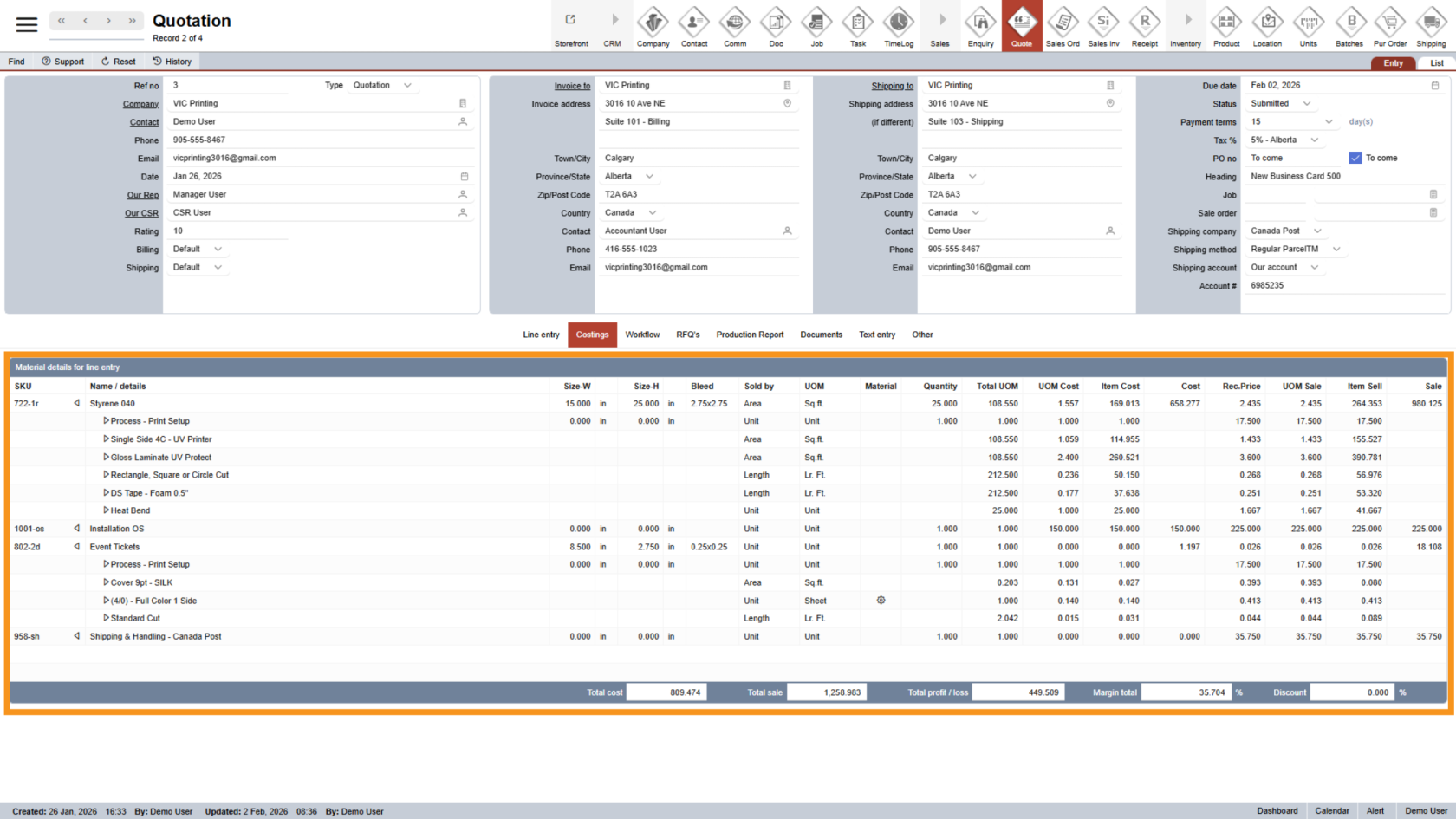
In the costing section, you will see detailed cost information for:
- Each product option
- The full product.
This helps you understand how the total cost is calculated.
3. Adjust Custom Option Selling Price
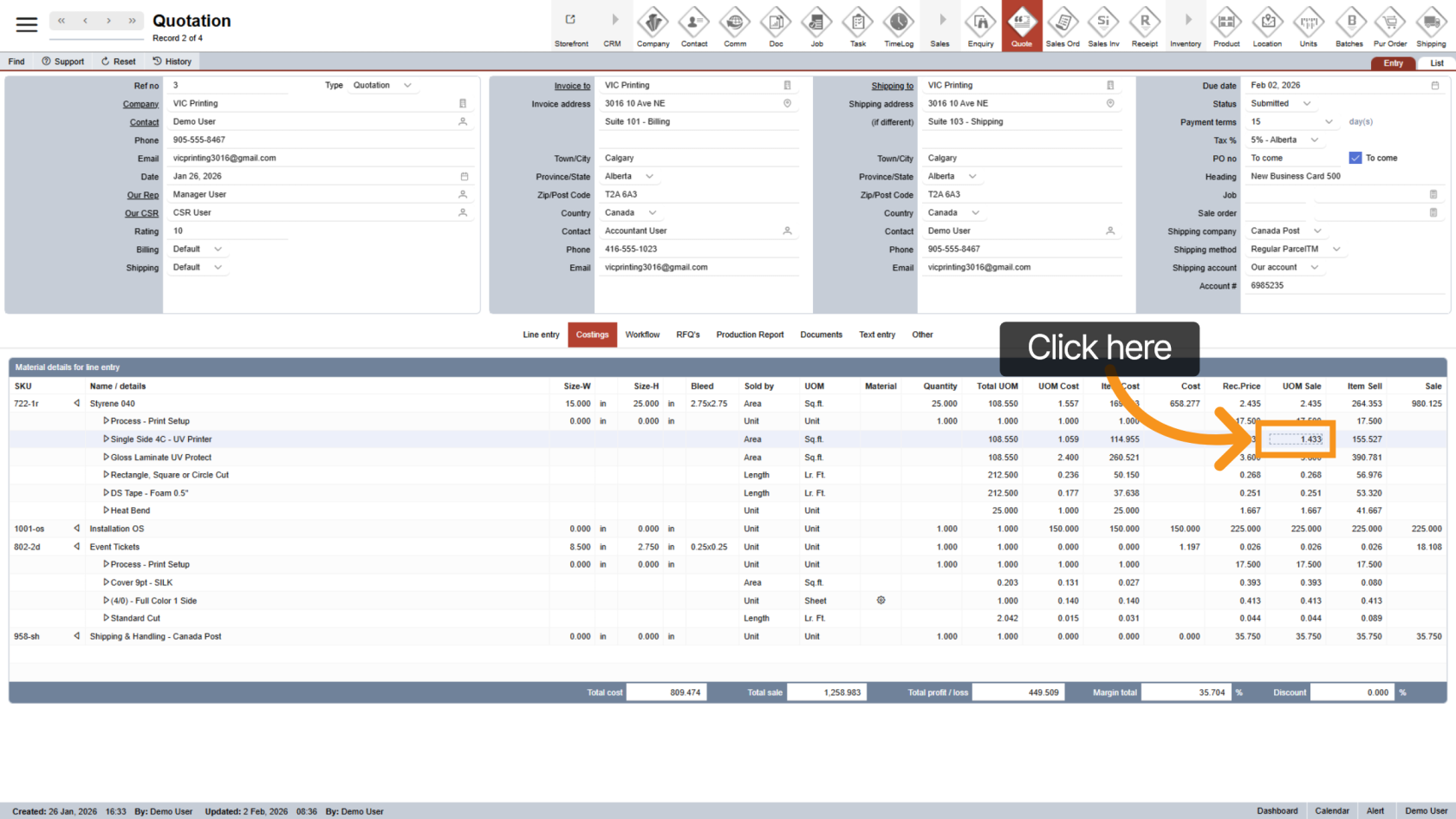
Next to the option you want to update, click the "UOM Sale" field. This allows you to adjust the selling price for that specific option and gives you more pricing flexibility.
4. Loss Warning Indicator
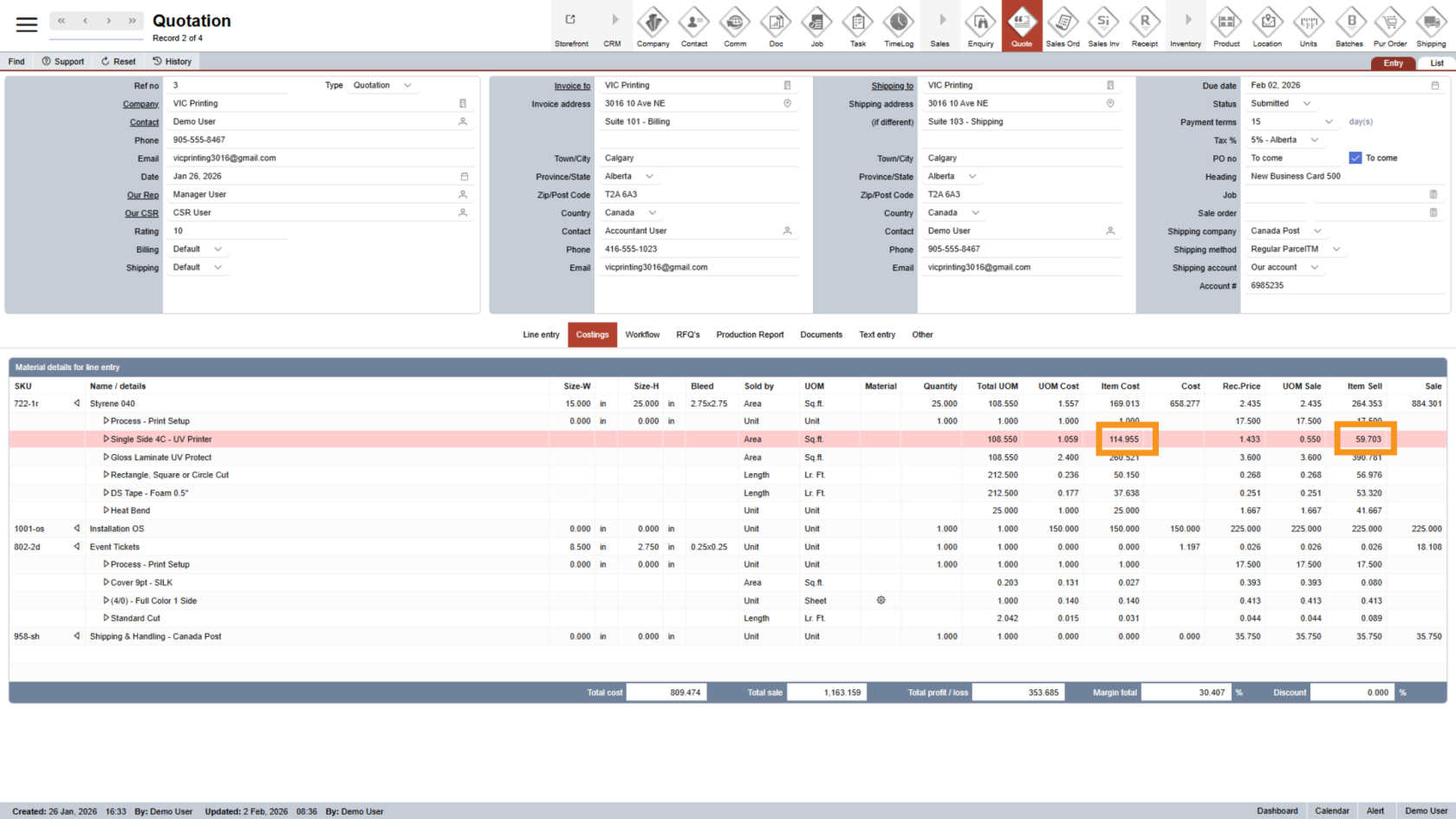
If the selling price is set lower than the actual cost, the system will highlight the option in red. This warns you that the item may be sold at a loss.
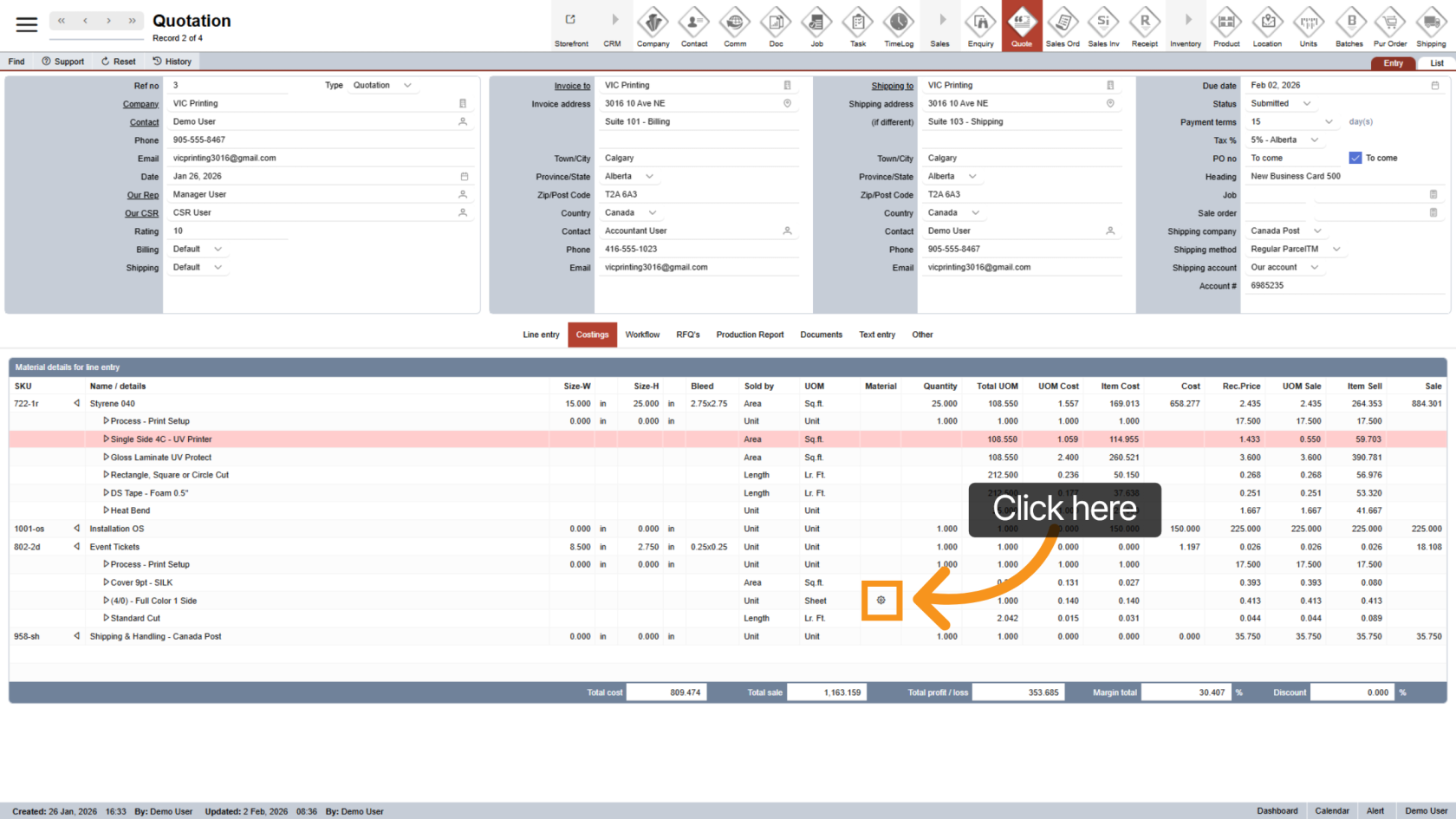
5. Open Material Costing
If the main product is set to use Material pricing, the product and all of its options will automatically apply material costing when available.
Click the  material icon to view the material costing details.
6. Review Material Costing Details
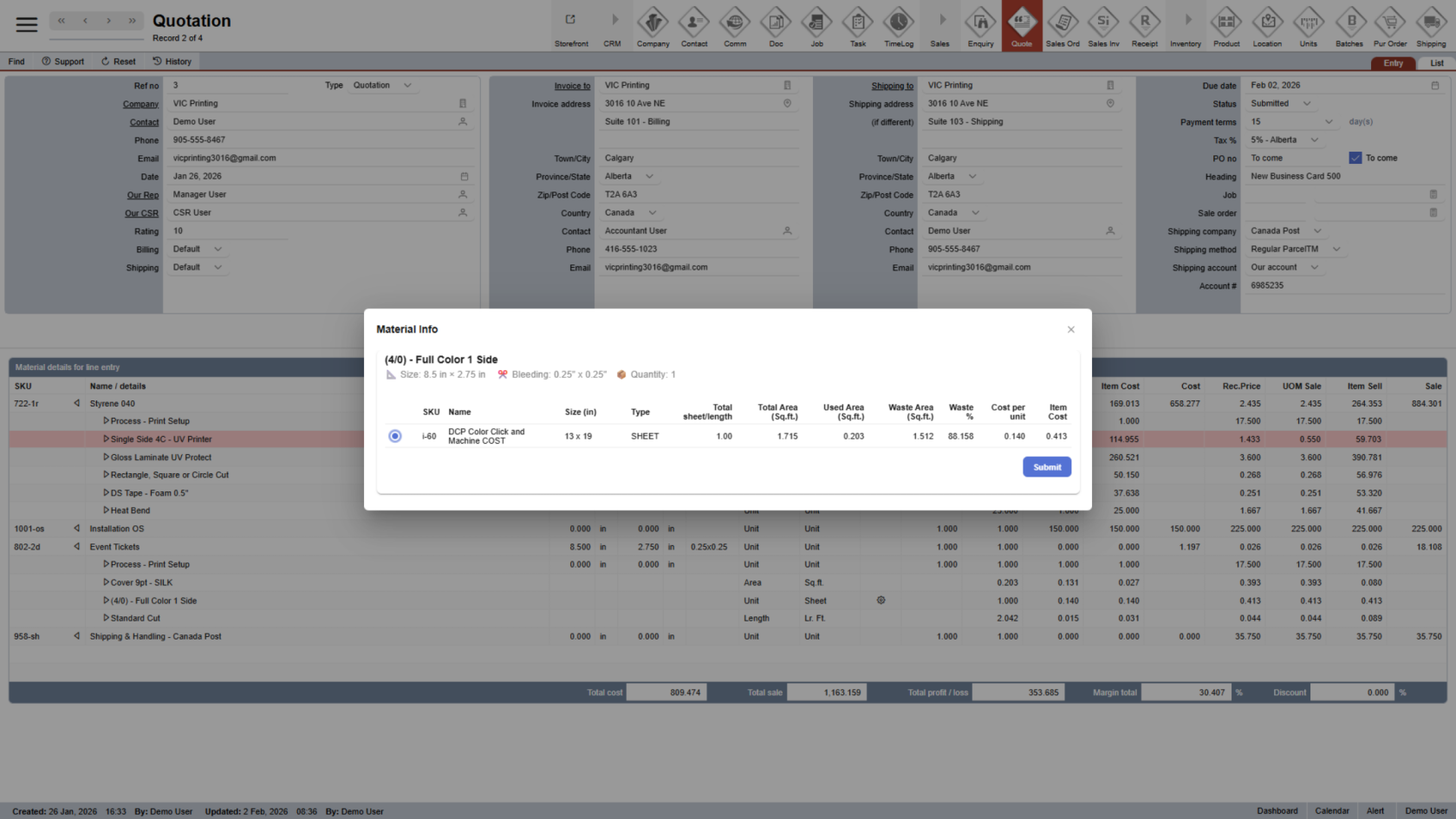
The system will display materials that match the product or option size. If multiple materials are available, WorkTraq automatically selects the option that creates the least material waste.
If needed, you can change the selected material to better suit your requirements.
7. Save Material Selection
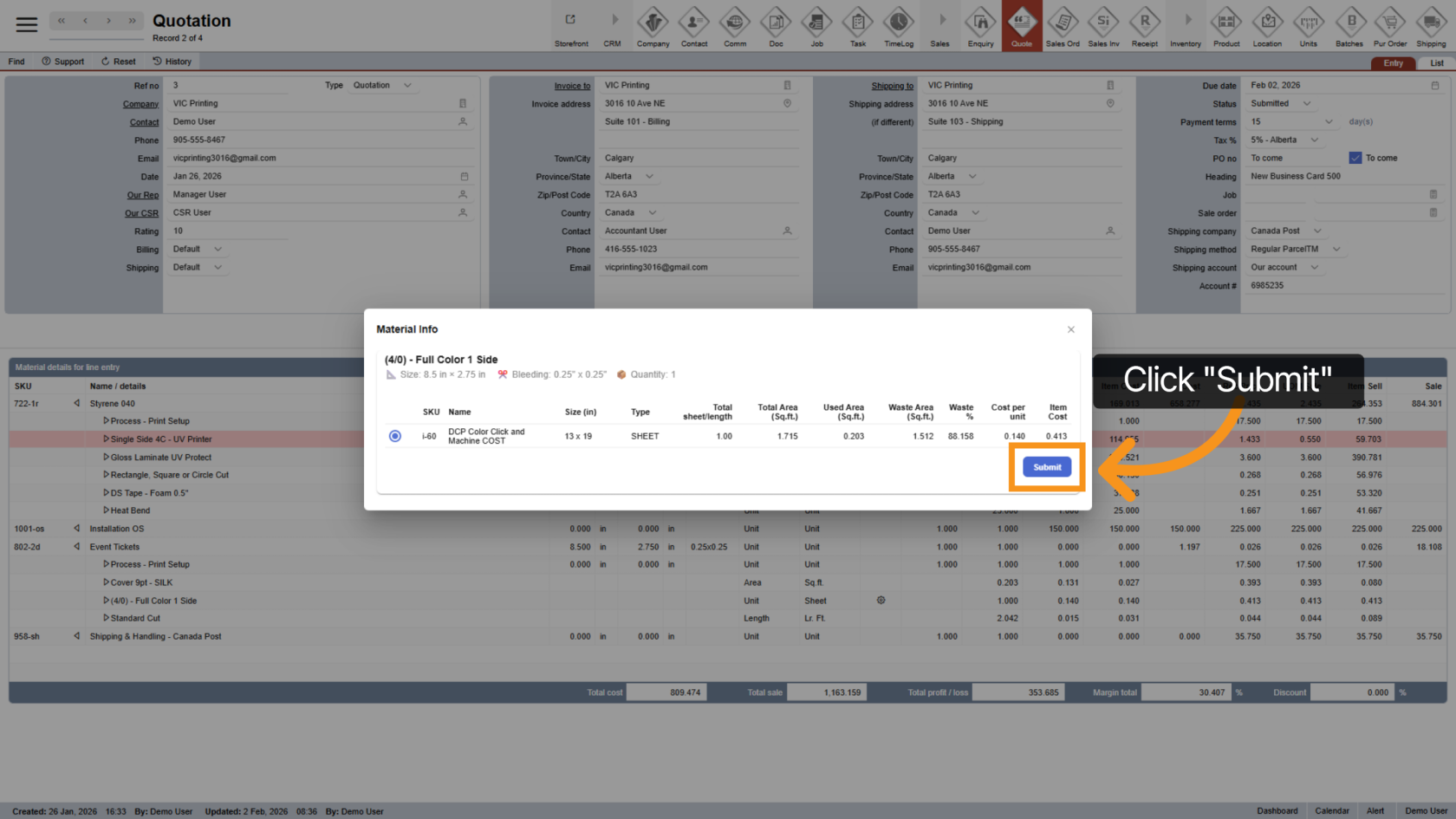
After choosing the correct material, click "Submit" to save your selection.
8. Review Costing Summary
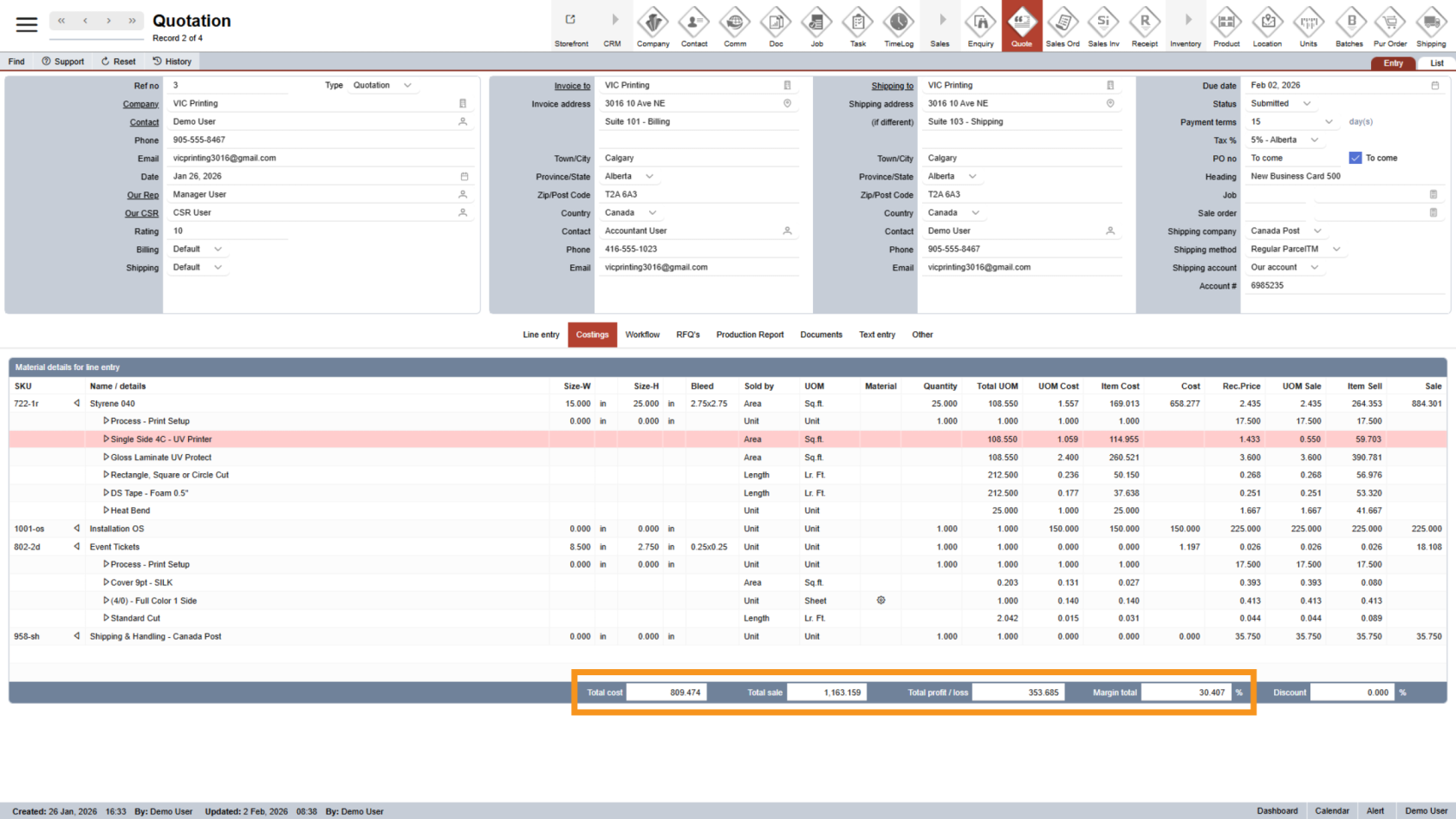
At the bottom of the page, you’ll see a summary of the entire quotation, including:
- Total cost
- Total sale
- Total profit or loss
- Margin percentage
This section helps you make informed pricing decisions.
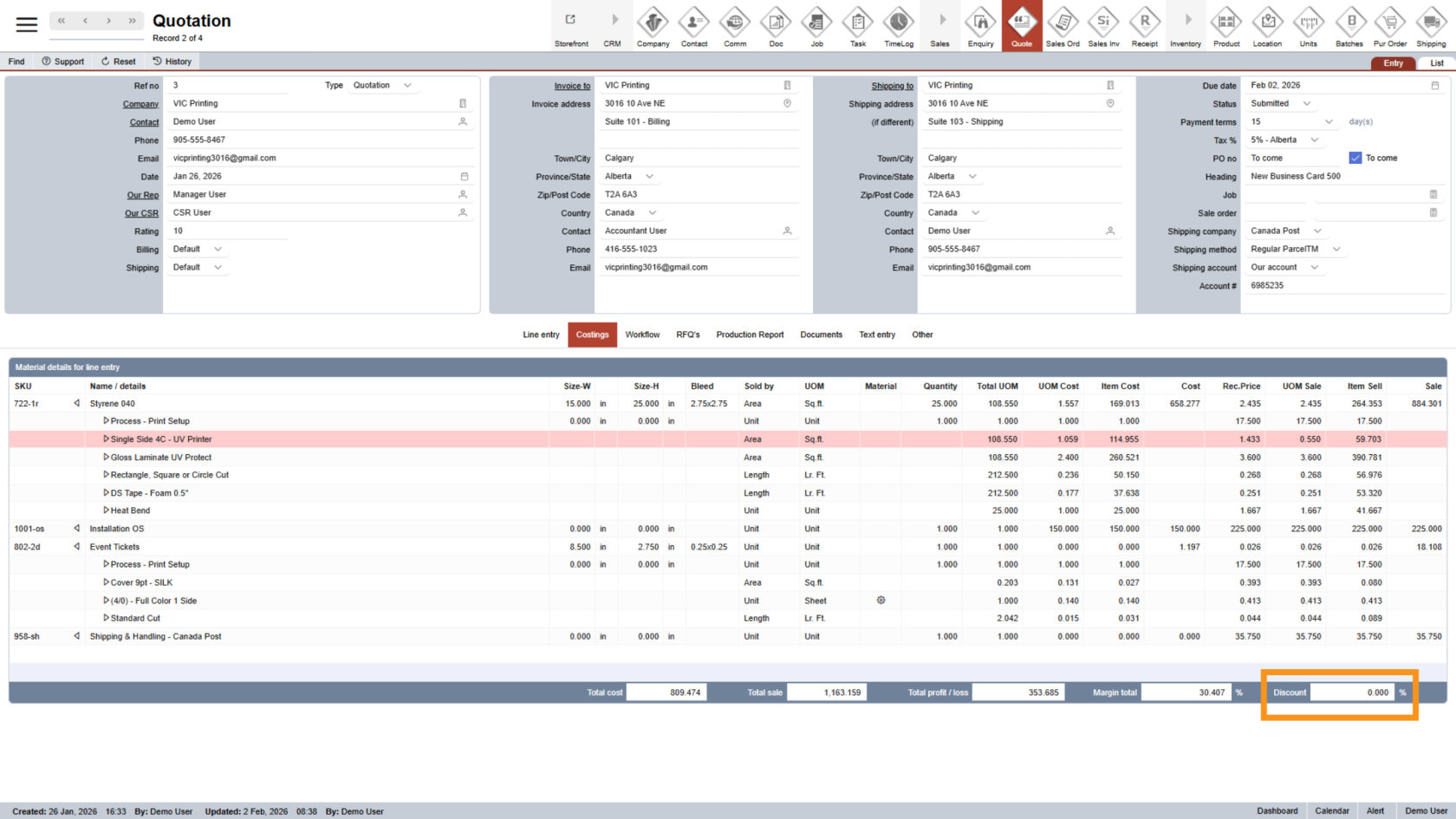
9. Apply a Discount (Manager Only)
Managers can apply a discount to the entire quotation.
Enter the value in the "Discount" field:
- Enter a positive number to apply a discount
- Enter a negative number to increase the price
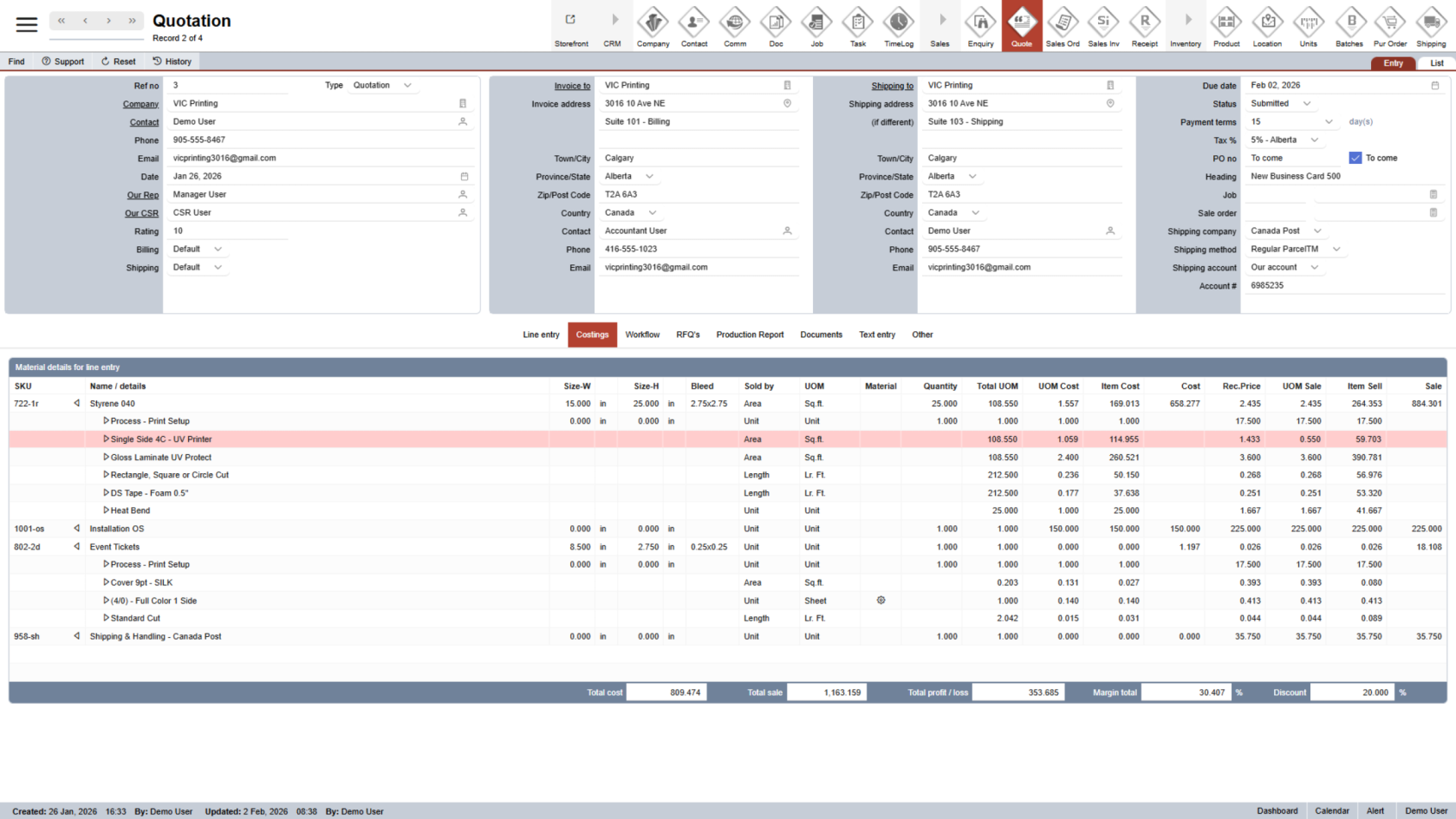
10. Discount Calculation
Once entered, WorkTraq will automatically calculate the discount for the quotation.
Note: Discounts do not apply to shipping and RFQ items.
You have successfully reviewed and updated the quotation costing. Please double-check all costs, margins, and discounts to ensure the quotation is accurate and ready for the next step Quotation Workflow.