
Invoices Outstanding for Specific Company
This tutorial shows how to view outstanding sales invoices for a specific company in the Worktraq App, helping you track unpaid invoices more accurately.
Video Tutorial
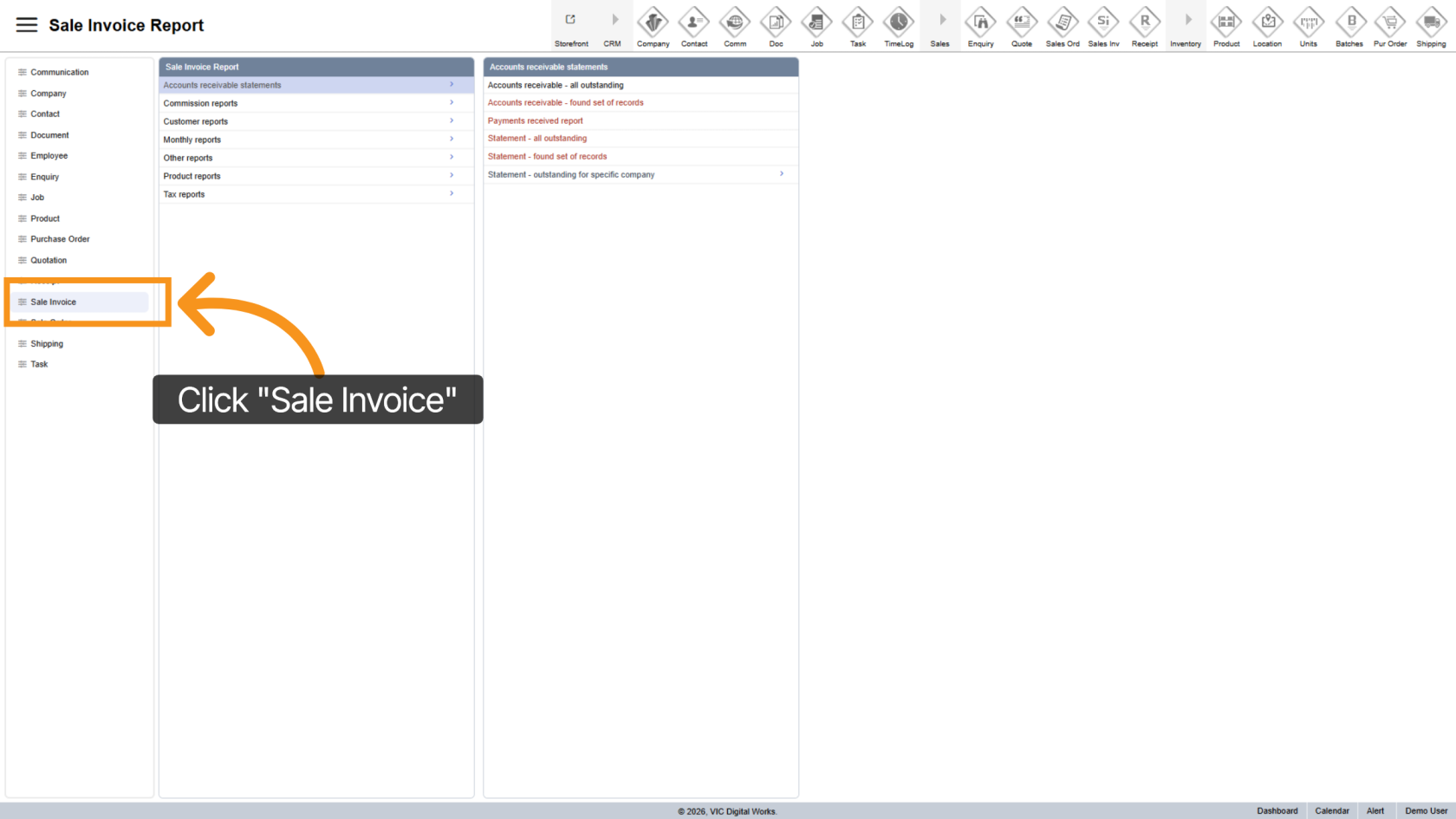
1. Open Sales Invoice Section
Click "Sale Invoice" to access invoice reports.
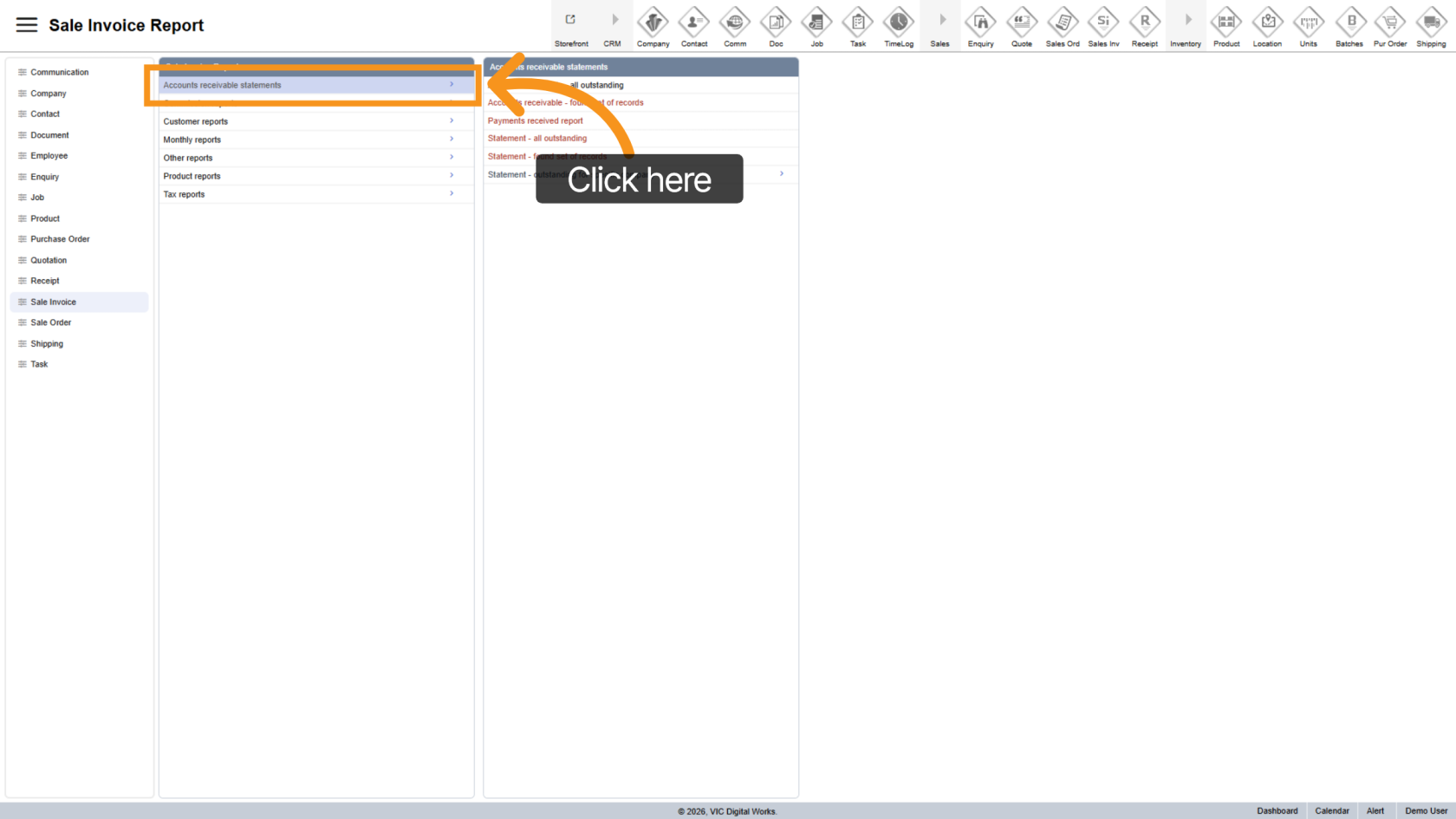
2. Open Outstanding Report
Select "Accounts Receivable Statements" to view outstanding invoices.
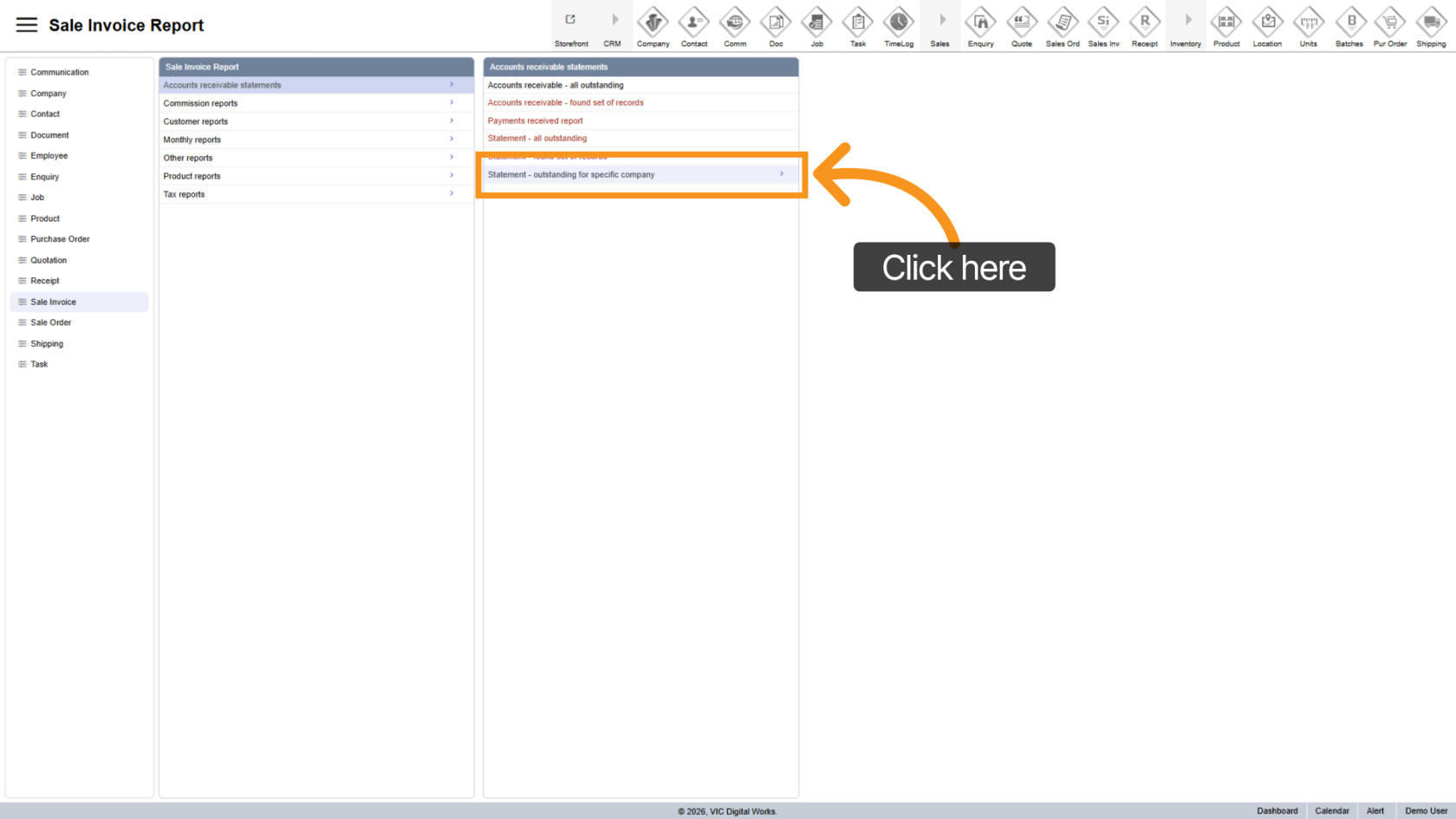
3. Choose Specific Company Option
Select Outstanding for Specific Company to generate a report for a selected company.
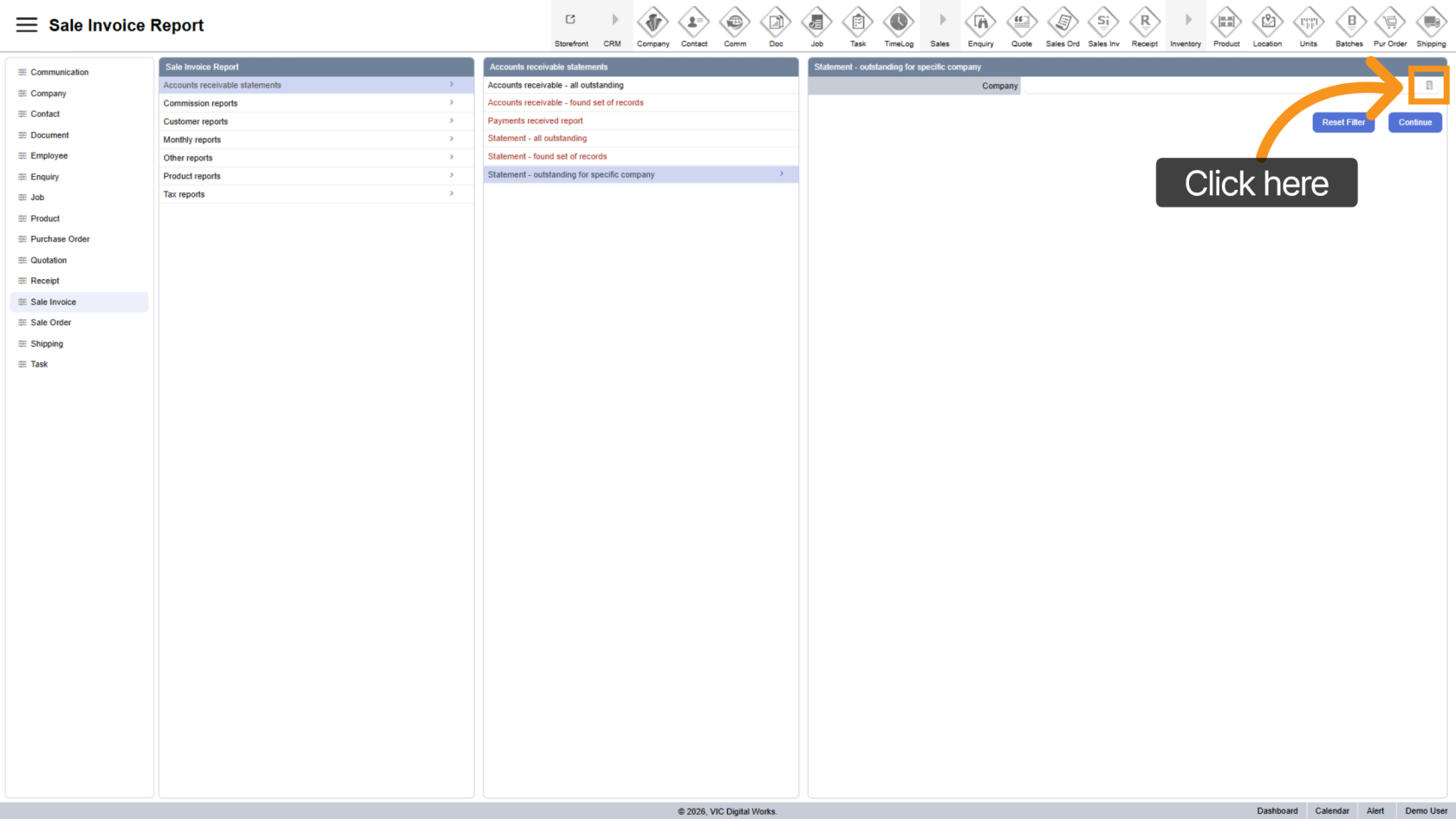
4. Select Company
Click the  company icon and choose the company you want to report on.
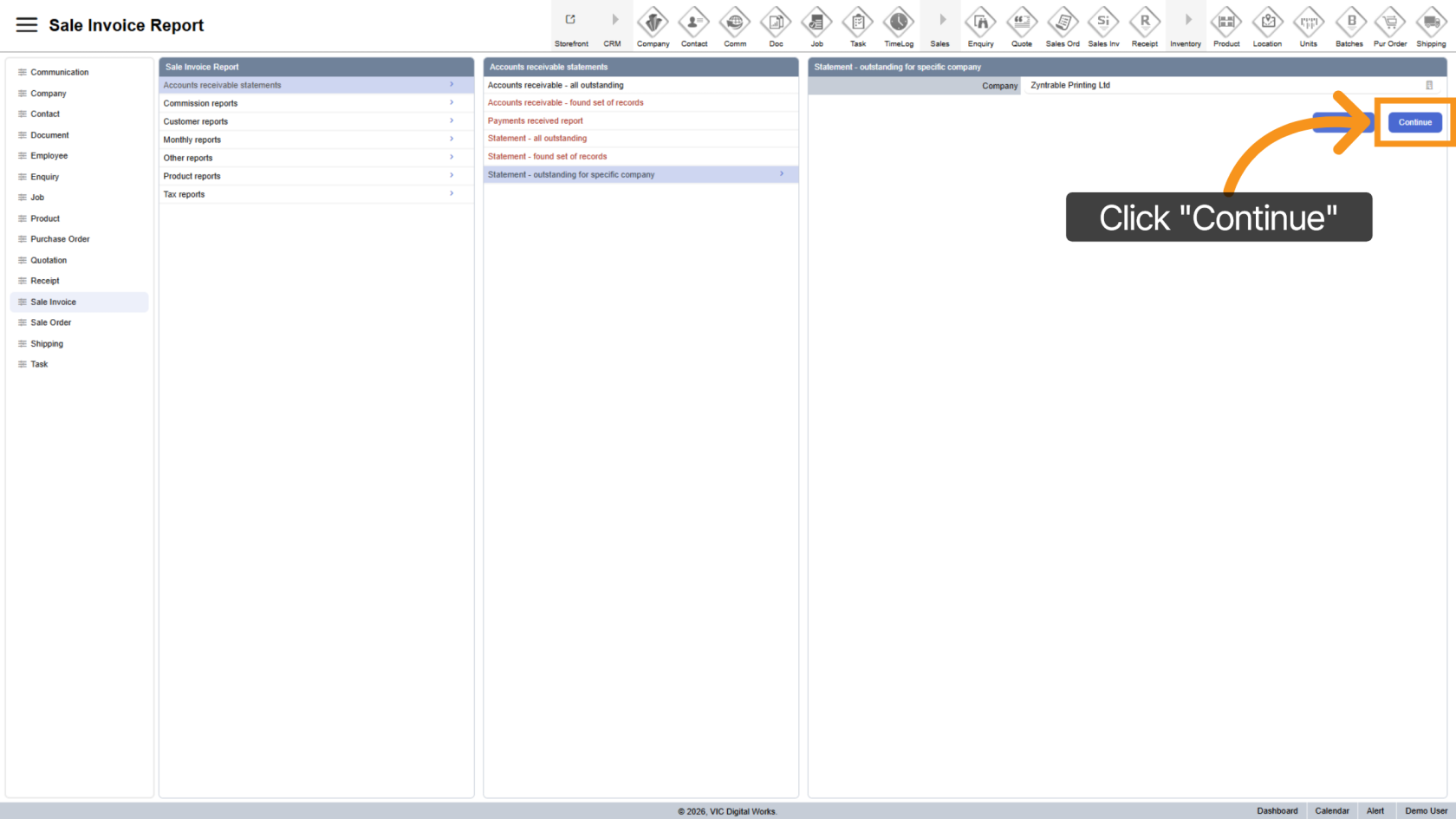
5. Generate Report
Click "Continue" to generate the report based on your selection.
6. Export Report
- Export as PDF
- Export to Excel
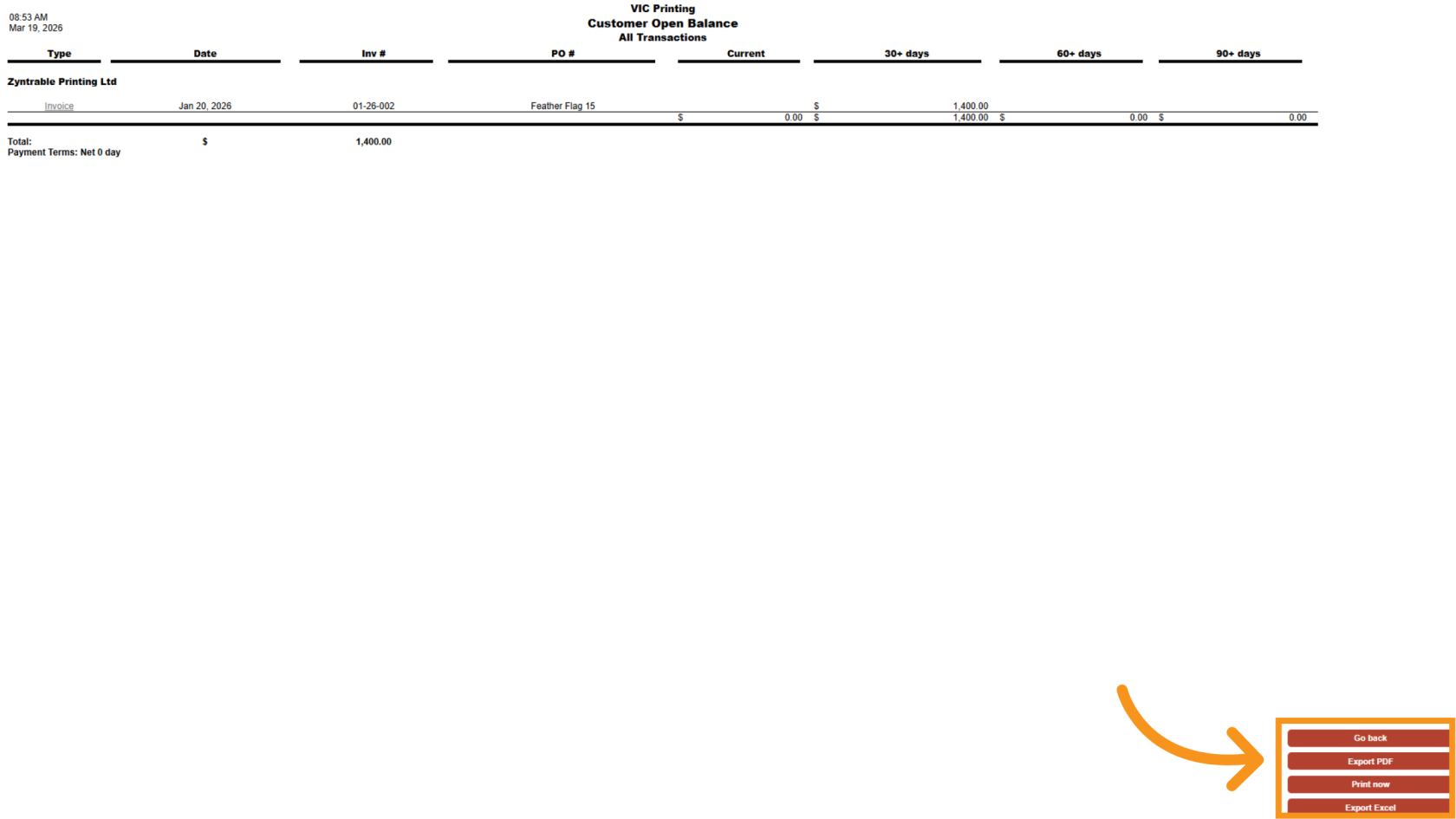
You have successfully generated an outstanding invoice report for a specific company in Worktraq, allowing better tracking and management of receivables.