
Invoices Outstanding Report
This tutorial shows how to view outstanding sales invoices in the Worktraq App, giving you a clear picture of unpaid invoices in your business.
Video Tutorial
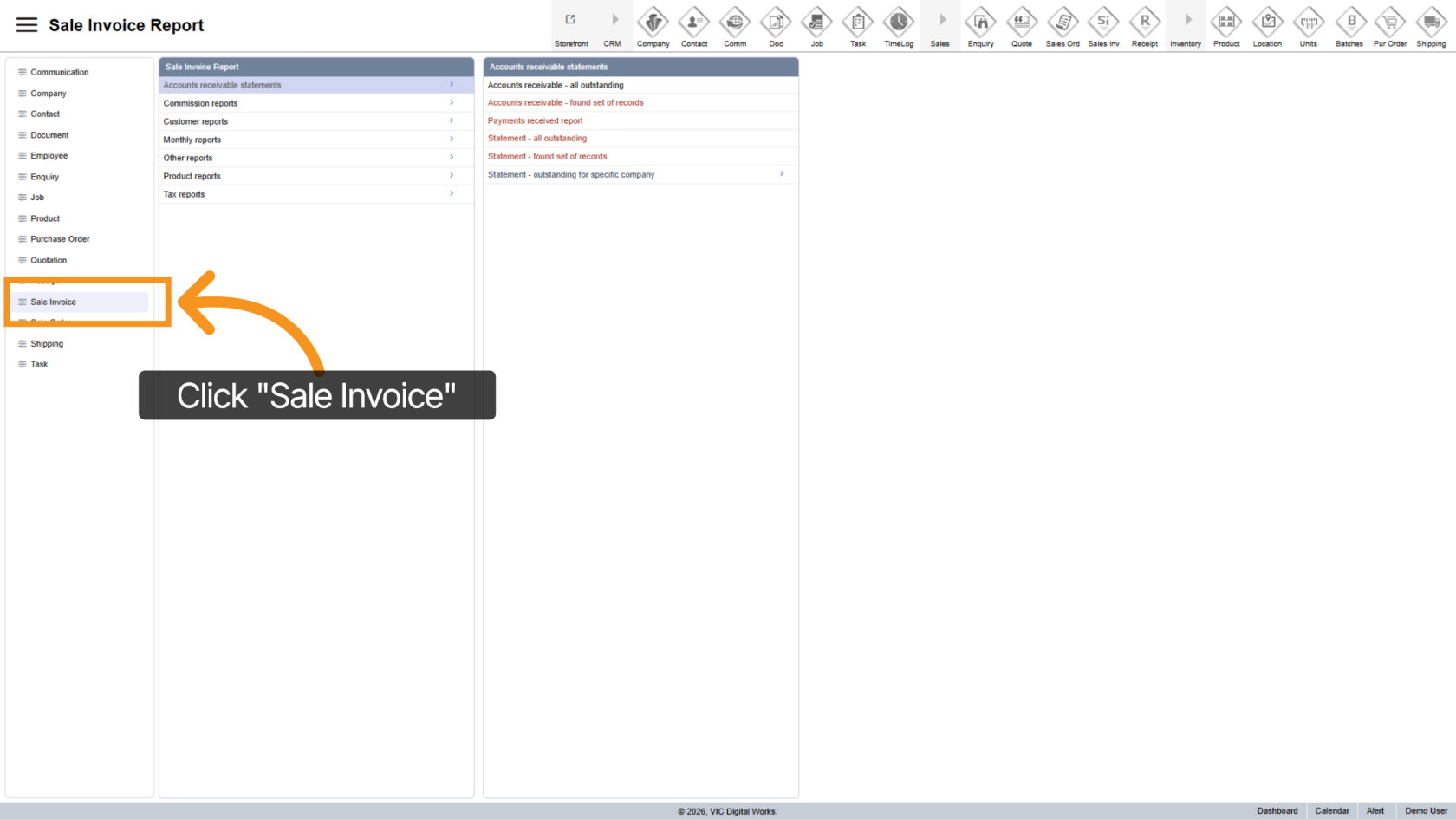
1. Open Sales Invoice Section
Click "Sale Invoice" to access invoice reports.
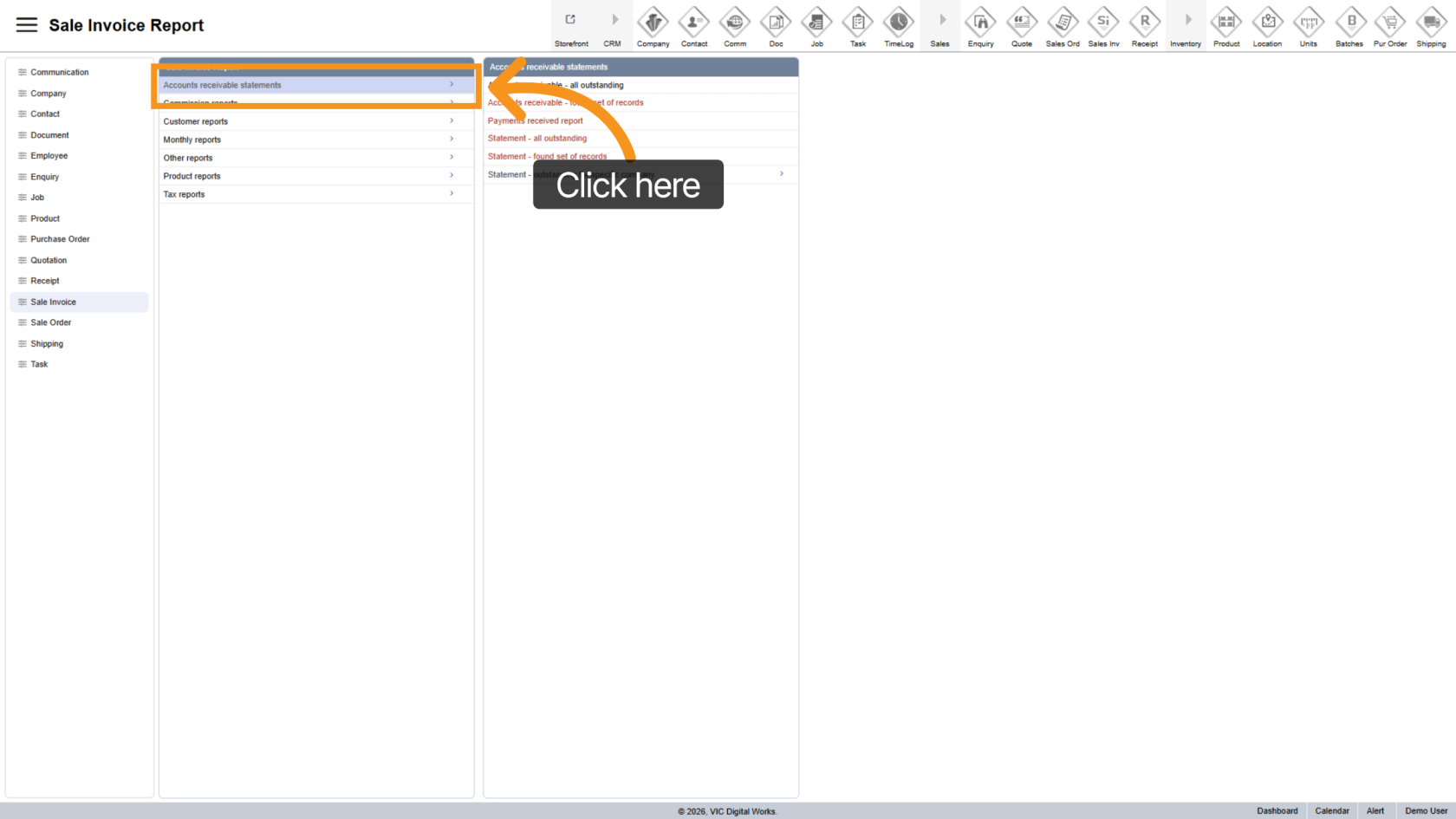
2. Open Outstanding Report
Select "Accounts Receivable Statements" to view outstanding invoices.
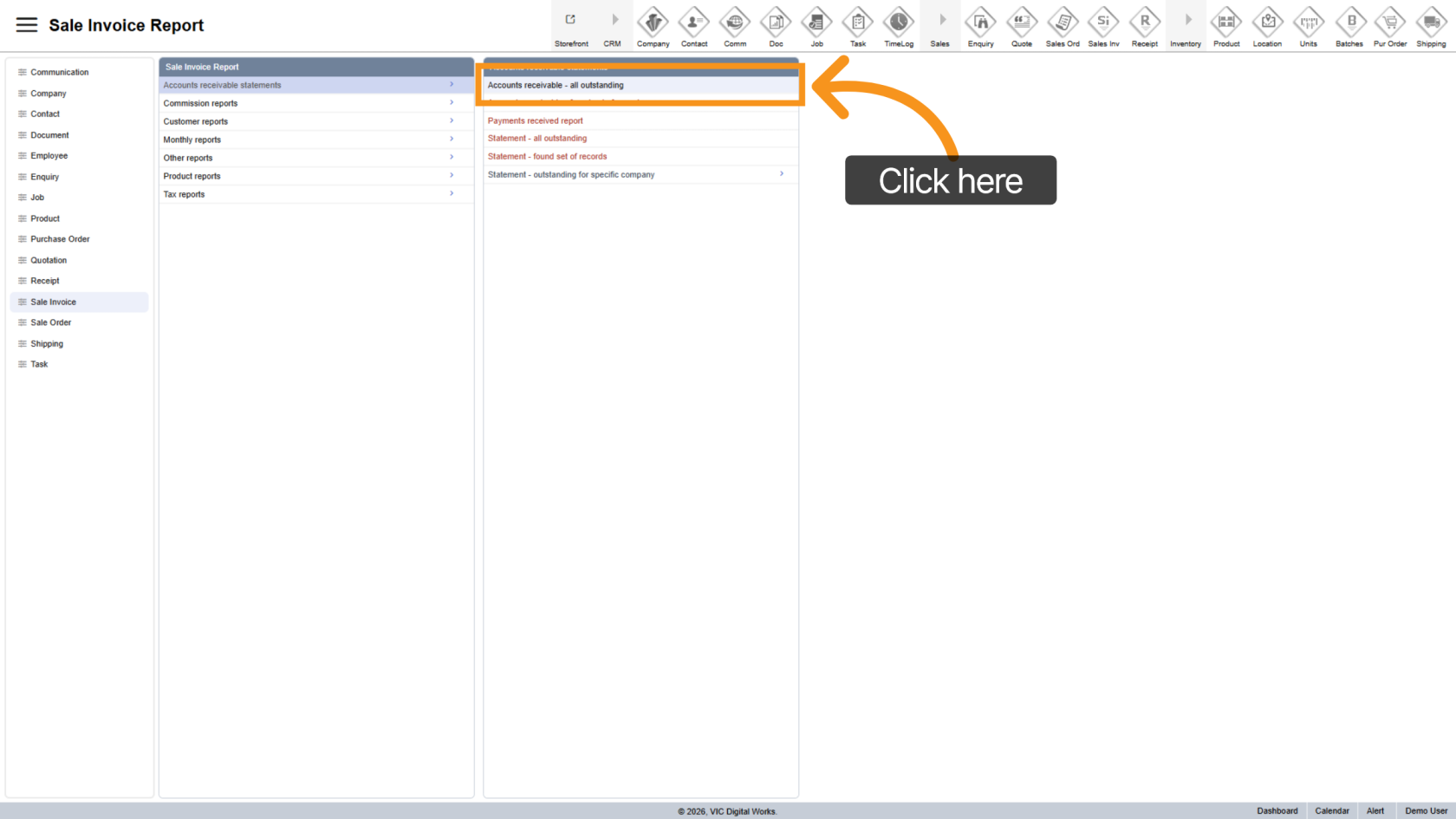
3. Generate Report
Click All Outstanding to generate a list of unpaid invoices.
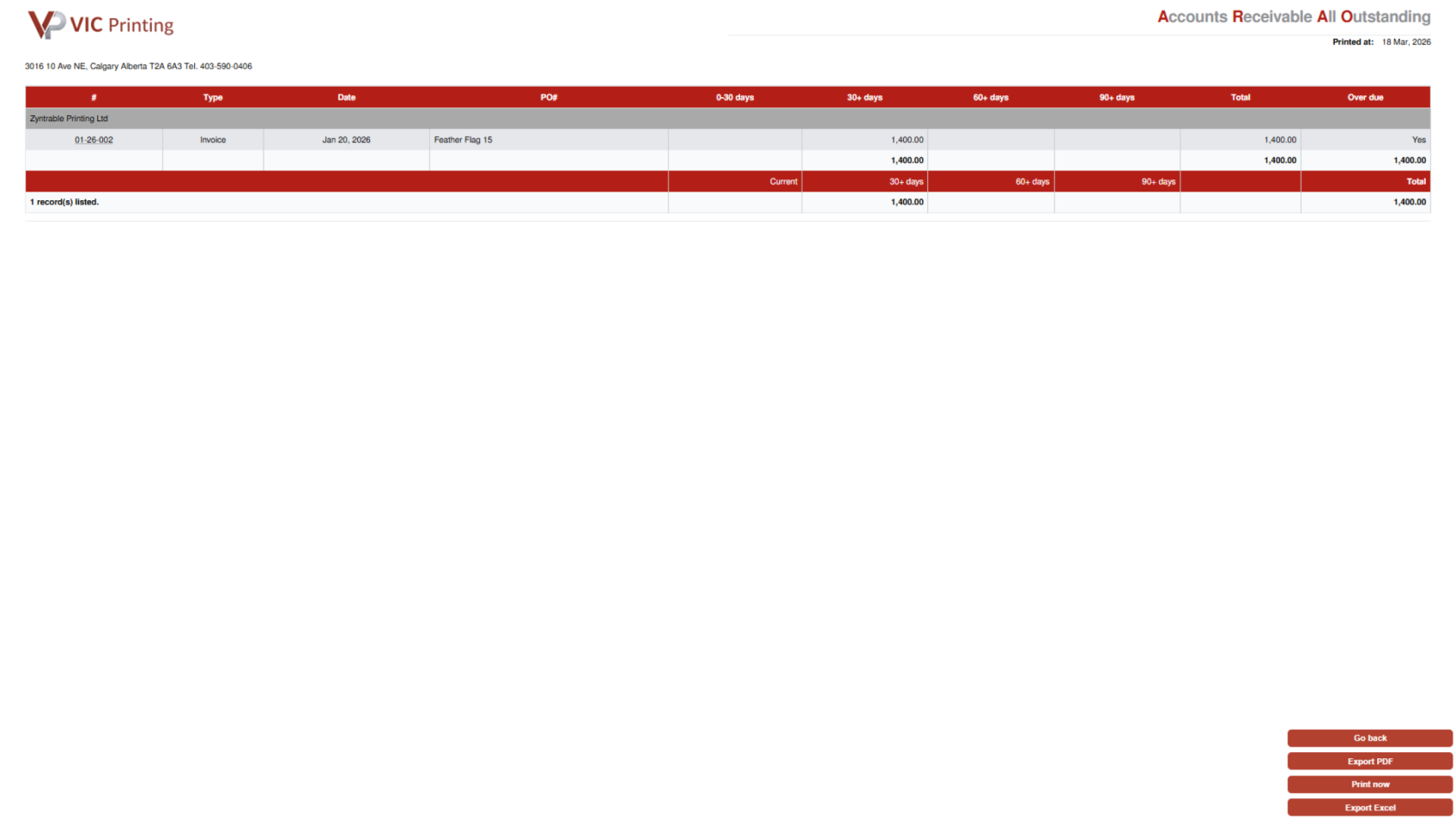
4. Review Report
The report displays unpaid invoices by customer, categorized by aging periods such as 0–30, 30–60, 60–90, and 90+ days.
5. Export Report
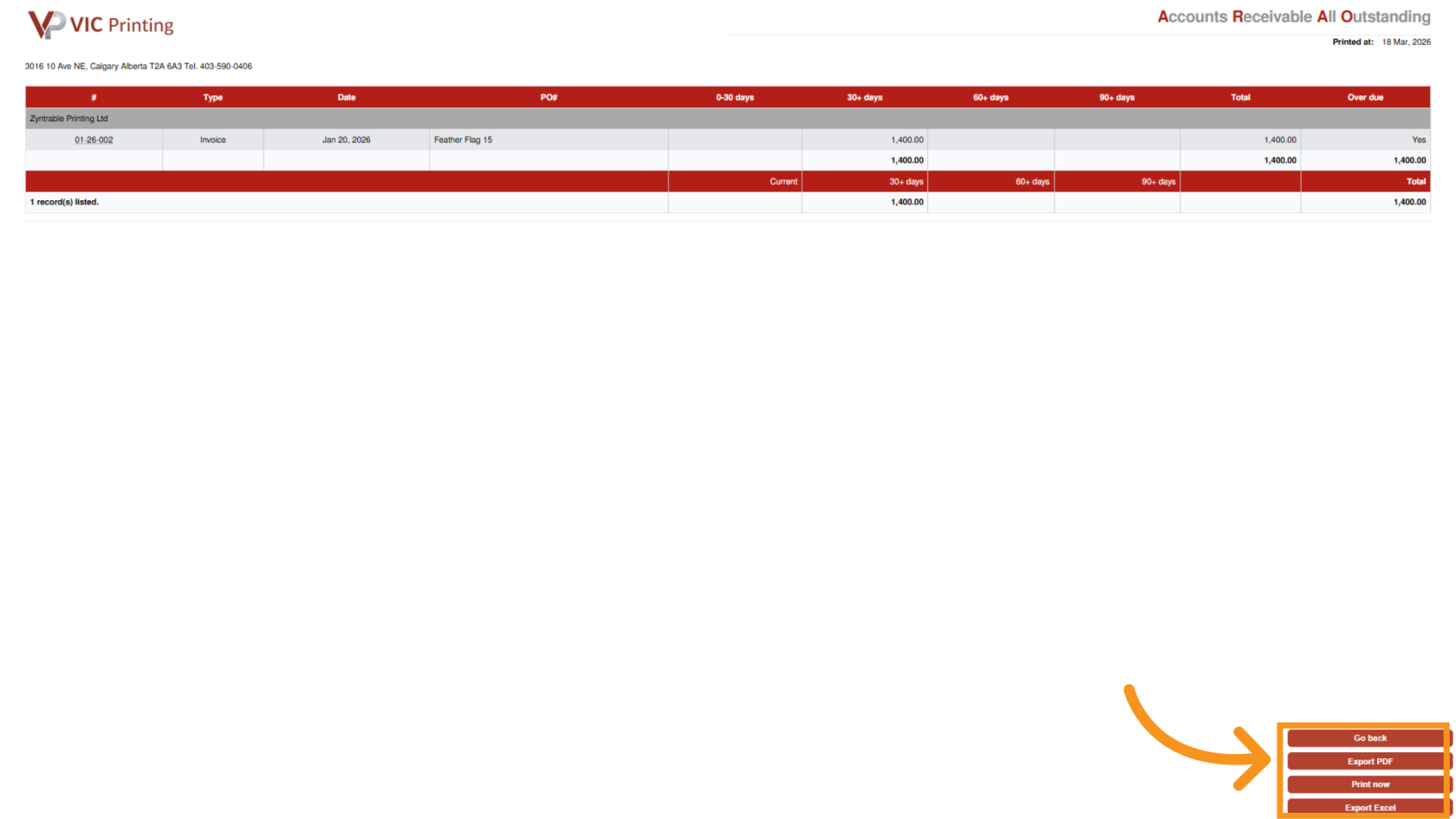
You have successfully generated an outstanding invoice report in Worktraq, helping you track and manage receivables more effectively.