
Product Price Break Reports
This tutorial shows how to generate product price break reports in the Worktraq App. It helps you identify which products are using specific price breaks.
Video Tutorial
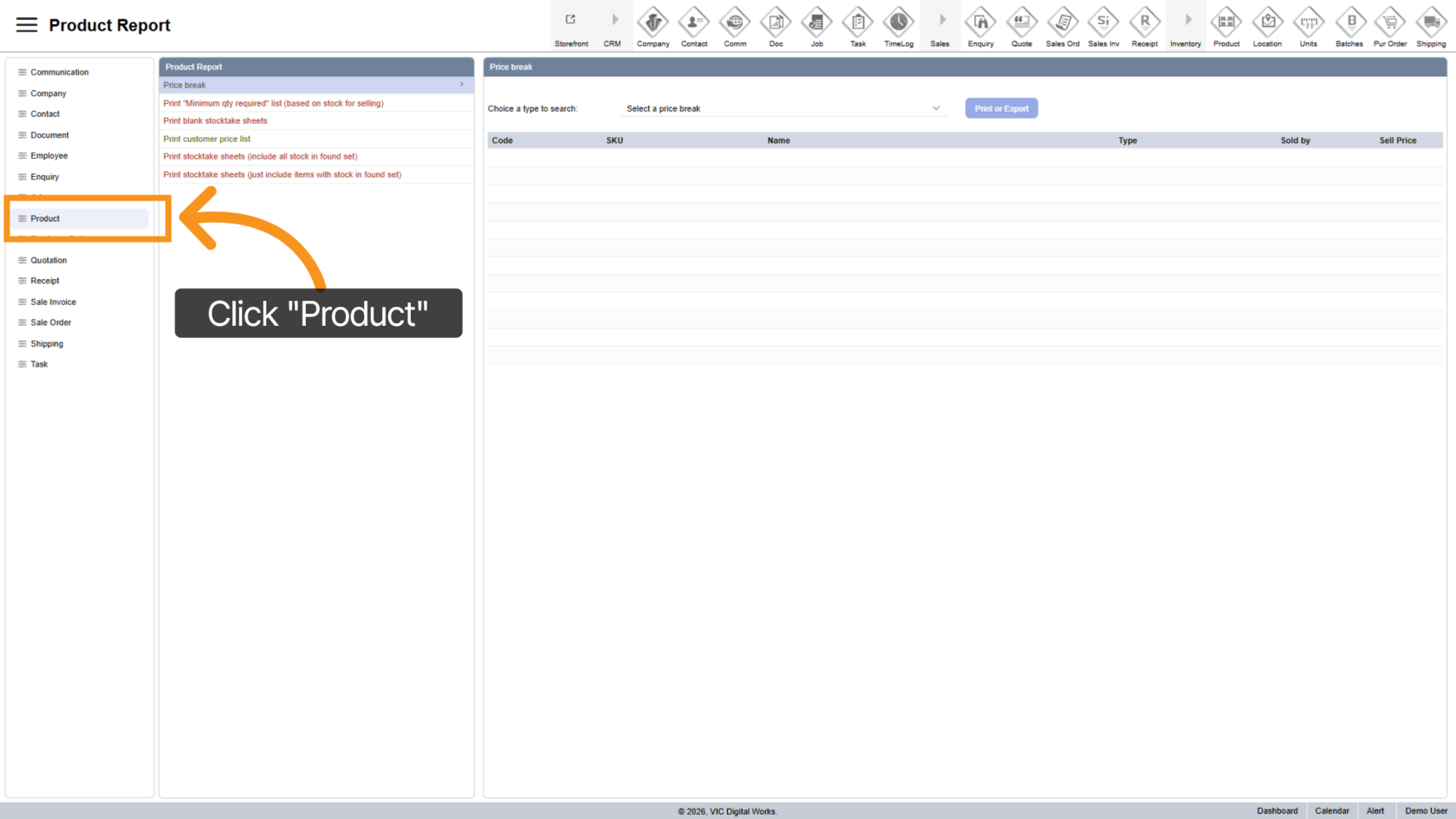
1. Open Product Section
Click "Product" to access product report options.
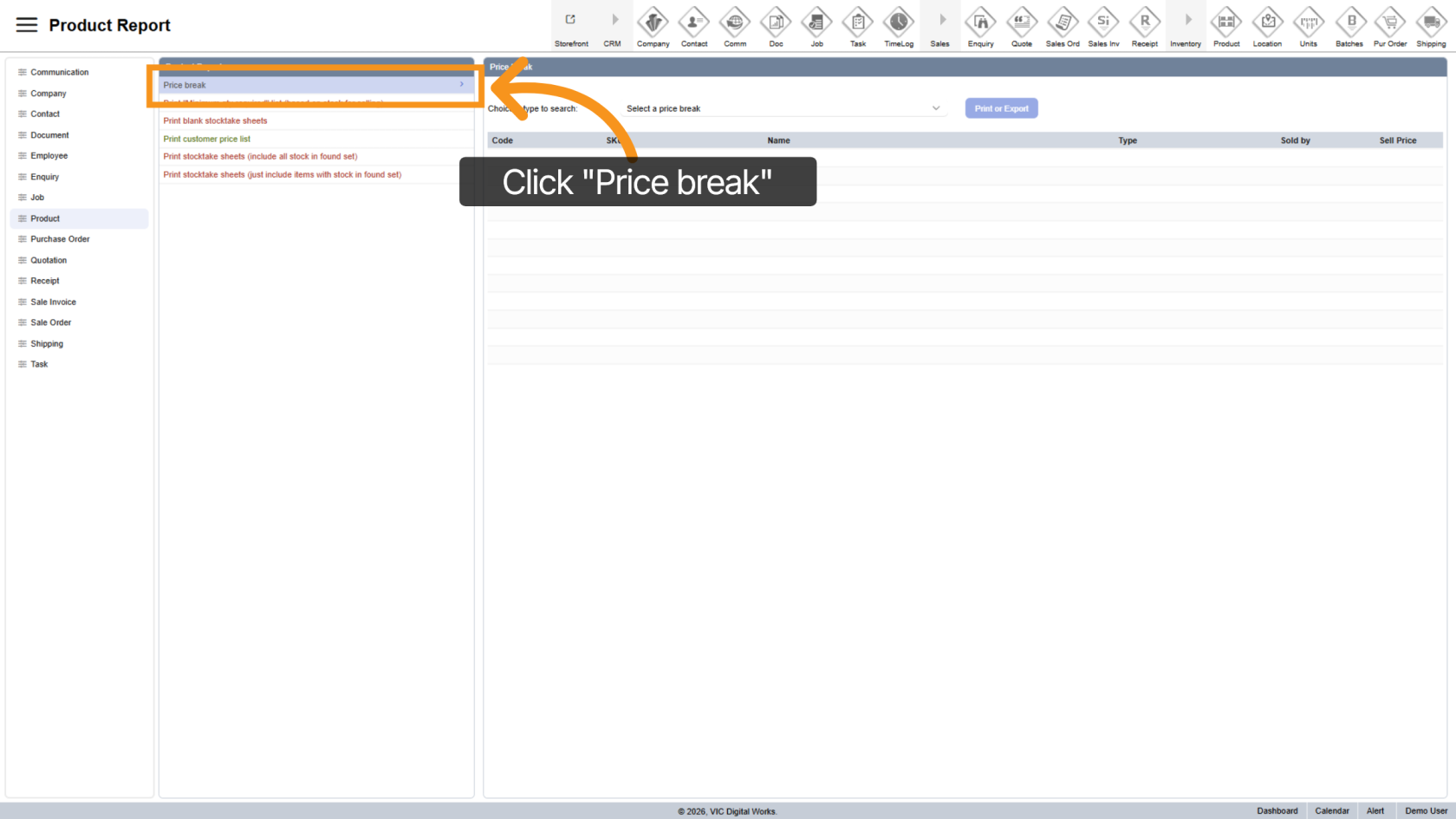
2. Select Price Break Report
Choose "Price Break" to view pricing-related reports.
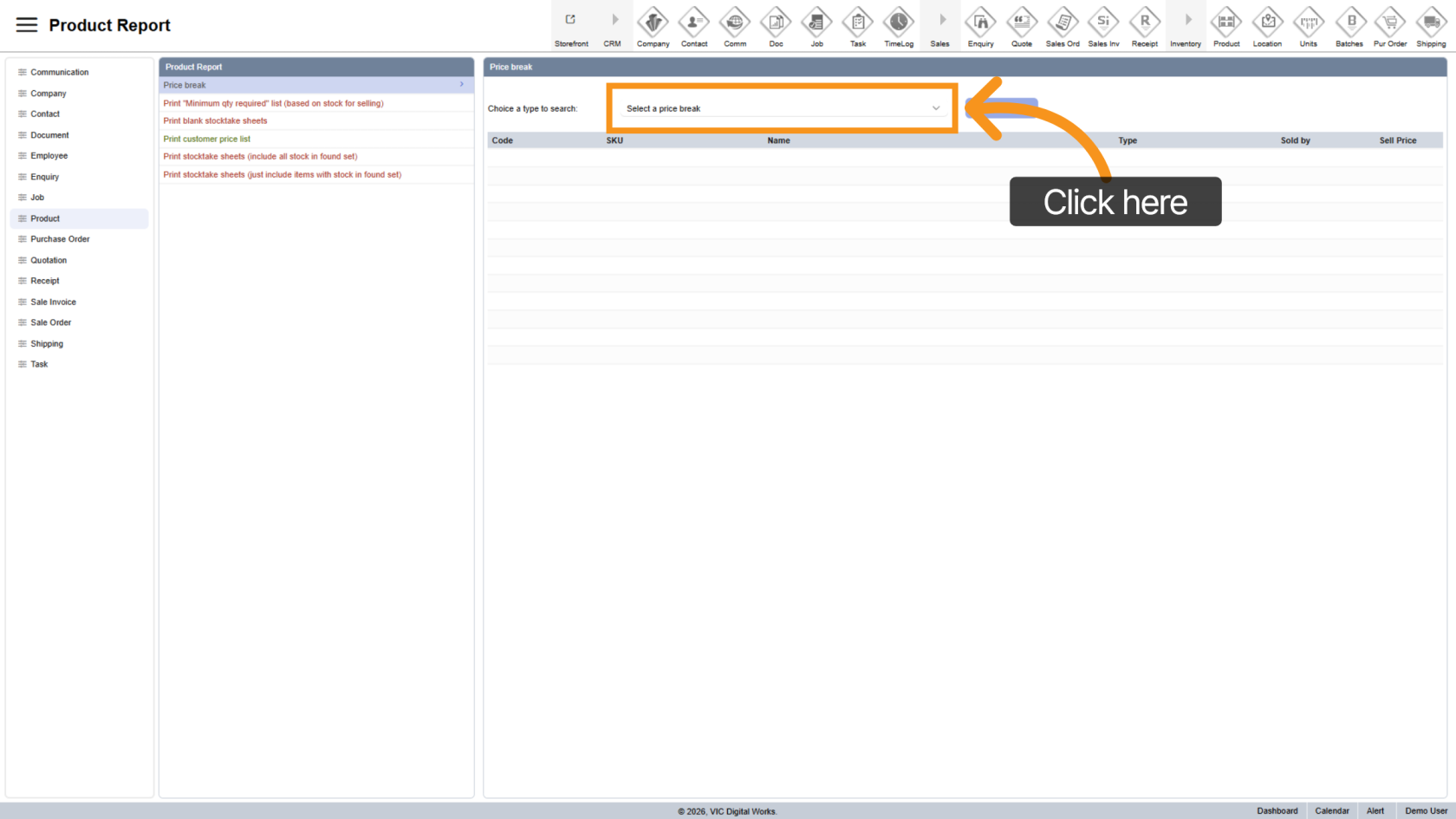
3. Select Price Break
Pick a specific price break to generate the report.
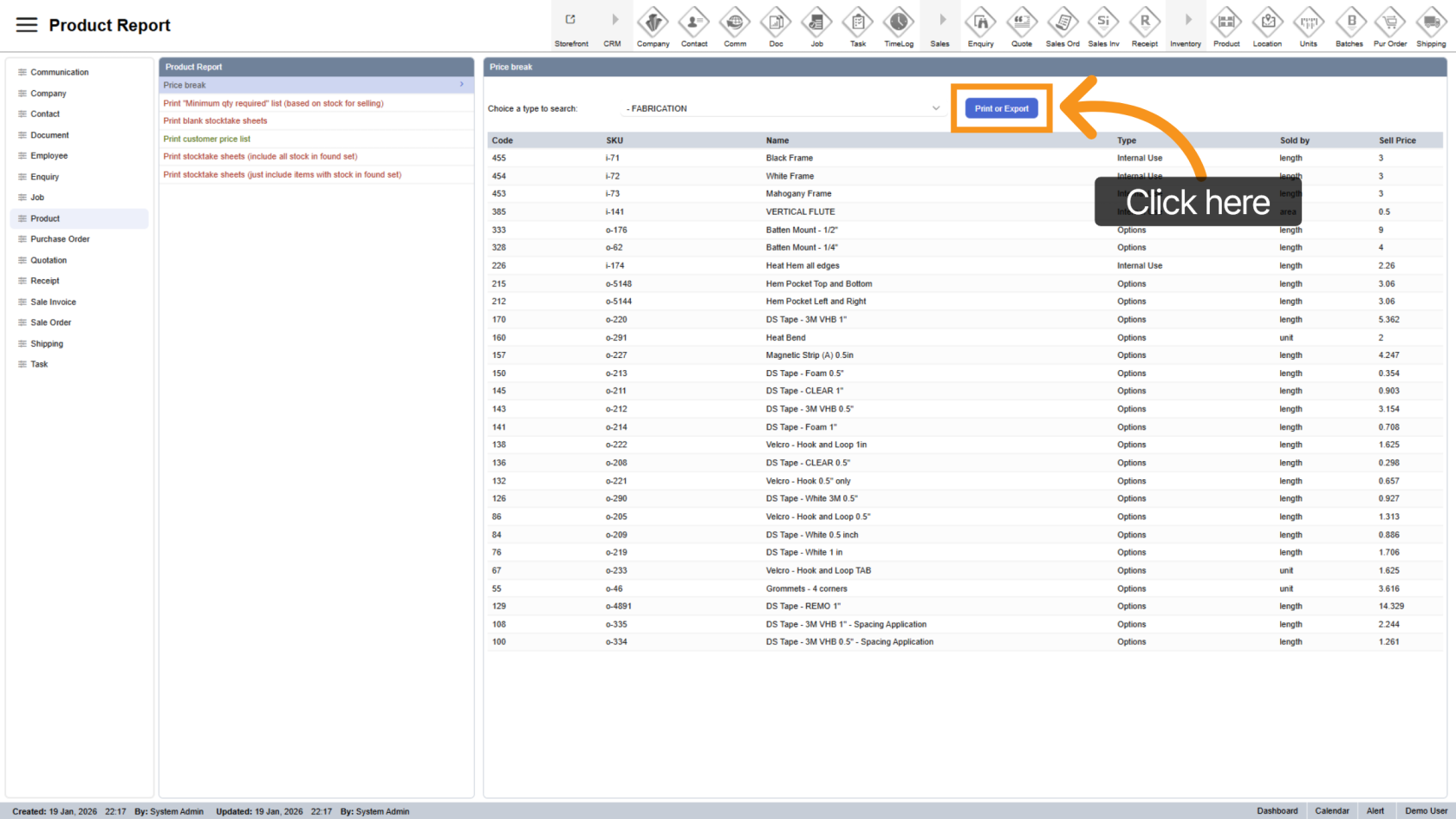
4. Review Products
All products associated with the selected price break will be displayed.
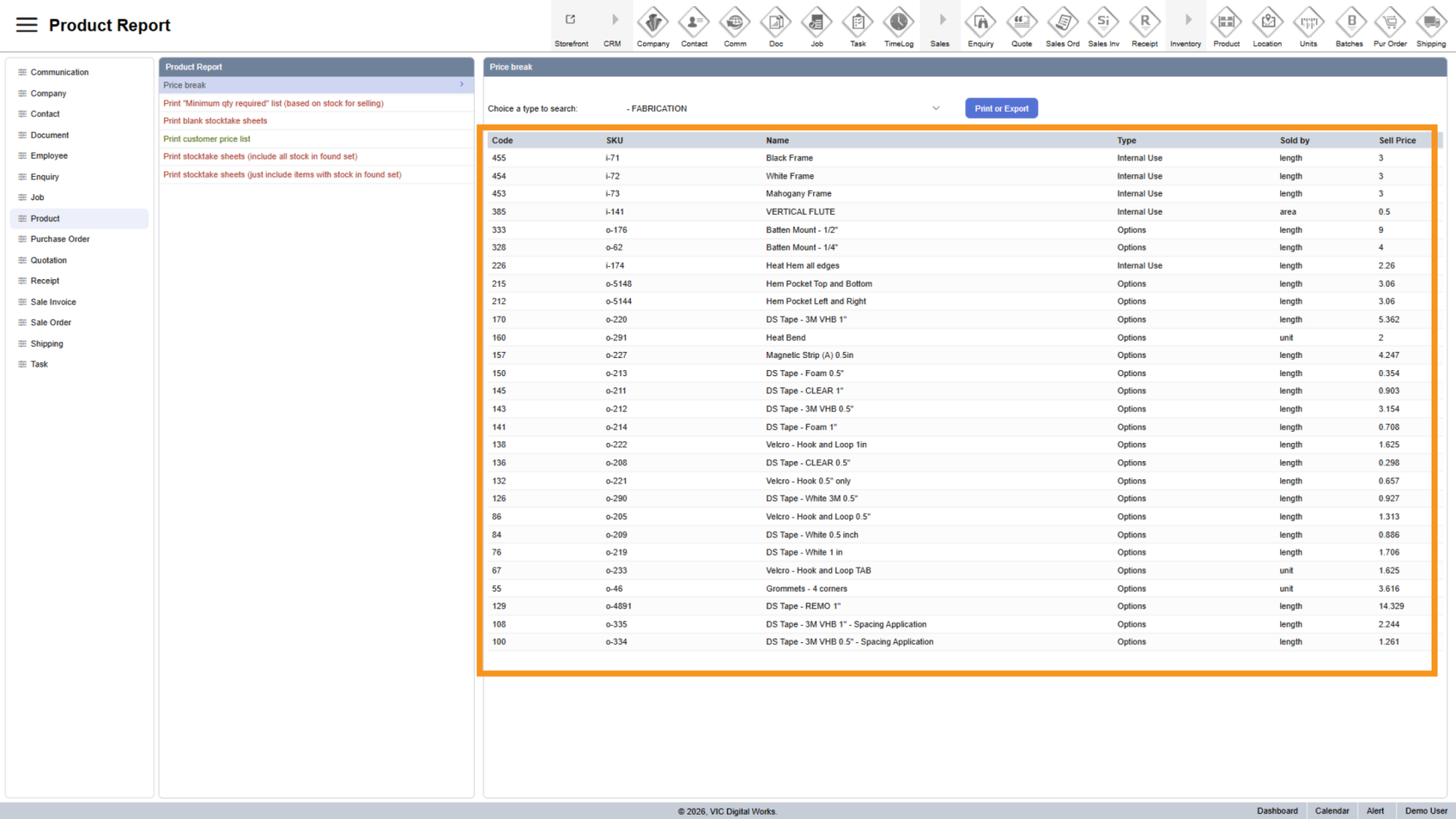
5. Generate Report
Click "Print or Export" to generate the report.
6. Export Report
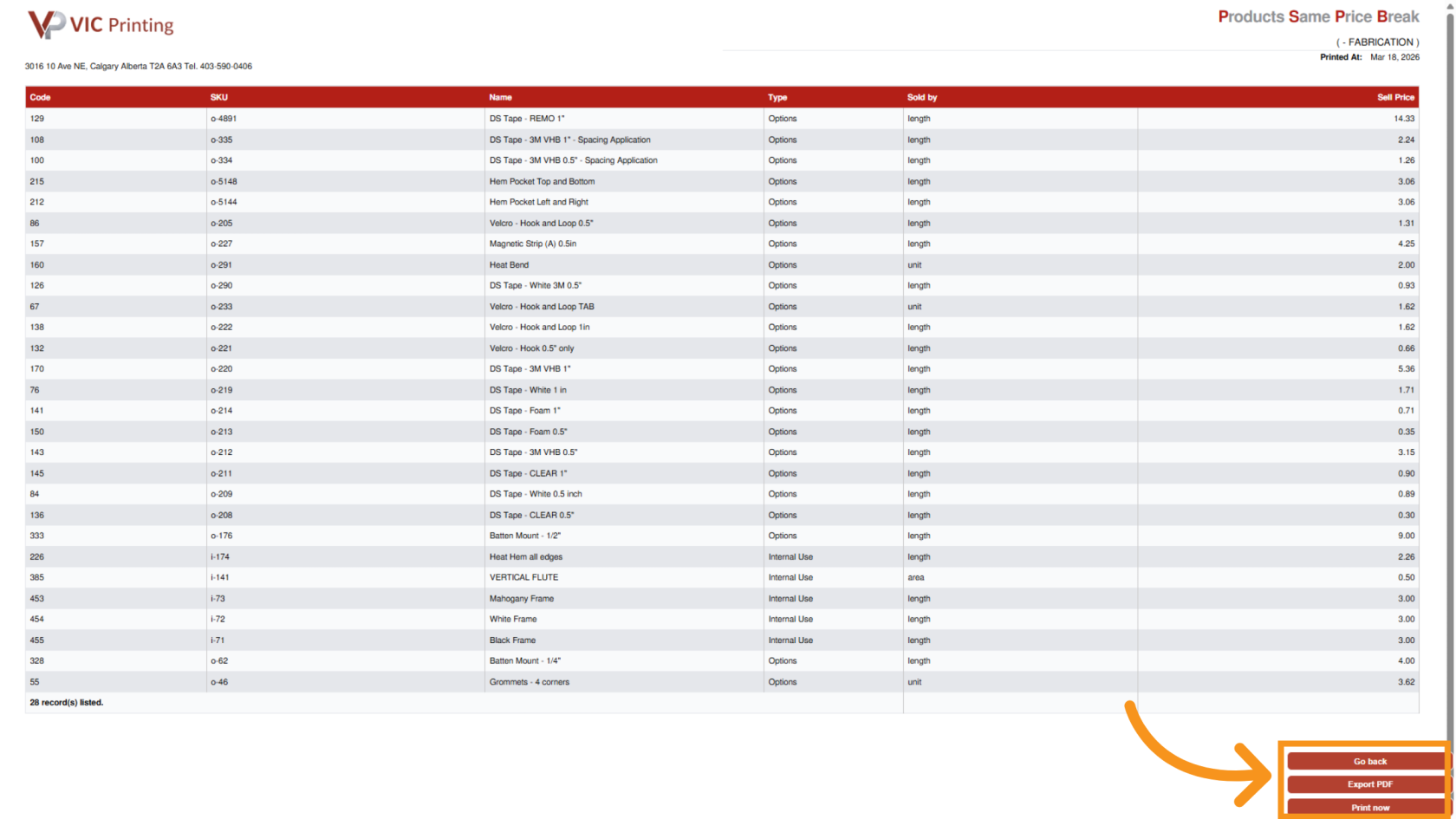
You have successfully generated a product price break report in Worktraq, allowing you to analyze pricing structures and manage product pricing more effectively.